3.2 Accessing from the Web Browser
The camera can be used with the most standard operating systems and browsers. The
recommended browsers are Internet Explorer, Firefox, Chrome, Safari.
3.2.1 Access over IE Browser
Before using the browser to get access to your camera, you need to install the MsActiveX firstly.
You can refer the steps as follows:
Step1: Launch the IE browser and enter the IP address of the camera.
Step2: Enter the User Name and Password and click “Login”.
(The default user name is “admin”, password is “ms1234”)
Step3: At the first time to log in the device, the browser will prompt to install Controls, please click
“Click here to download and install controls manually” as Figure 3-2-1.
Figure 3-2-1
Note:
During installing the controls, please keep the browsers close.
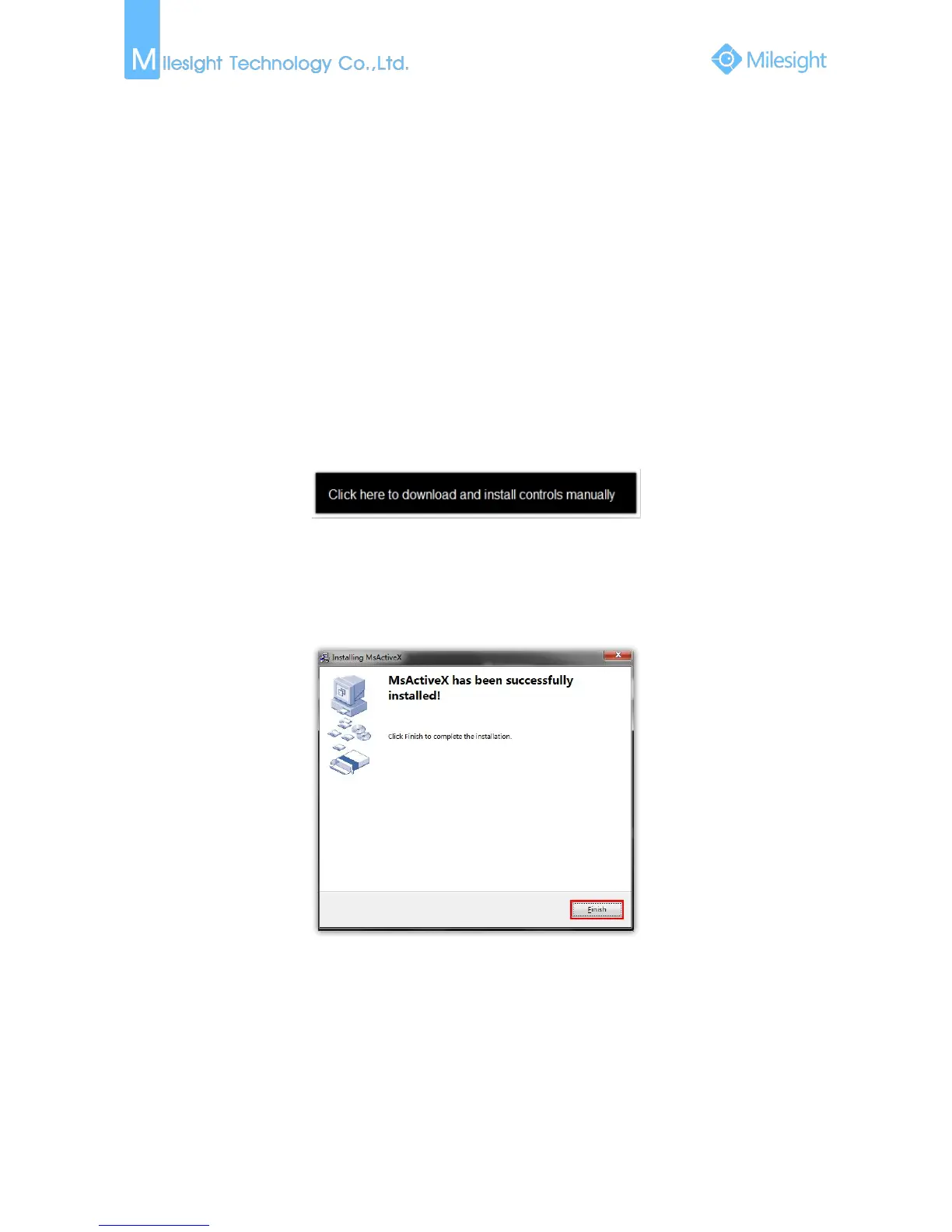
Step4: Follow the prompts to install the Controls, when it`s finished, it will pop out a window as
Figure 3-2-2. Please click “Finish” and refresh the browser, then you will see the video.
Figure 3-2-2
If IE9 or higher version browser is used, it is suggested that the Milesight camera web link should
be added as a trusted site. See the instructions as follows:











 To Next Page