Chapter IV System Operation Guide
4.1 Live Video
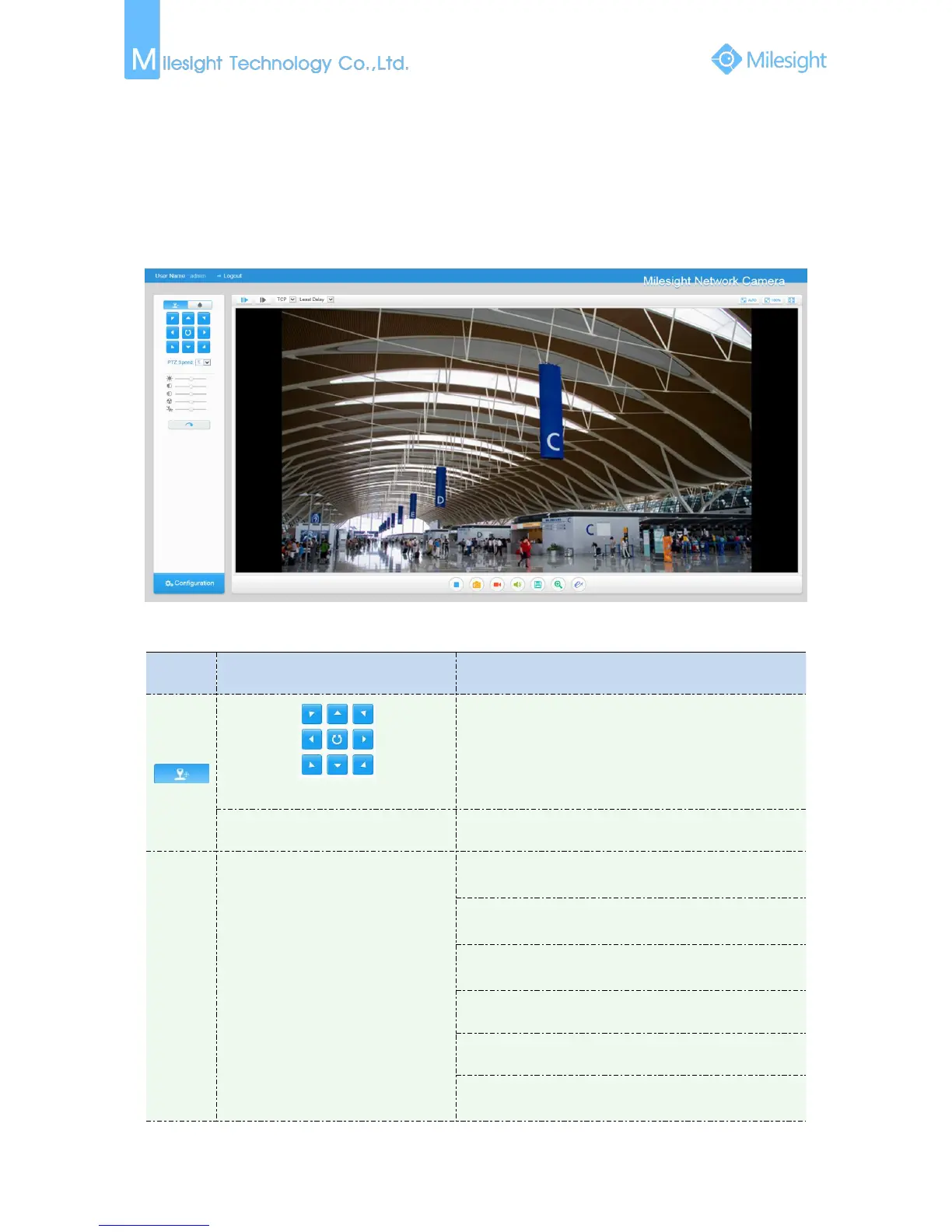
After logging in the network camera web GUI successfully, user is allowed to view live video as
follows.
Figure 4-1-1 Live view interface
Table 4-1-1 Description of the buttons
Navigation key is used to control the direction. The
rotation key is used for auto-rotation
PTZ rotation speed control
Brightness: A brighter scene appears, if a higher level of
brightness is chosen
Contrast: The difference in color and light between
parts of an image
Saturation: A more vivid scene appears, if a higher level
of saturation is chose
Sharpness: Make image more sharp
Noise Reduction Level: Adjust the noise reduction level
Default Settings: Restore brightness, contrast and
saturation to default settings











 To Next Page