EasyManua.ls Logo

Milesight MS-C3262-FPNA - Advanced Settings; Image

Milesight MS-C3262-FPNA
92 pages
Print Icon
To Next Page IconTo Next Page
To Previous Page IconTo Previous Page
Loading...
60
4.4 Advanced Settings
4.4.1 Image
There are two more modules(Privacy Mask and ROI) in Advanced Settings than those in Basic
Settings. The same parts will not repeat again. Please refer to 4.3.2 if you are in need.
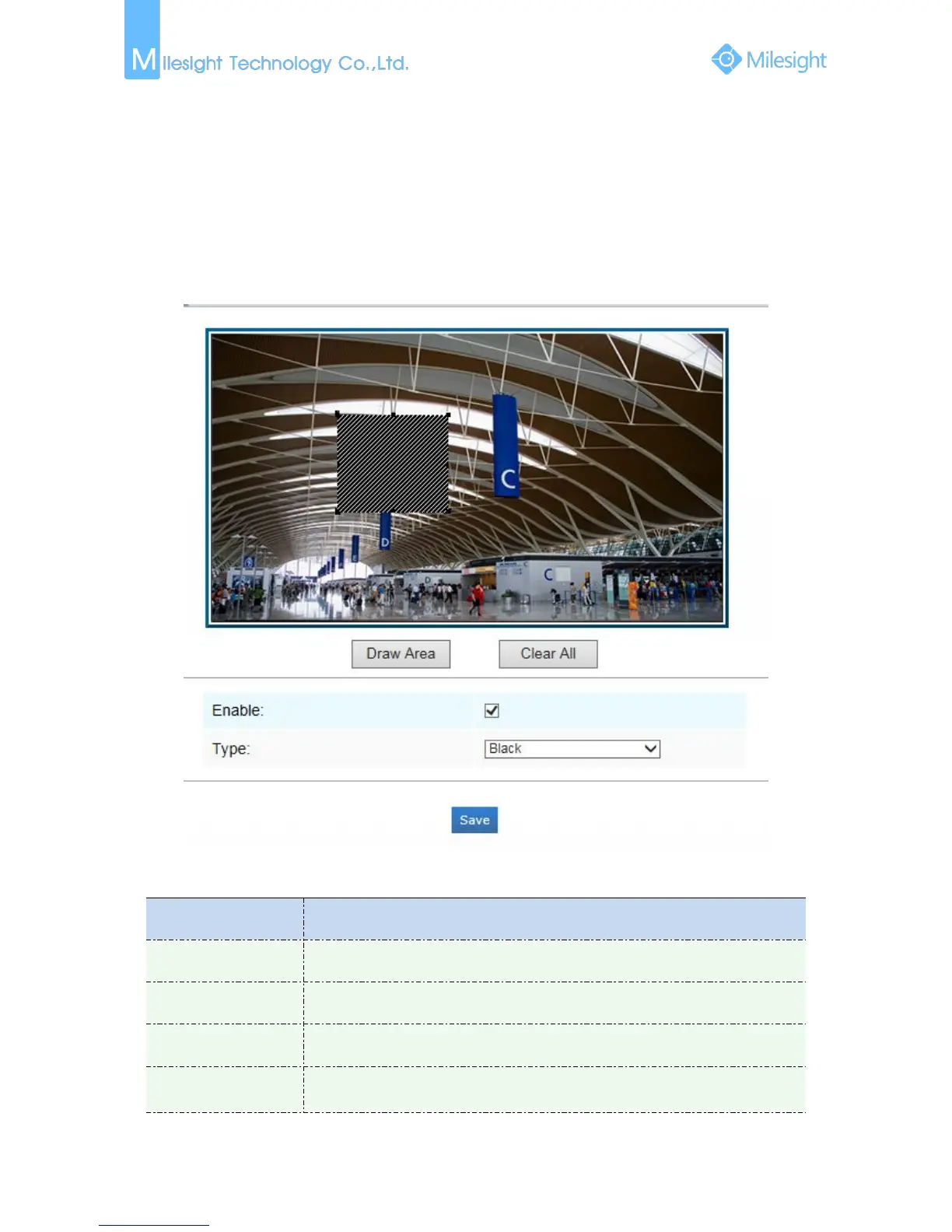
Privacy Mask
Figure 4-4-1 Privacy Mask
Table 4-4-1 Description of the buttons
Parameters
Function Introduction
Enable
Check the checkbox to enable the Privacy Mask function
Draw Area
Draw the area which you want to cover
Clear All
Clear all areas you drew before
Type
Select the color to use for the privacy areas, there are three colors available:
White, Black, Blue

Other manuals for Milesight MS-C3262-FPNA

Related product manuals