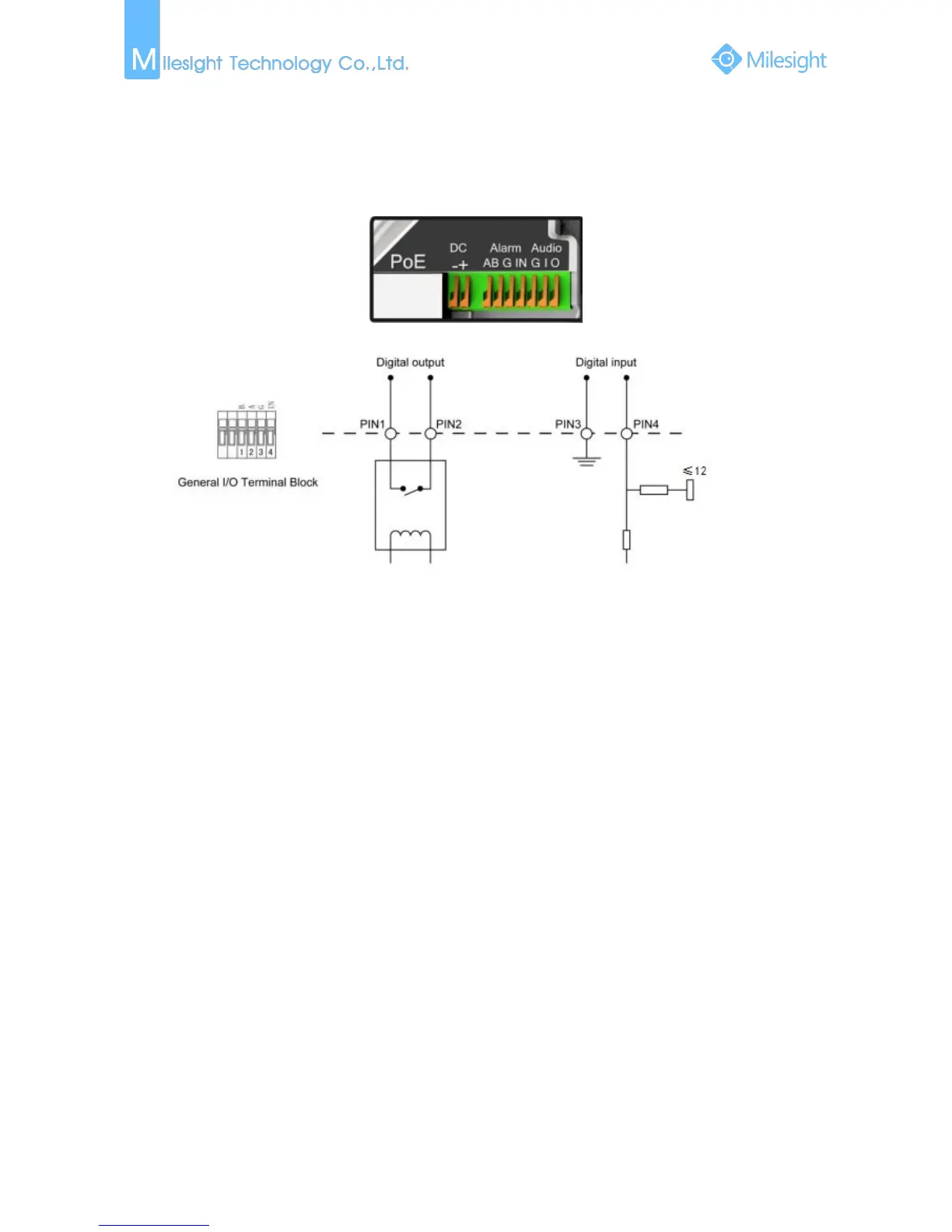
1.5 How to Connect to Alarm Interface
External interface of camera is as the following, you can refer to the picture to install the external
alarm device:
PIN1: A/B
PIN2: A/B
PIN3: Connect with G(ground)
PIN4: Connect with input ≤12V
1.6 System Requirements
Operating System: Windows XP/Vista/7/8/10/Server 2000/Server 2008
CPU: 1.66GHz or higher
RAM: 1G or higher
Graphic memory: 128MB or more
Internet protocol: TCP/IP (IPv4/IPv6)
Web Browsers: Internet Explorer 8.0 and above version, Mozilla Firefox, Google Chrome and Safari.











 To Next Page