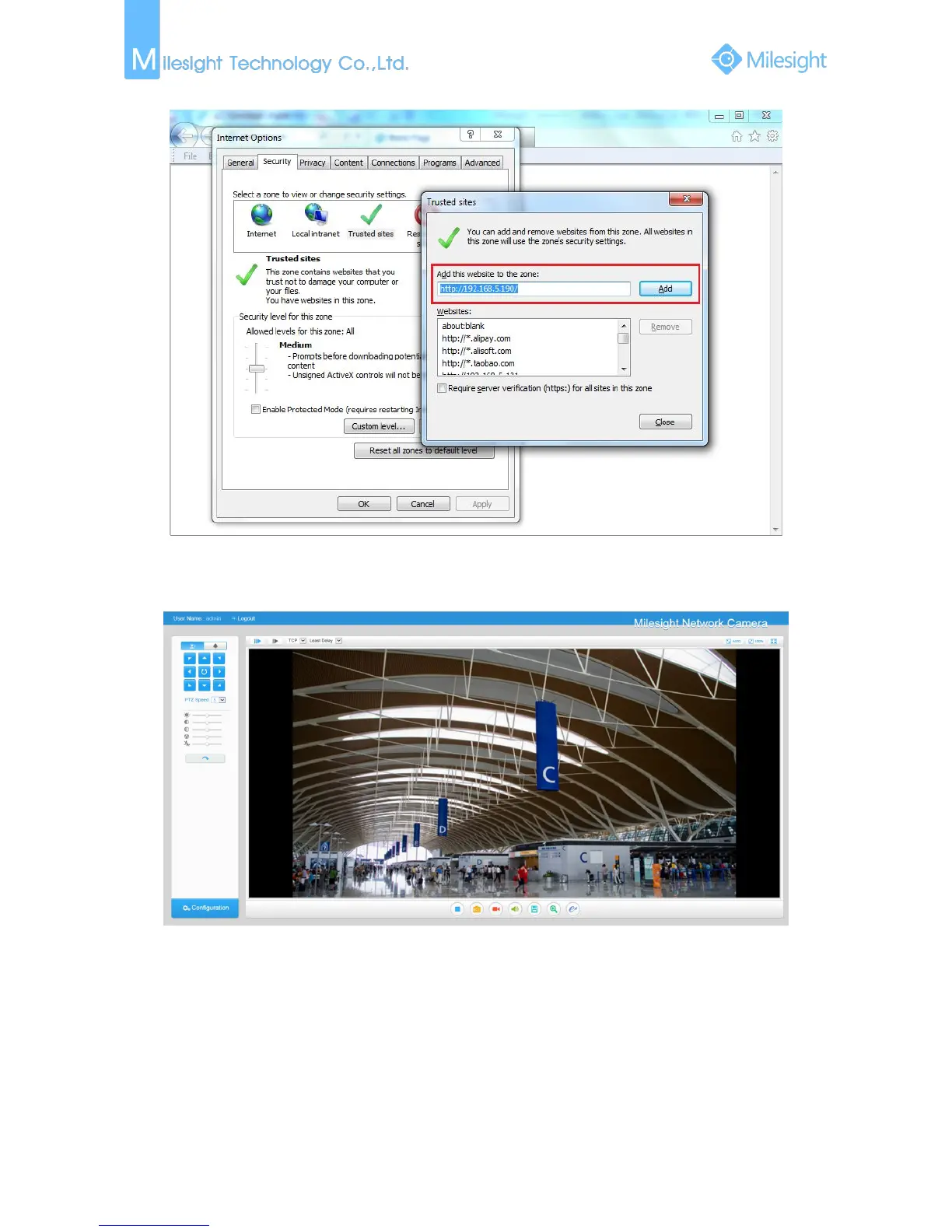
Step3: Enter the IP address of the camera in the blank and click “Add”;
Figure 3-2-5
Step4: Enter the IP address. After logging on IP camera’s web GUI successfully, user is allowed
to view live video as follows.
Figure 3-2-6
3.3 Accessing from Milesight VMS (Video Management Software)
Milesight VMS(ONVIF compatible) is a handy and reliable application designed to work with IP
cameras in order to provide video surveillance, recording settings and event management
functions. The interface of Milesight VMS is very easy to use, intuitive, with easy access to the
most common activities, such as viewing live video, searching through recordings and exporting
videos and snapshots. It's able to be integrated with other devices through ONVIF. It is designed to











 To Next Page