add time suffix or overwrite the base file name
Save Into NAS: Save the snapshots into NAS, and choose the file name to add
time suffix or overwrite the base file name
Upload Via FTP: Upload the snapshots via FTP, and choose the file name to add
time suffix or overwrite the base file name
Upload Via SMTP: Upload the snapshots via SMTP
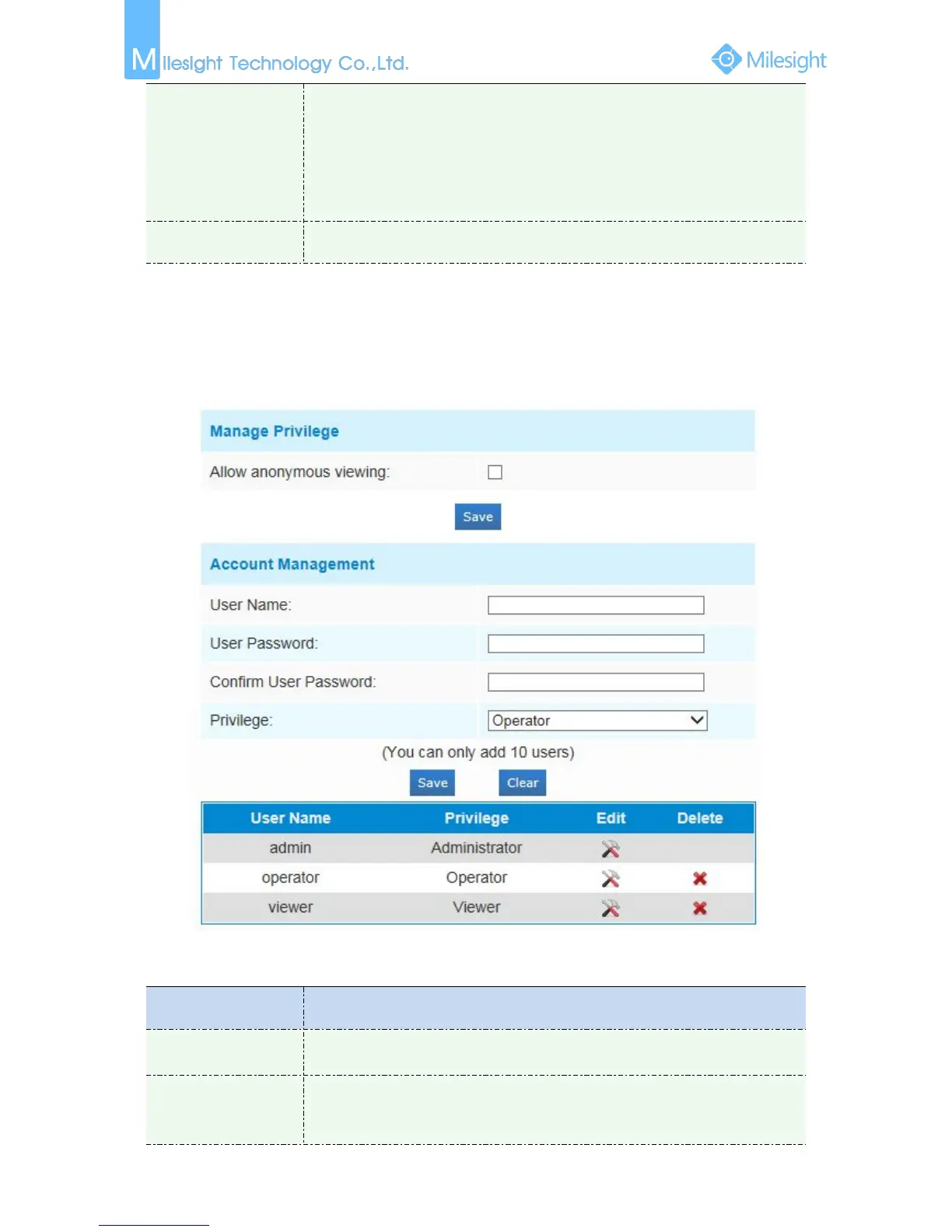
Allow anonymous viewing: Check the checkbox to enable visit from whom
doesn’t have account of the device
User Name: Input user name for creating an account
User Password: Input password for the account
Confirm User Password: Confirm the password











 To Next Page