EasyManua.ls Logo

Milesight MS-C3262-FPNA - Page 83

Milesight MS-C3262-FPNA
92 pages
Print Icon
To Next Page IconTo Next Page
To Previous Page IconTo Previous Page
Loading...
77
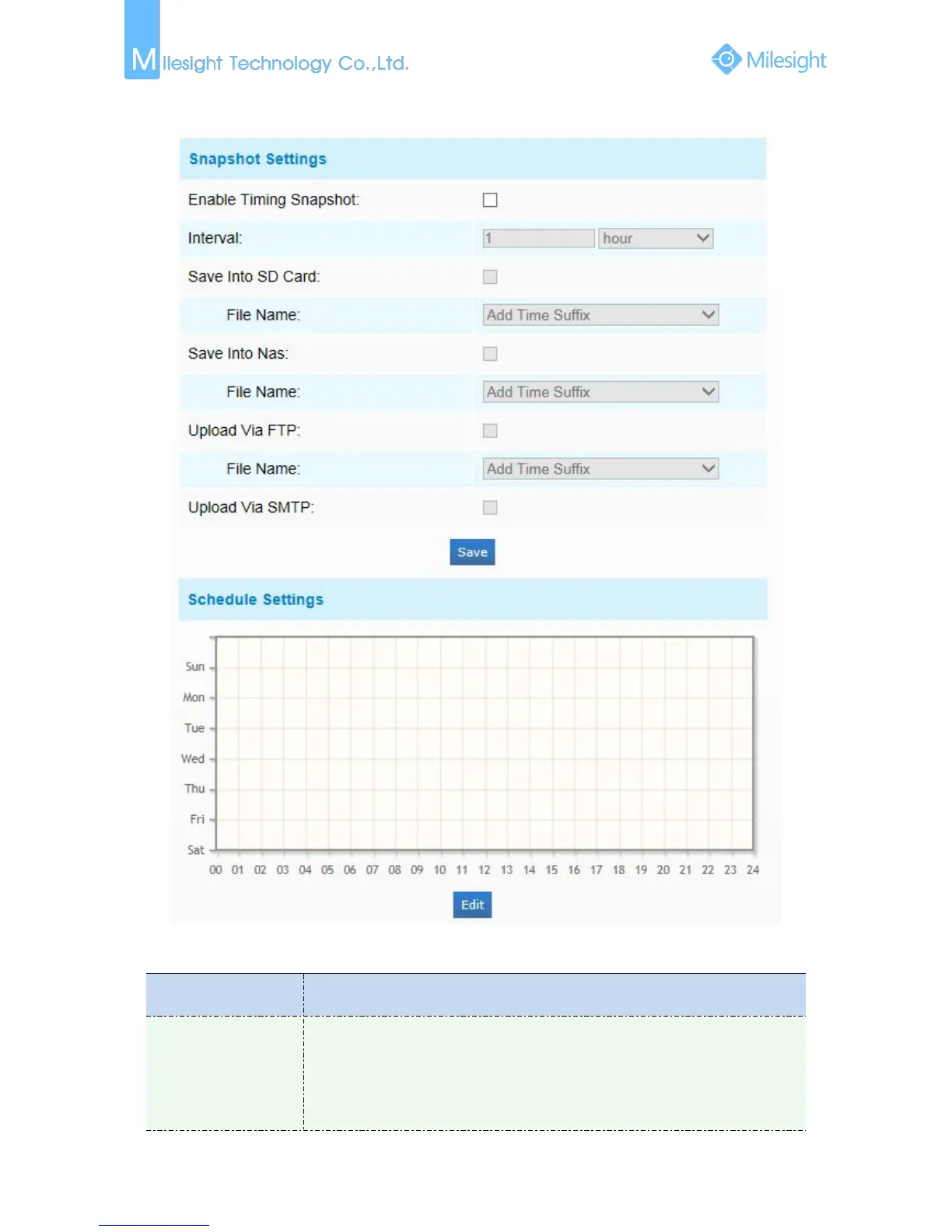
Snapshot
Figure 4-4-23 Snapshot
Table 4-4-14 Description of the buttons
Parameters
Function Introduction
Snapshot Settings
Enable Time Snapshot: Check the checkbox to enable the Timing Snapshot
function
Interval: Set the snapshots interval, input the number and choose the
unit(millisecond, second, minute, hour, day)
Save Into SD Card: Save the snapshots into SD card, and choose the file name to


Other manuals for Milesight MS-C3262-FPNA

Related product manuals