Table
4
-
4-19
Description of the buttons
Phone Number(Call by phone number) & Direct IP Call
Including the phone number or IP address on the whitelist
Enable White List
Number Filter
When enabled, only the designated phone number or IP address can visit
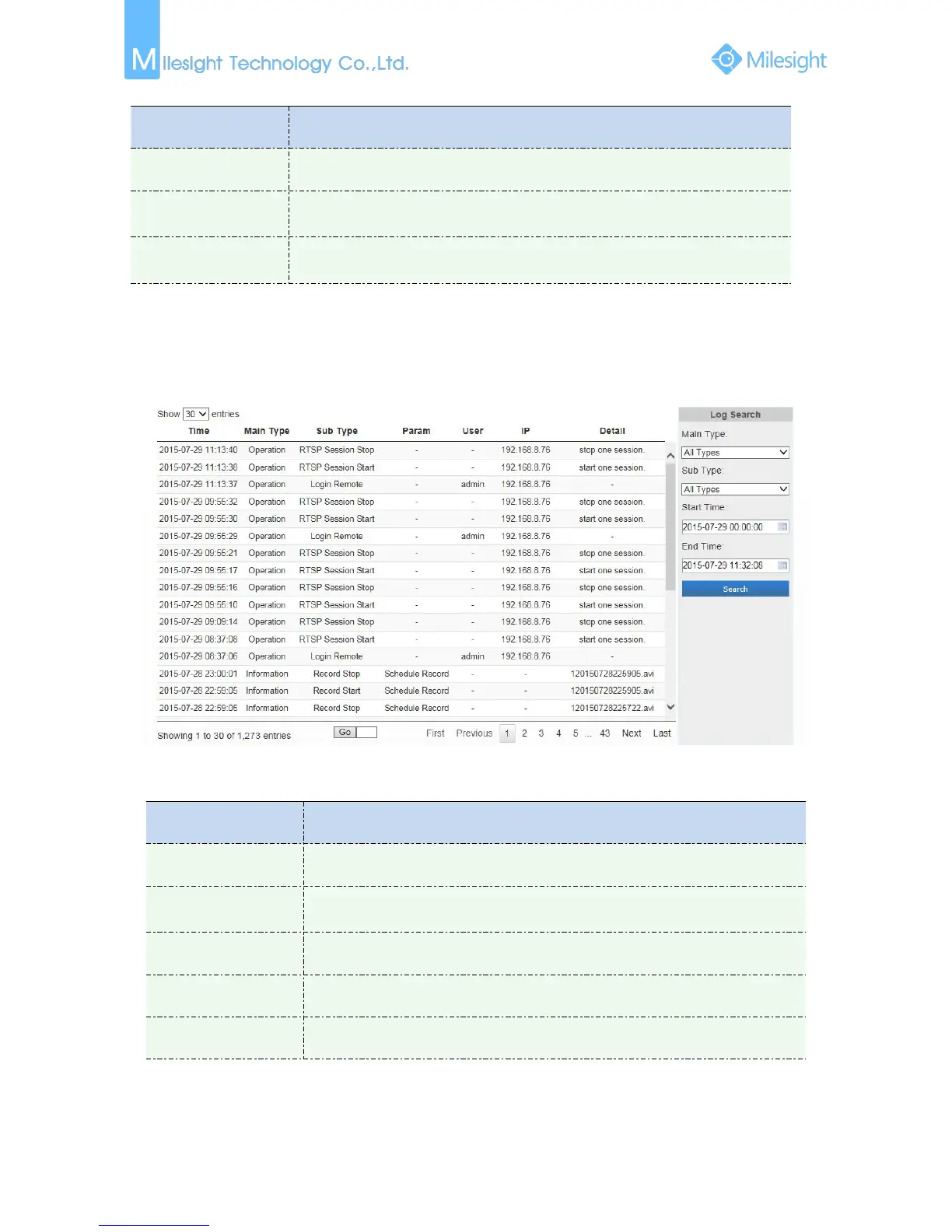
4.4.7 Logs
The logs contain the information about the time and IP that has accessed the camera through web.
Figure 4-4-30 Logs
Table 4-4-20 Description of the buttons
There are five main log types: All Type, Event, Operation, Information, Exception
On the premise of main type has been selected, select the sub type to narrow the
range of logs
Input the number of logs’ page











 To Next Page