OM-350 Page 18
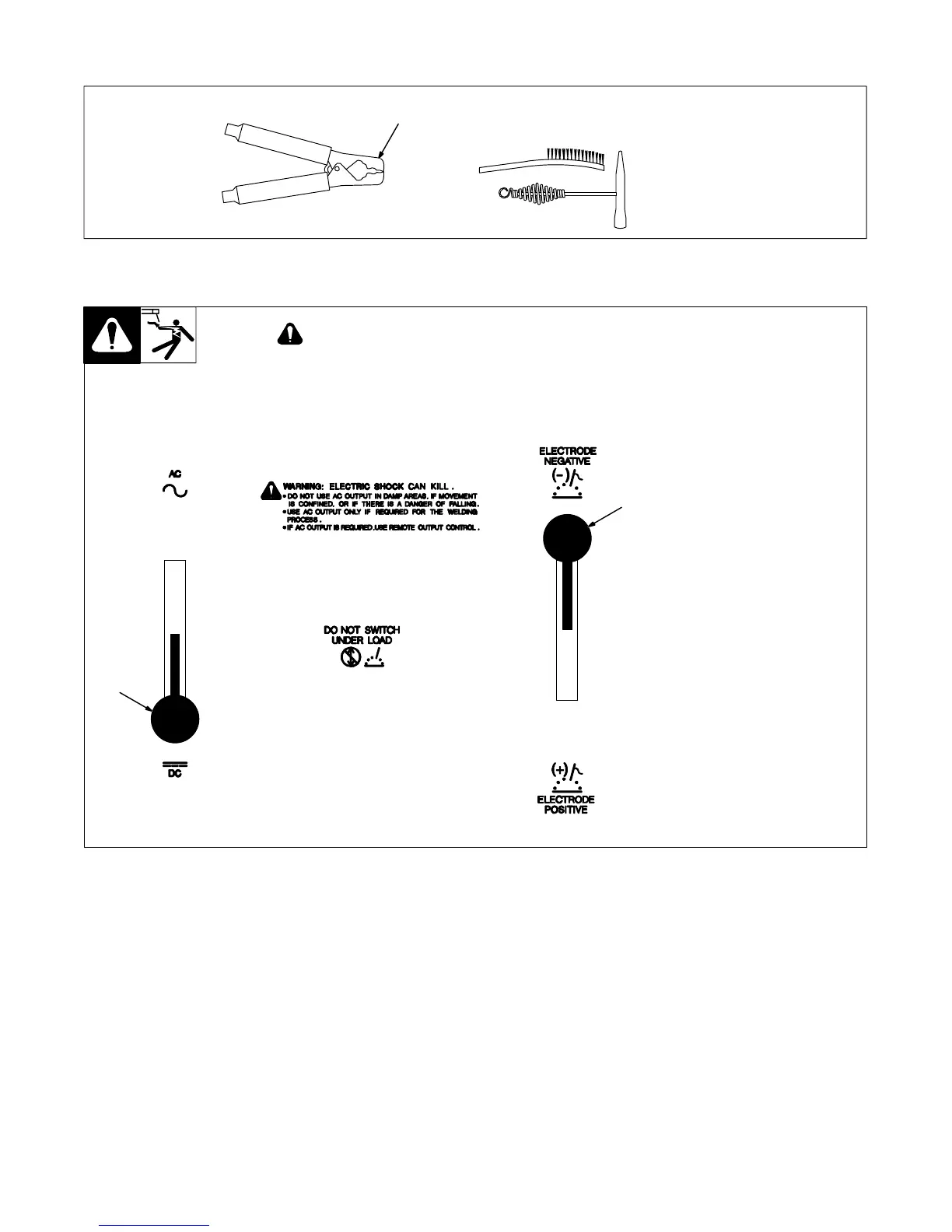
3-2. Work Clamp
1 Work Clamp
Connect work clamp to a clean,
paint-free location on workpiece, as
close to weld area as possible.
Use wire brush or sandpaper to
clean metal at weld joint area. Use
chipping hammer to remove slag
after welding.
sb4.1 2/93
Tools Needed:
1
3-3. AC/DC And Polarity Switches
Ref. ST-116 740-A
1 AC/DC Switch
Use switch to select type of weld
output.
2 Polarity Switch
Use switch to select either DC
Electrode Positive (DCEP) or DC
Electrode Negative (DCEN) output.
1
2
ARCING can damage switch.
• Do not change AC/DC or Polarity switch
position while welding.
Arcing inside switch can damage contacts,
causing switch to fail.





 To Next Page