. A complete Parts List is available at www.MillerWelds.com
OM-281426 Page 42
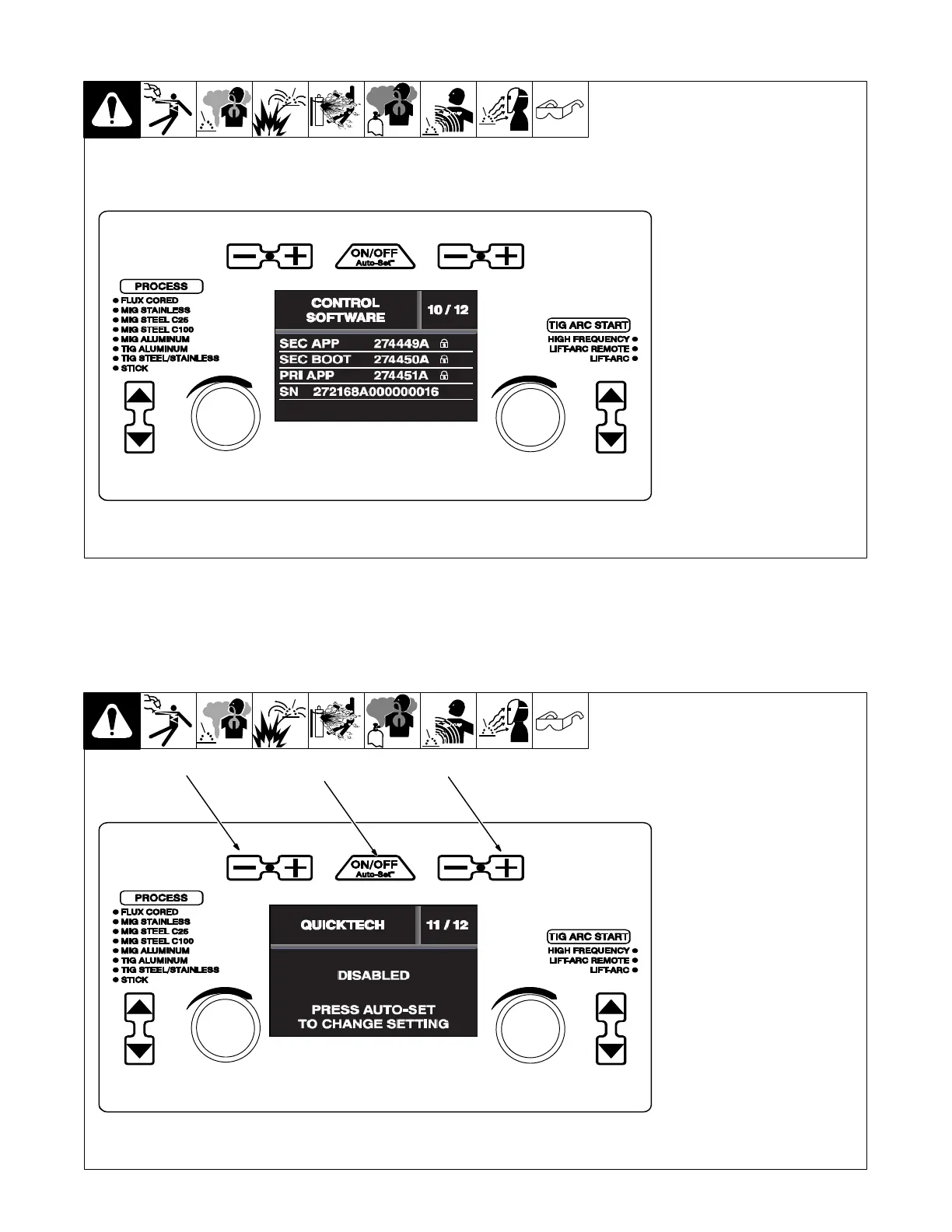
6-18. Control Software (Menu 10 Of 12)
. Control Software information is
for factory and service use
only.
Follow instructions in Section 6-8 to
enter the setup menu.
To exit menu, simultaneously press
and release the Wire/Rod/Tung-
sten Minus (−) button and Material
Thickness Plus (+) button, or turn
unit off and on.
Ref. 281252A
6-19. QuickTech™(Menu 11 Of 12)
1 Wire/Rod/Tungsten Minus (−)
Button
2 Auto-Set Button
3 Material Thickness Plus (+)
Button
Follow instructions in Section 6-8 to
enter the setup menu.
To enable or disable QuickTech™,
press the Auto-Set button.
QuickTech
automatically
selects
the right process and polarity. Just
hit the trigger or foot control and the
machine automatically switches to
the correct process recalling the
last process settings used.
To exit menu, simultaneously press
and release the Wire/Rod/Tung-
sten Minus (−) button and Material
Thickness Plus (+) button, or turn
unit off and on.
Ref. 281252A
1
2
3












 To Next Page