. A complete Parts List is available at www.MillerWelds.com
OM-281426 Page 43
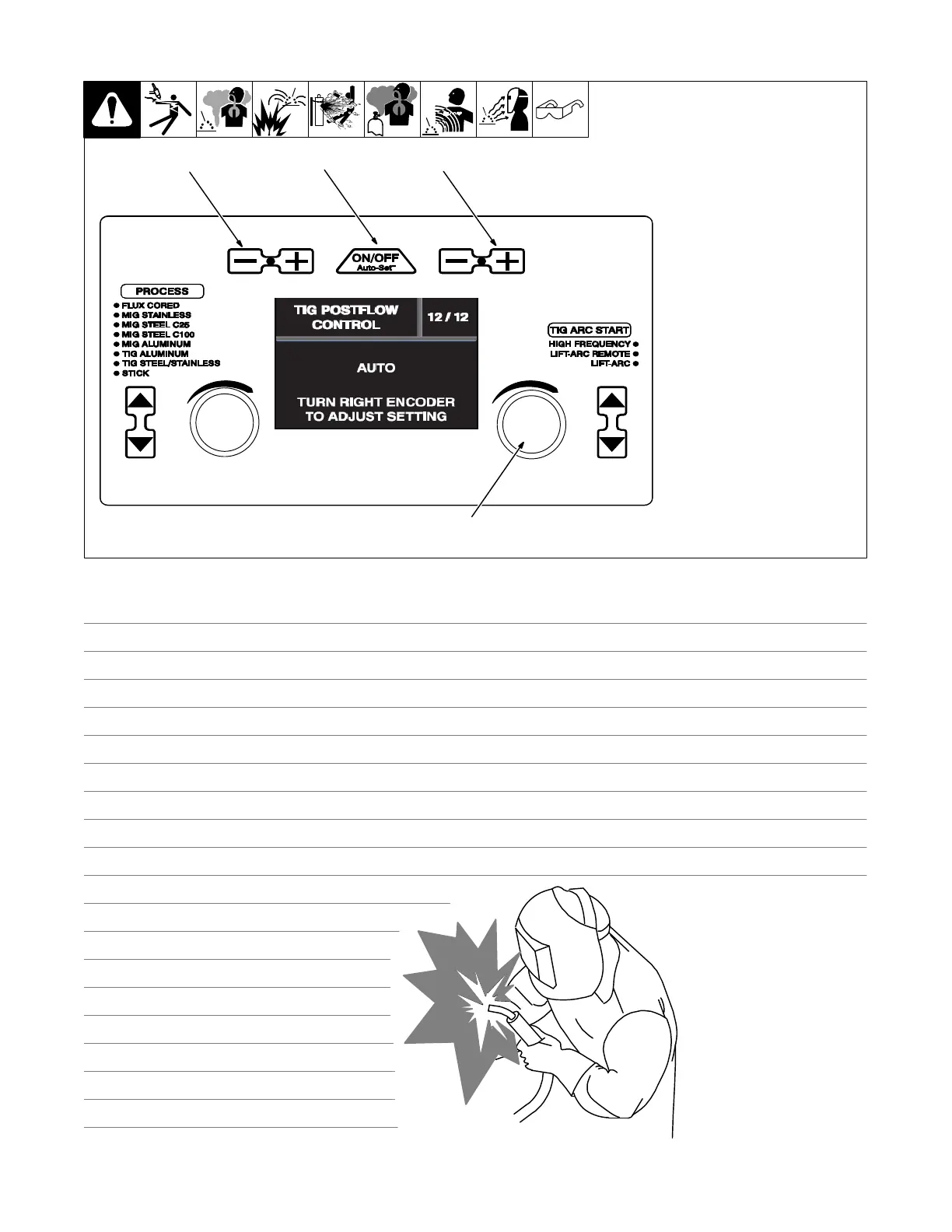
6-20. TIG Postflow Control (Menu 12 Of 12)
1 Wite/Rod/Tungsten Minus (−)
Button
2 Auto-Set Button
3 Material Thickness Plus (+)
Button
4 Right Encoder
Follow instructions in Section 6-8 to
enter the setup menu.
To adjust TIG postflow, turn right
encoder.
Postflow can be adjusted from Au-
to-25 seconds.
To exit menu, simultaneously press
and release the Wire/Rod/Tung-
sten Minus (−) button and Material
Thickness Plus (+) button, or turn
unit off and on.
Ref. 281252A
1
2
3
4
Notes
Work like a Pro!
Pros weld and cut
safely. Read the
safety rules at
the beginning
of this manual.












 To Next Page