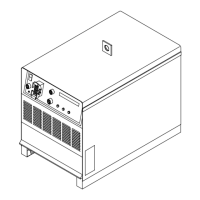
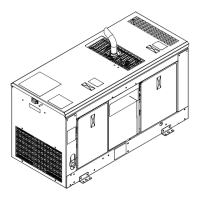
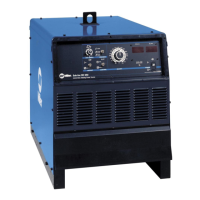
. A complete Parts List is available at www.MillerWelds.com
OM-265 363 Page 38
SECTION 9 − MAINTENANCE AND TROUBLESHOOTING
9-1. SubArc System Help Codes
SubArc Interface
Digital Help Code
. HELP will dis
play in the up
per display
and the cod
number wi
display in th
lower display
SubArc Power Source Sta-
tus/Trouble Light
. Each flash sequence will
be followed by a one sec-
ond pause. The se-
quence will then repeat.
Fault Description
01 1 Slow Primary Transformer
Over Current
Indicates a malfunction in the primary power circuit. If this code
appears on the display, contact the nearest Factory Authorized
Service Agent.
05 5 Slow Primary Circuit Over
Temperature
Indicates unit has overheated. Unit has shutdown to allow fans to
lower temperature. Operation will continue after unit is within
normal temperature range.
21 2 Quick, 1 Slow Primary Input Line Volt-
age Malfunction
Indicates input primary line voltage is too low. Primary line volt-
age must be at least 90% of the specified nominal voltage. If this
code appears on the display, have a trained and qualified service
technician check the input voltage.
26 2 Quick, 6 Slow Button Stuck On Sys-
tem Interface Motor
Control
Indicates button is stuck on the lower half of the SubArc interface
upon start up. Fault will clear when button is released.
30 3 Quick Stuck Contactor On
Power Source
Indicates stuck contactor on the power source. Fault will clear
when panel switch is set to remote or contactor is released.
32 3 Quick, 2 Slow Coolant Flow Error Indicates coolant input on TB2 in the SubArc Interface is not
connected to common on TB2 (see appropriate Interface OM).
Check coolant flow and common connections.
Ensure sensor being used has a normally-open contact.
40 4 Quick Tach Error Indicates tach error on motor. Check wire feed drive housing and
wire spool for obstructions. Make sure motor cable is not routed
with weld cable (If inching works properly, noise may be corrupt-
ing the tach signal). If this code continues to appear on the dis-
play, contact the nearest Factory Authorized Service Agent.
42 4 Quick, 2 Slow Motor Error Indicates motor error on motor. Check wire feed drive housing
and wire spool for obstructions. If this code continues to appear
on the display, contact the nearest Factory Authorized Service
Agent.
44 4 Quick, 4 Slow Motor Low Bus Indicates bus voltage in SubArc Interface is low. 24 VAC from
power source may be low if input primary line voltage is too low
or, for DC power sources, power source could be incorrectly
linked. Increase primary line voltage to at least 90% of specified
nominal voltage. Check for correct linking on DC power sources.
If this code continues to appear, contact nearest Factory Autho-
rized Service Agent.
45 4 Quick, 5 Slow Button Stuck On Sys-
tem Interface Digital
Display Board
Indicates button is stuck on the digital interface upon power up.
Fault will clear when button is released.
48 4 Quick, 8 Slow Trigger Fault Indicates an arc was not established with the specified time
(lesser of 8 seconds or 4 inches).
56 5 Quick, 6 Slow Modbus Control Fault Indicates PLC is enabling weld output, flux, or wire jog on initial
communication. Clear all control bits of MODBUS 101 to reset.
60 6 Quick Memory Card Fault Indicates unable to read memory card. Faulty memory card or
wrong format.
61 6 Quick, 1 Slow File Read Error Indicates faulty file on memory card.
62 6 Quick, 2 Slow File Write Error Indicates full or faulty memory card.


 To Next Page