. A complete Parts List is available at www.MillerWelds.com
OM-265 363 Page 32
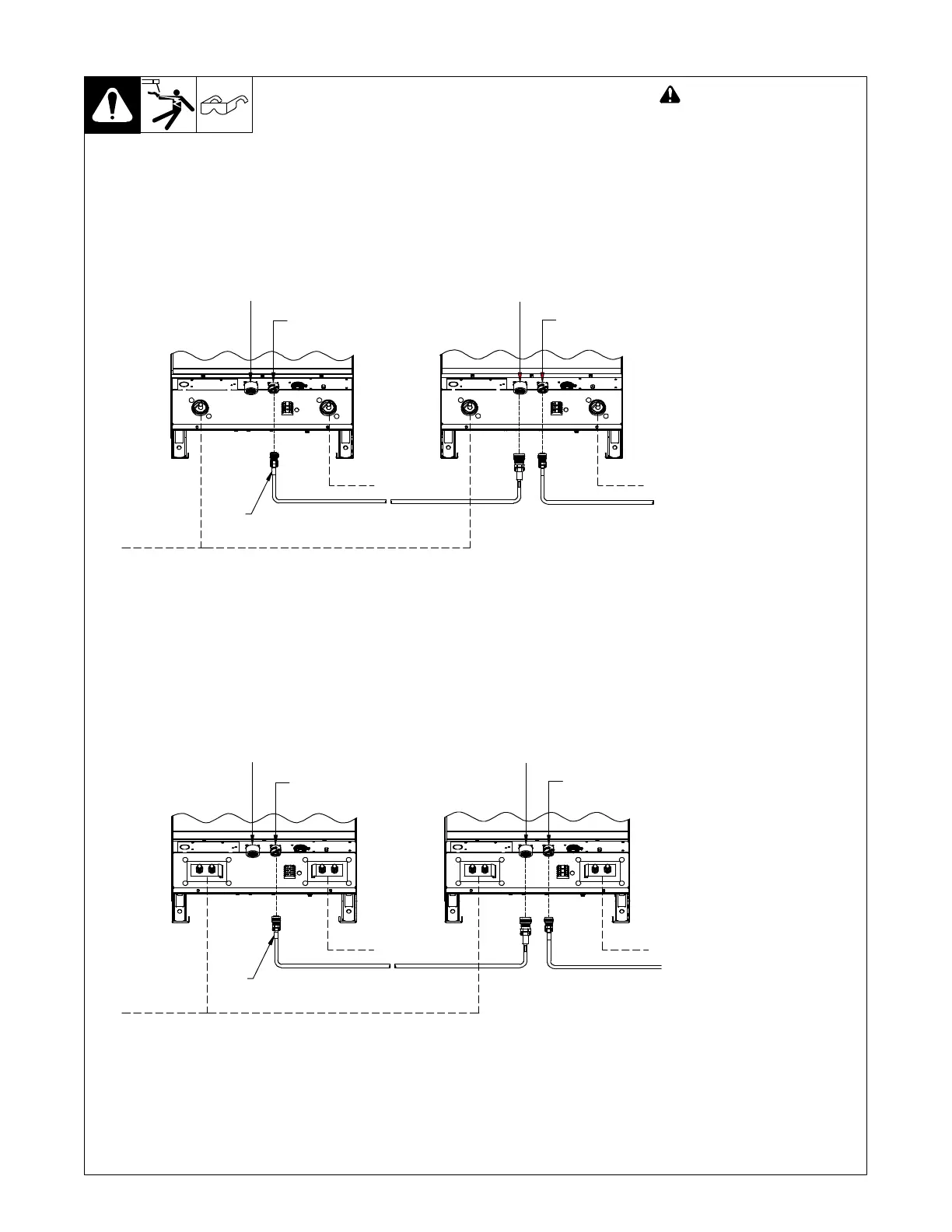
6-4. Connecting Multiple Units
254 241-A
Parallel Connections For Digital 650/800 Machines:
! Turn Off welding power
source before opening ac-
cess door.
NOTICE − If there are any ques-
tions regarding the paralleling
procedure, contact the factory
before connecting units. Severe
damage to units may occur if
units are not correctly connec-
ted for parallel operation.
To use two or more units with one
electrode, make connections as
shown.
. The first unit controls voltage.
All remaining units supply addi-
tional current.
. Only like power sources can be
paralleled.
CONTROLLING UNIT
FOLLOWING UNIT(S)
RC1
RC2
(WHITE)
RC1
RC2
(WHITE)
WHITE
TO WORK
To RC1 ON NEXT
DC 650 Digital UNIT
(OR DC 800 Digital UNIT
IF PARALLELING 800”S)
TO ELECTRODE
TO WORK
Parallel Connections For Digital 1000/1250 Machines:
CONTROLLING UNIT
FOLLOWING UNIT(S)
RC1
RC2
(WHITE)
RC1
RC2
(WHITE)
To RC1 ON NEXT
DC 1000 Digital UNIT
(OR DC 1250 Digital UNIT
IF PARALLELING 1250”S)
WHITE
TO WORK
TO ELECTRODE
TO WORK
265 208-A


 To Next Page