MAINTENANCE
- 38 -
HAZARD
!
6-2 HOW TO REPLACE THE SMARTPAK
Open the Tank Outlet Valve before installing a
new SmartPak. This keeps the tank from filling
until the SmartPak is rinsed out (A).
Do not touch the UV Lamp when replacing the
SmartPak.
R
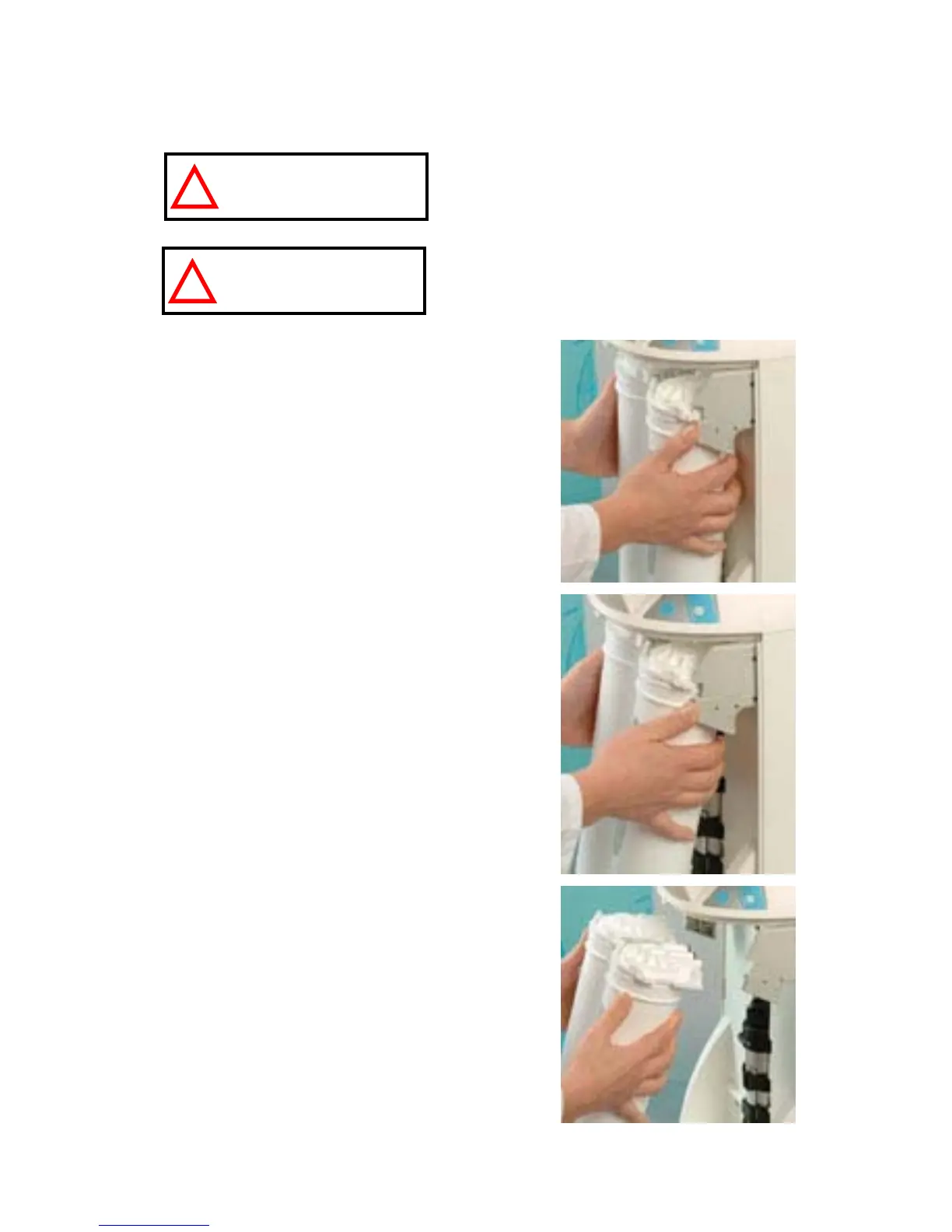
EMOVING THE SMARTPAK
Open the front cover to go into STANDBY
mode. Wait for the system to depressurize. The
Display will show STANDBY blinking for
10 seconds.
Remove the Final Filter.
Press your thumbs on the system (A).
Swing the pack towards you (B).
Remove the pack from the system (C).
A
B
C
ATTENTION


 To Next Page