MAINTENANCE
- 57 -
6-9 HOW TO REPLACE THE UV LAMP (UV SYSTEM ONLY)
The red UV Lamp Alarm will be blinking on the Display when it is time to exchange the UV Lamp. The
message is shown when the UV Timer has reached 0 days (see Section 6-10 How to Reset the UV Lamp
Timer).
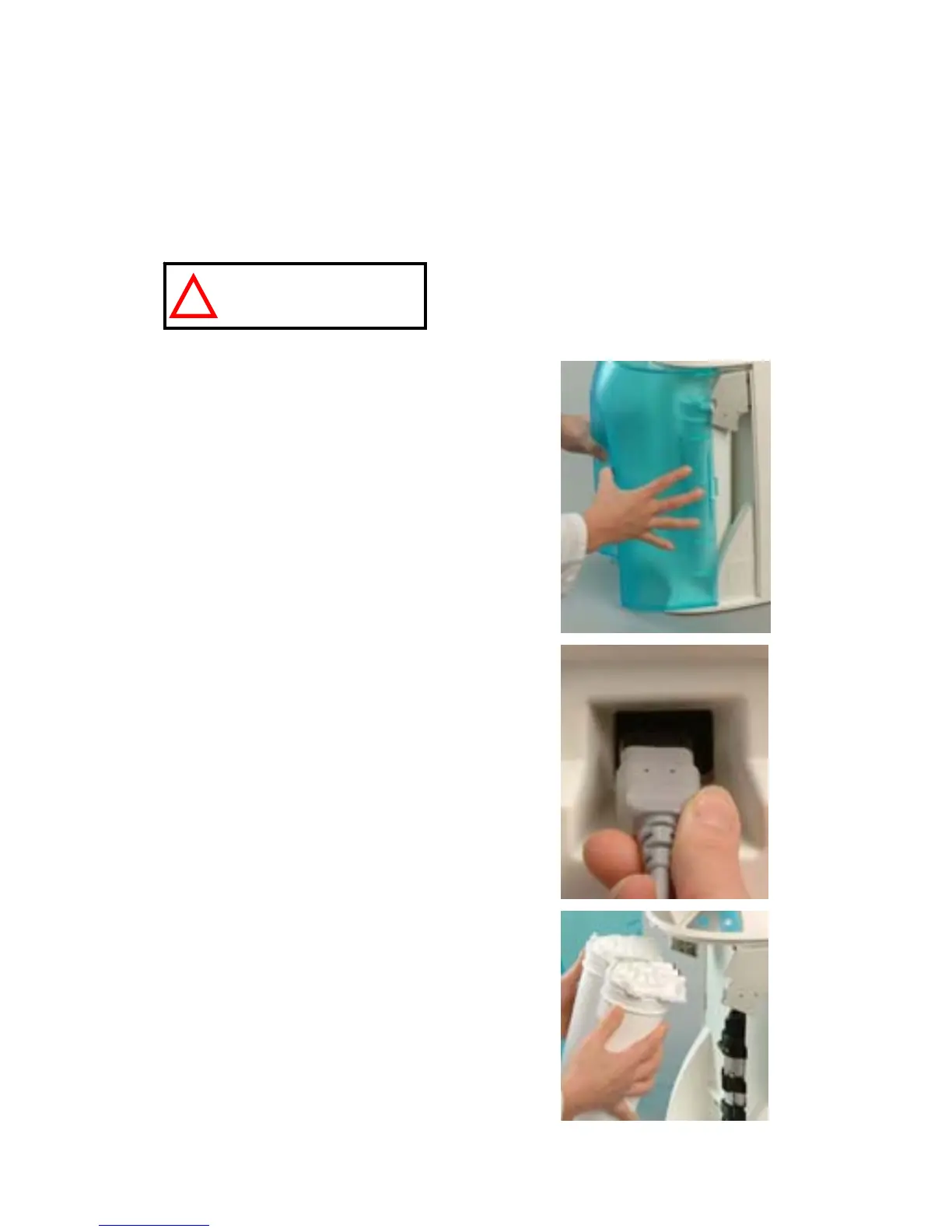
Open the front cover to go into STANDBY mode (A).
Unplug the electrical cord to power OFF the system (B).
No electrical power should be going to the system at
this time. Accidental exposure to ultraviolet light can
cause damage to the eyes and skin.
Remove the Final Filter.
Remove the SmartPak (C).
A
B
C
HAZARD
!


 To Next Page