Duo™ Operating Instructions 0070-10-0603-01 3 - 5
User Maintenance Battery Replacement and Maintenance
3.4 Battery Replacement and Maintenance
Battery Replacement
CAUTION: Replace the Lithium Ion battery with part number 0146-00-
0079 only.
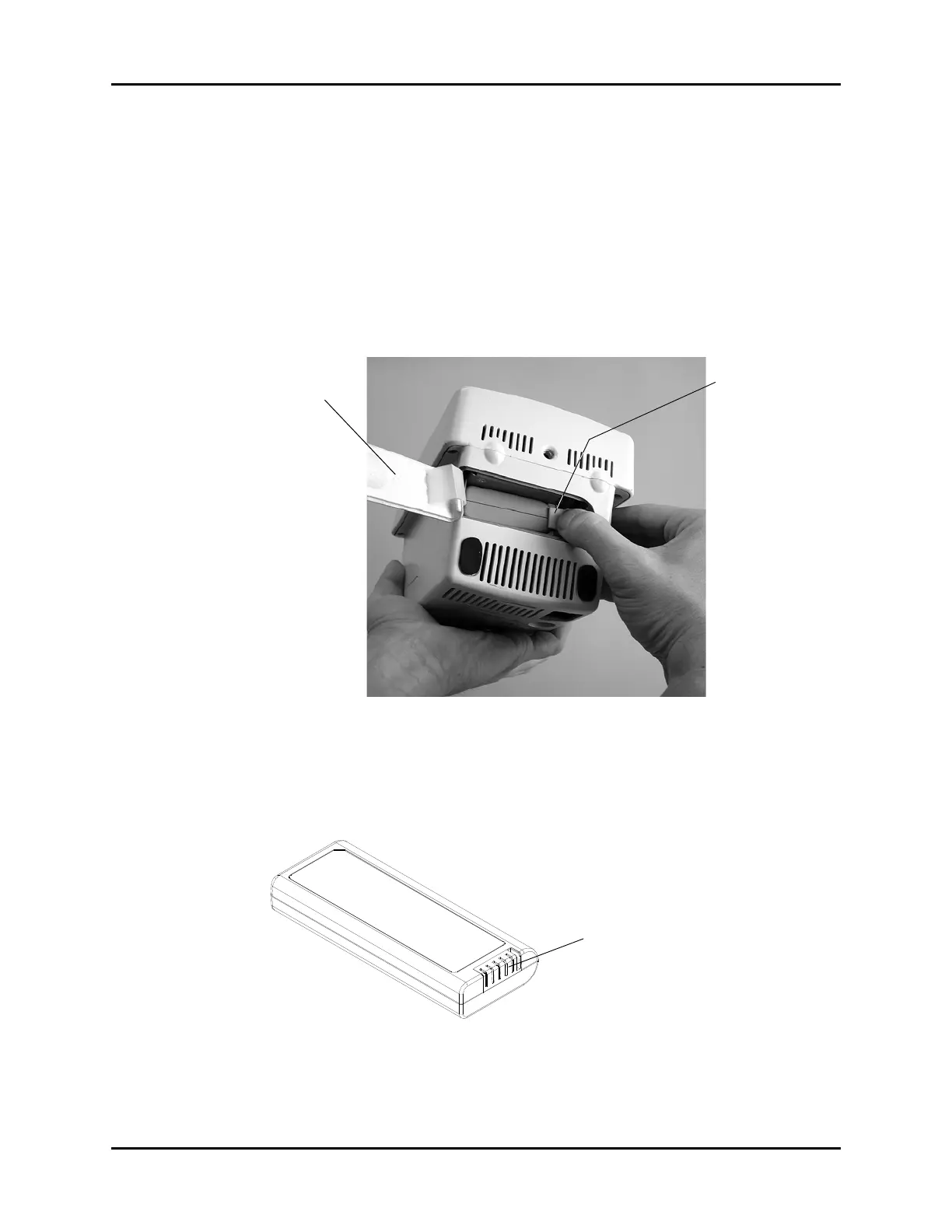
1. Remove the battery compartment door.
2. Disengage the battery locking mechanism by moving its plastic tab away from the edge
of the battery (see 3-1). Remove the battery.
FIGURE 3-1 Battery Compartment
3. The battery compartment is shaped so that the battery can only be inserted in the proper
orientation. Insert the new Lithium Ion battery with its contacts (shown in 3-2) facing the
rear of the compartment.
FIGURE 3-2 Lithium Ion Battery
Battery Locking
Mechanism
Battery
Compartment
Door


 To Next Page