mindray
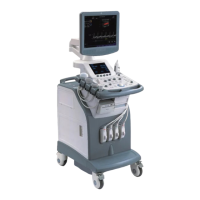
DC7 Diagnostic Ultrasound System
40
14x17-dvf 14x17 DirectVista film (blue)
14x17-dvfb 14x17 DirectVista film (blue)
14x17-dvfc 14x17 DirectVista film (clear)
14x17-dvp 14x17 DirectVista paper
a-dvp A-size DirectVista paper
a-cvf A-size ChromaVista film
a-cvt A-size ChromaVista film
a4-dvp A4-size DirectVista paper
a4-cvp A4-size ChromaVista paper
a4-cvf A4-size ChromaVista film
a4-cvt A4-size ChromaVista film
priority-high Sets print job priority to high
priority-medium Sets print job priority to medium
priority-low Sets print job priority to low
receive-1 Forces sheet output to receive tray 1
receive-2 Forces sheet output to receive tray 2
receive-3 Forces sheet output to receive tray 3
syngofilm Special OEM-specific job settings
The Horizon CI DICOM printer screen displays:
A4 CV PAPER
8X10 DV Blue
14X17 DV Blue
The following are the correct settings of the ultrasound system DICOM print
preset:
Color printing:
(1) Settings: RGB
(2) Medium Type: Paper
(3) Film Size: A4
(4) MAGNIFICATION TYPE: NONE/CUBIC/ REPLICATE/BILINEAR
(5) AE Title: Print_Scp (Recommended)
B/W printing
1. Method 1
(1) Settings: MONOCHROME2
(2) Medium Type: Blue Film


 To Next Page