8
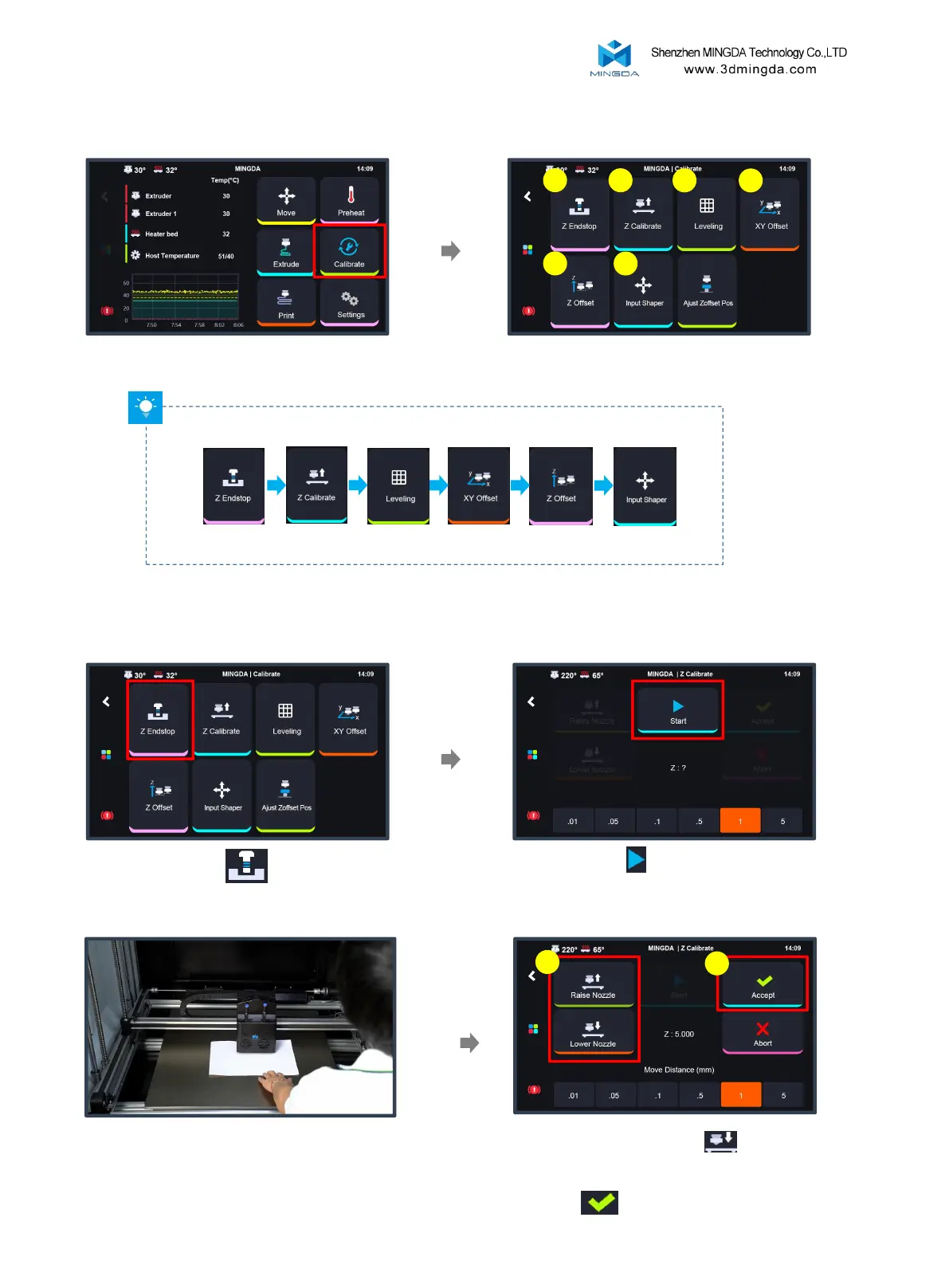
Tip: Please follow the sequence shown in the diagram to calibrate step by step.
Printer Calibration
1
2
3
4
5
Z Endstop → Z Calibrate → Leveling → XY Offset → Z Offset → Input Shaper
Click "Calibrate "
6
Adjust the position of the photoelectric switch.
Put an A4 paper between the nozzle and
heated bed.
Move the nozzle downward until it lightly
presses against the paper and the paper can be
moved with slight resistance. Then, save the
settings.
1
2
1. Z Endstop
Click "Z Endstop"
Click "Start" , click "Accept" and
confirm



 To Next Page