Printing Support
Printing size: 1000 * 1000 * 1000mm
Selecting the MingDa 1000D 0.4 nozzle (Dual)
27
1
5
3
4
2
6
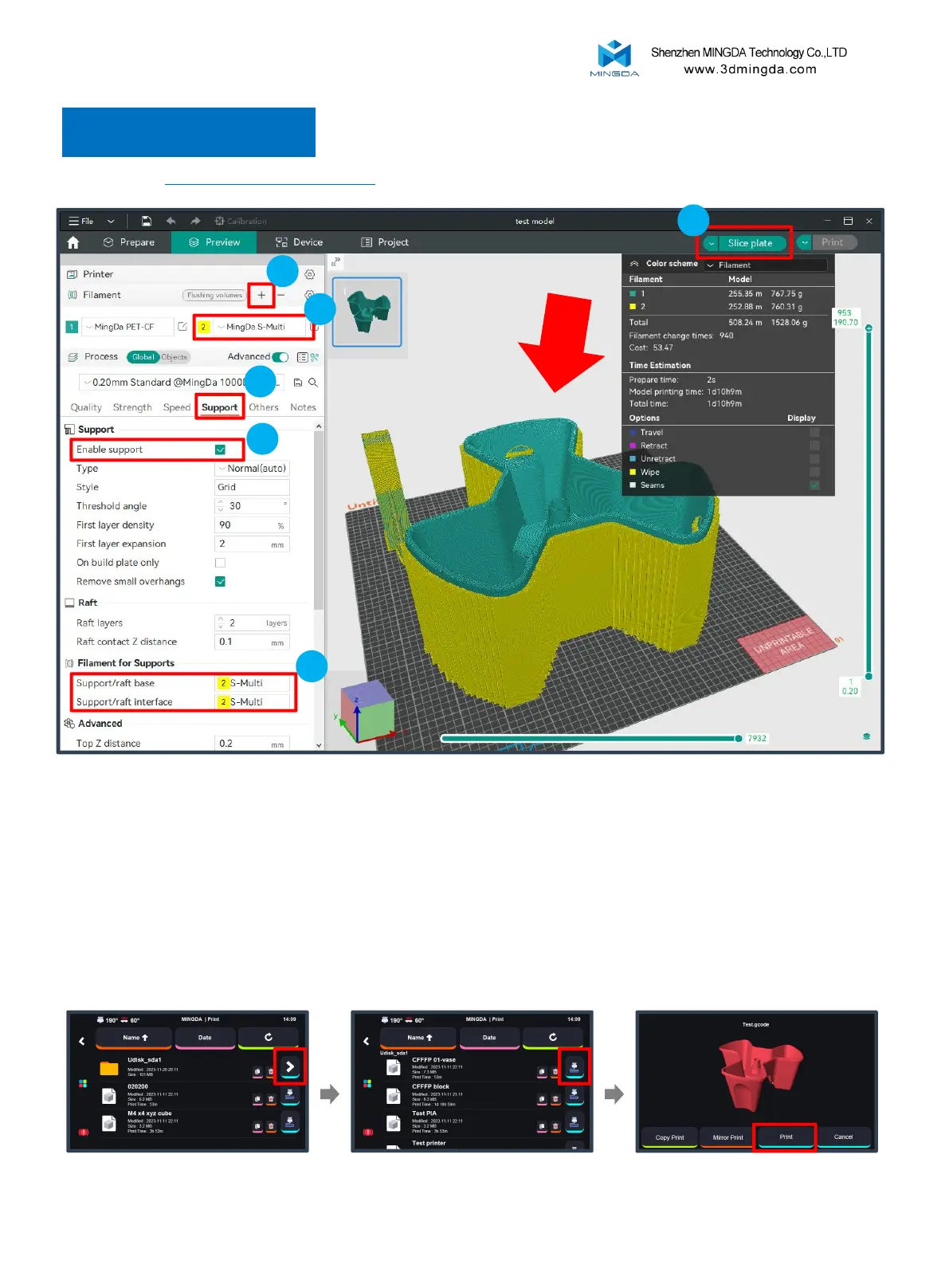
1. On the left side of the interface, in the filaments column, click "+" to add another filament.
2. Choose and modify the filament information.
3. Then, select the "Support" section.
4. Check the "Enable support" option.
5. In the "Filament for Supports" option, choose the filament needed for supports.
6. Click "Slice plate" to preview.
In the printer interface:
Select "Print", Insert the U-disk. Choose the print file for printing.
Choose “ Print”.



 To Next Page