19
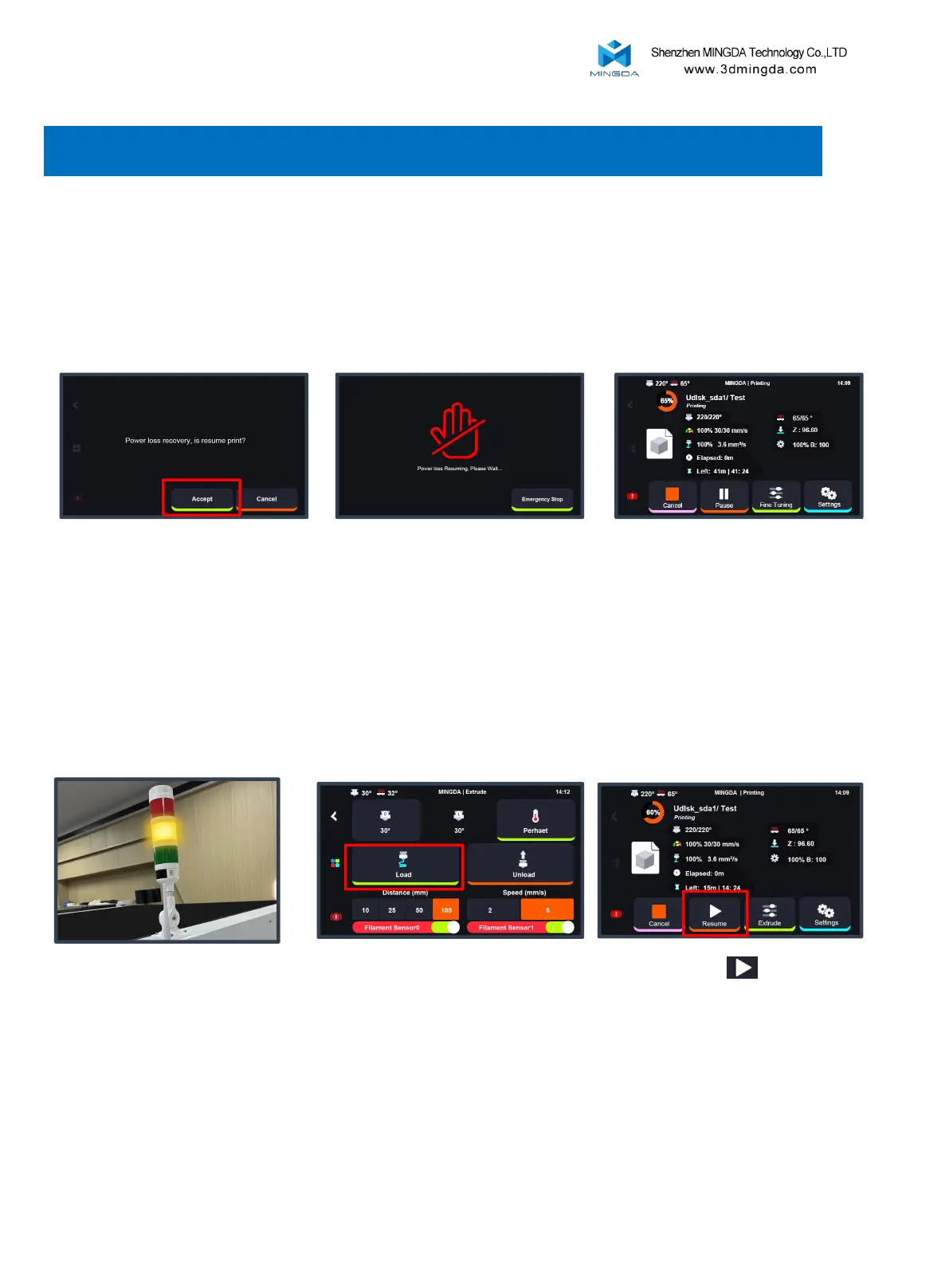
1. Resume printing after power failure
When the printer is in the midst of the printing process, power outages may occur at times. This printer is
equipped with a resume printing function to assist you in resuming the print from the point of interruption.
2. After filament run out
Printer will stop working, and
yellow light up.
Replace new filament into the
extruder, click load till the filament
was feed out.
Click “Resume” , continue to
print from the point of interruption.
7. Resume Printing
After power restored, turn on the
printer, click “Accept”
Please wait the printer resuming. After reaching the specified temperature,
the printer will automatically transition
to the printing interface.



 To Next Page