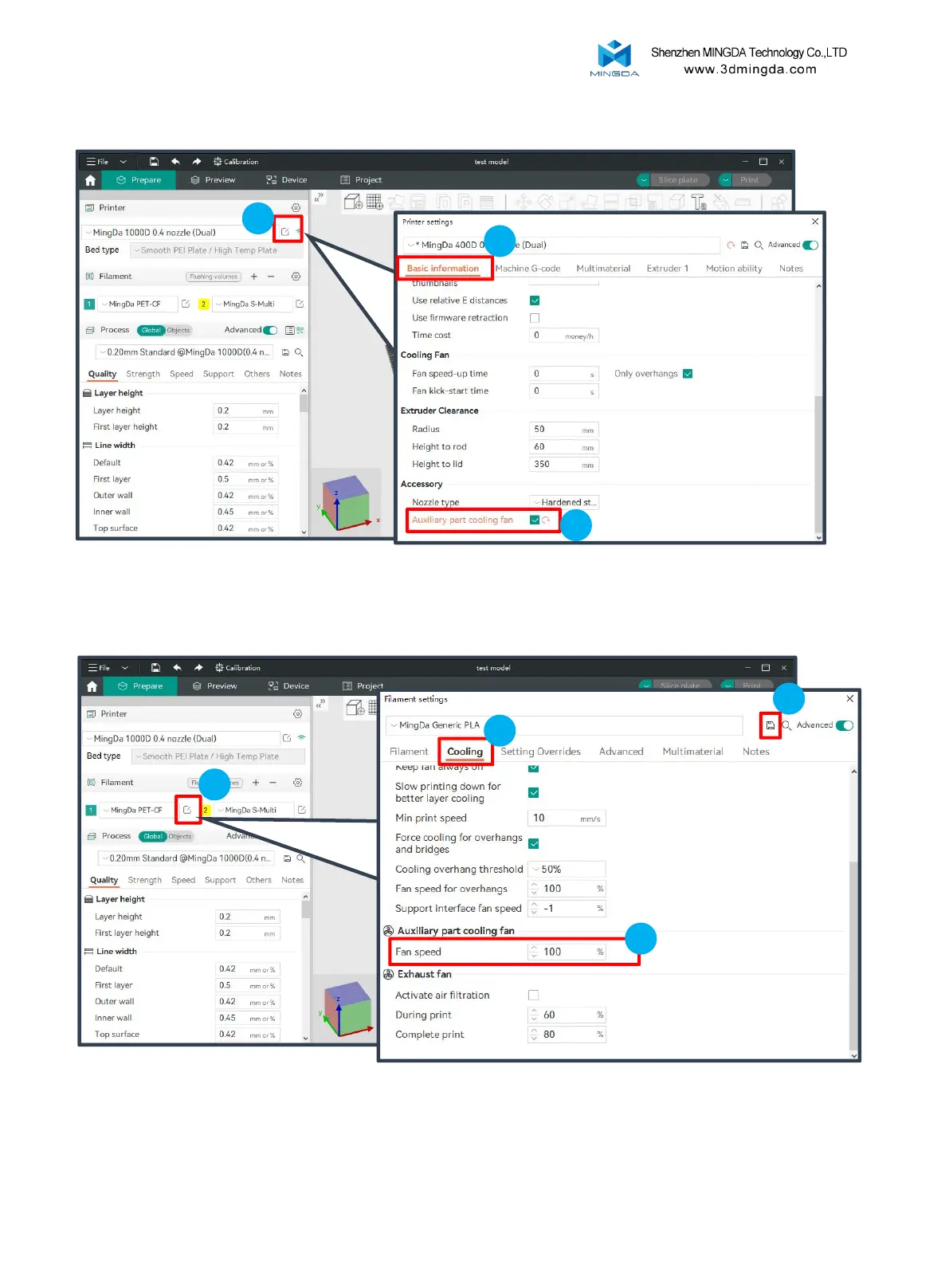
Open the settings interface in the Printer tab, and check 'Auxiliary Part Cooling Fan' under "Basic Information-Accessory".
1
Printing
3
1
3
2
4
2
Due to the different feature of filament, if you do not need an auxiliary fan or need to adjust the fan speed, please go to the
Filament tab, open the settings interface, and choose Cooling-Auxiliary Part Cooling Fan. Adjust the Fan Speed as needed.
28



 To Next Page