2
1
2
1
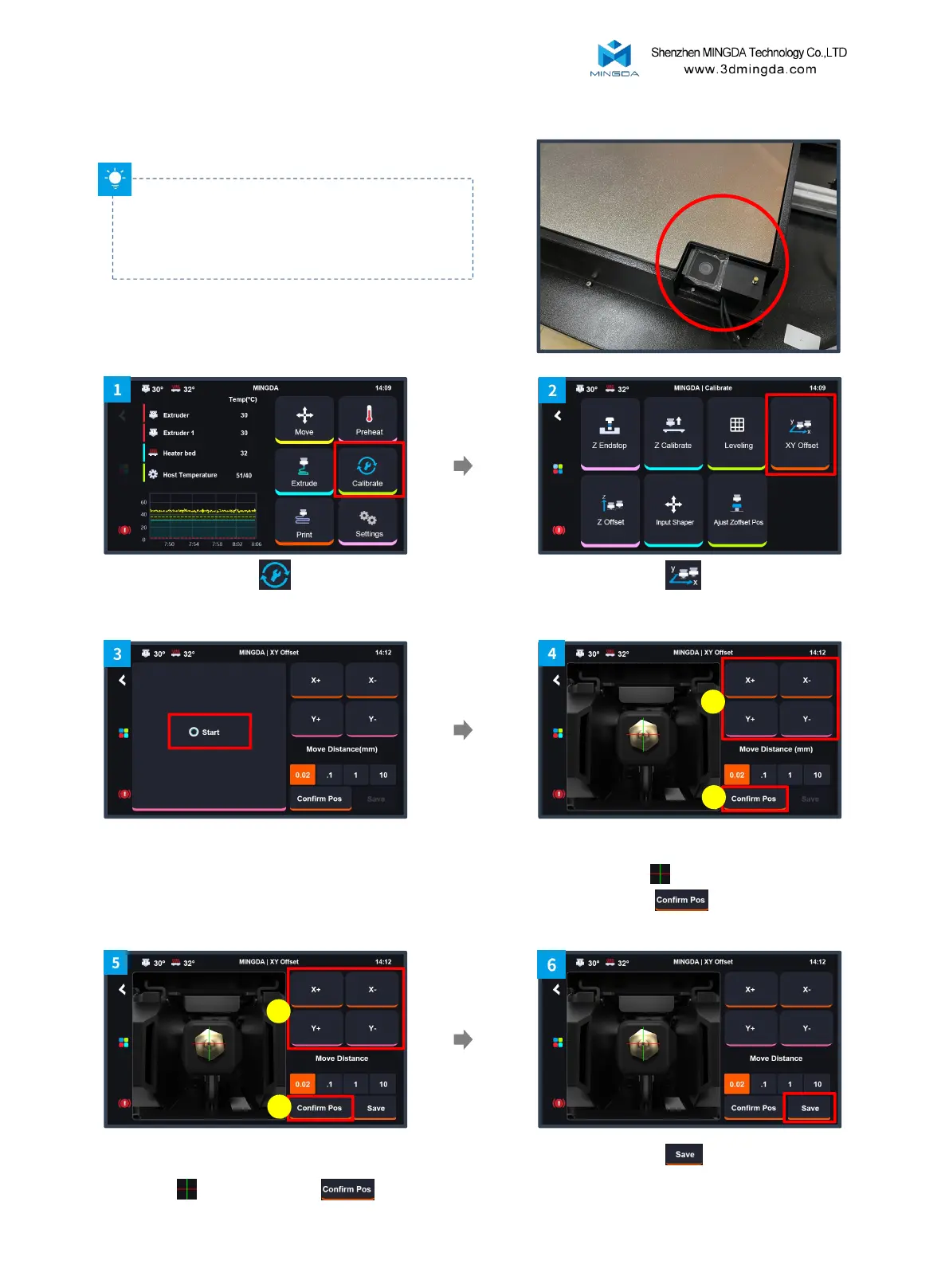
Click "XY Offset"
Click the "Calibration"
After the camera Led light up, Click "Start" ,
and the left extruder will move to the
calibration camera's position.
Click the "Save"
10
Adjust the left extruder nozzle to align with
the crosshairs of the screen and click
"Confirm Pos"
Adjust the right extruder nozzle to align with the
crosshairs of the screen click
4. XY Axis Offset Calibration
Tips: Wipe the nozzle clean before calibration to
avoid any interference during the process.



 To Next Page