Local Printing
LAN Printing
Ensure that the printer and the computer host are on the same local network.
2
3
4
Printing
1
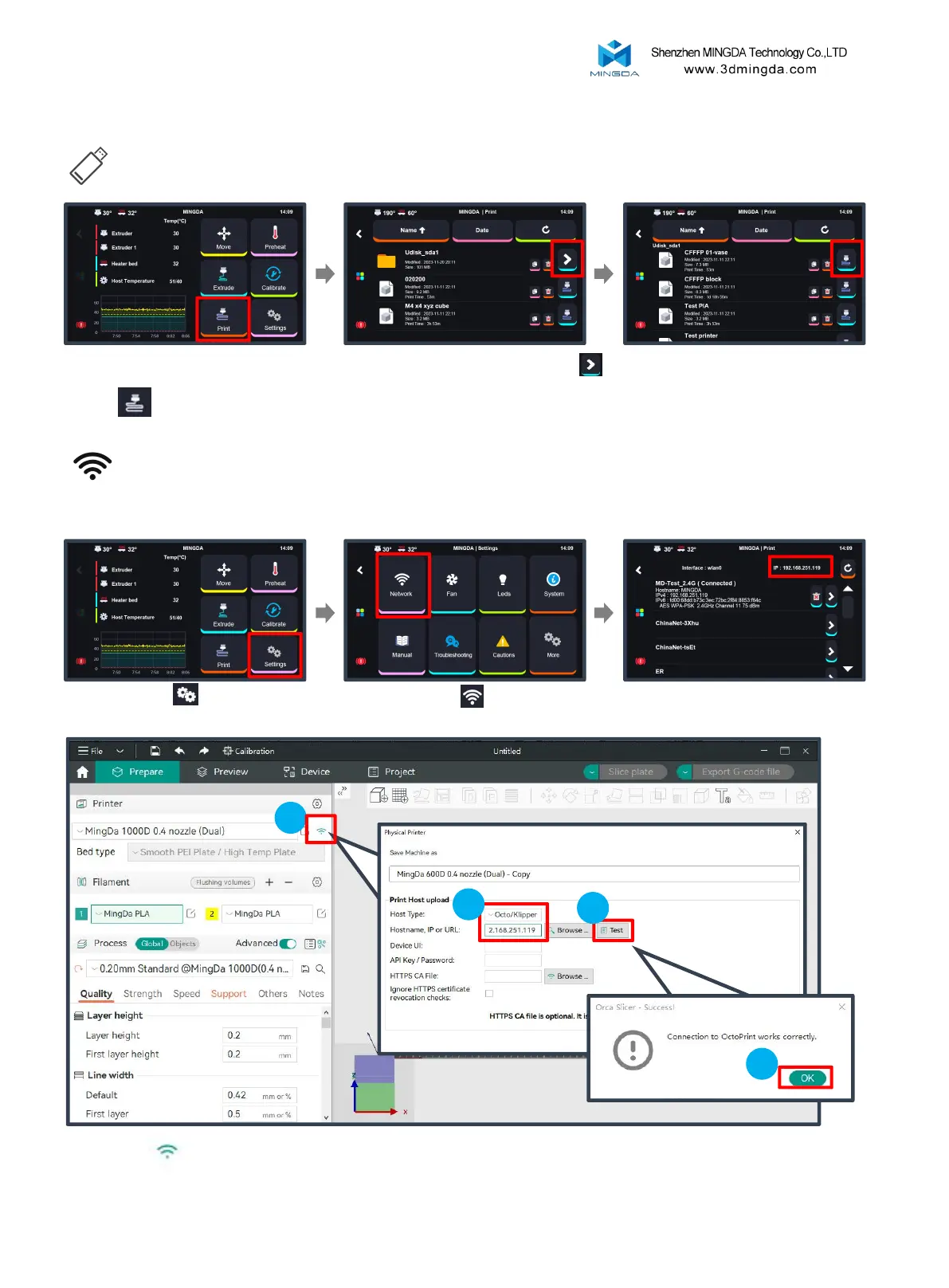
Insert the U-disk, then click the
"Print" .
Find the folder and Click the arrow
on the right
Select the test gcode which
was preset in the U-disk.
Click "Settings" to enter the
settings page.
Click "Network" to enter
the network page.
Check the printer's IP address.
22
Click WIFI , select Host type as Octo/Klipper, enter the printer’s IP address, and click “Test” and “OK”



 To Next Page