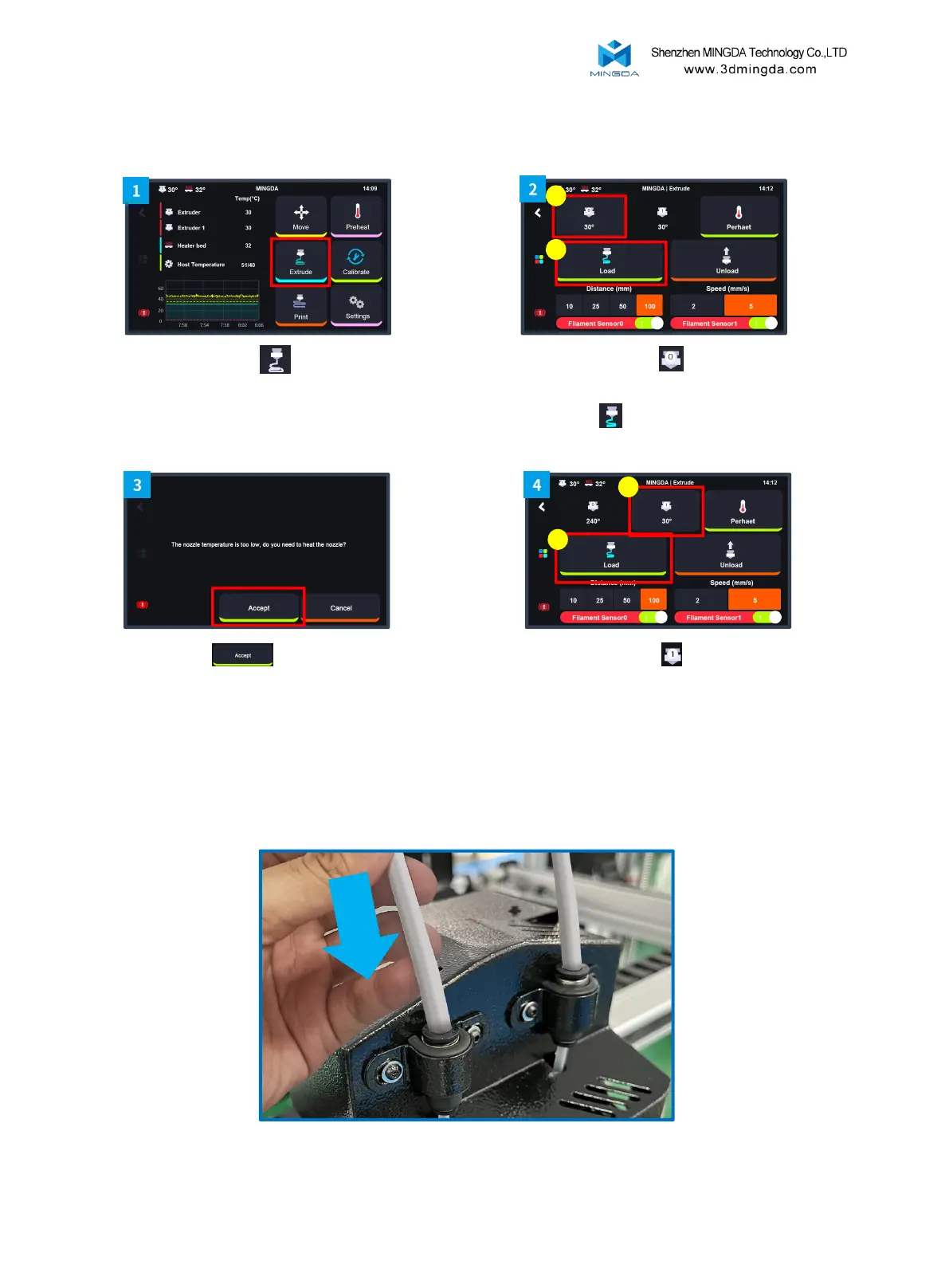
3. Load Filament for the Left and Right Extruders
4. After the filament feeding is completed, Insert the large catheter.
17
Click Accept , hot end will be
heated up automatically.
Click Extruder “T1” , repeat the
step 2 and 3 again.
Click the "Extrude"
Click Extruder “T0” , select
Distance “100mm” and Speed”5”,
click Load
1
2
1
2



 To Next Page