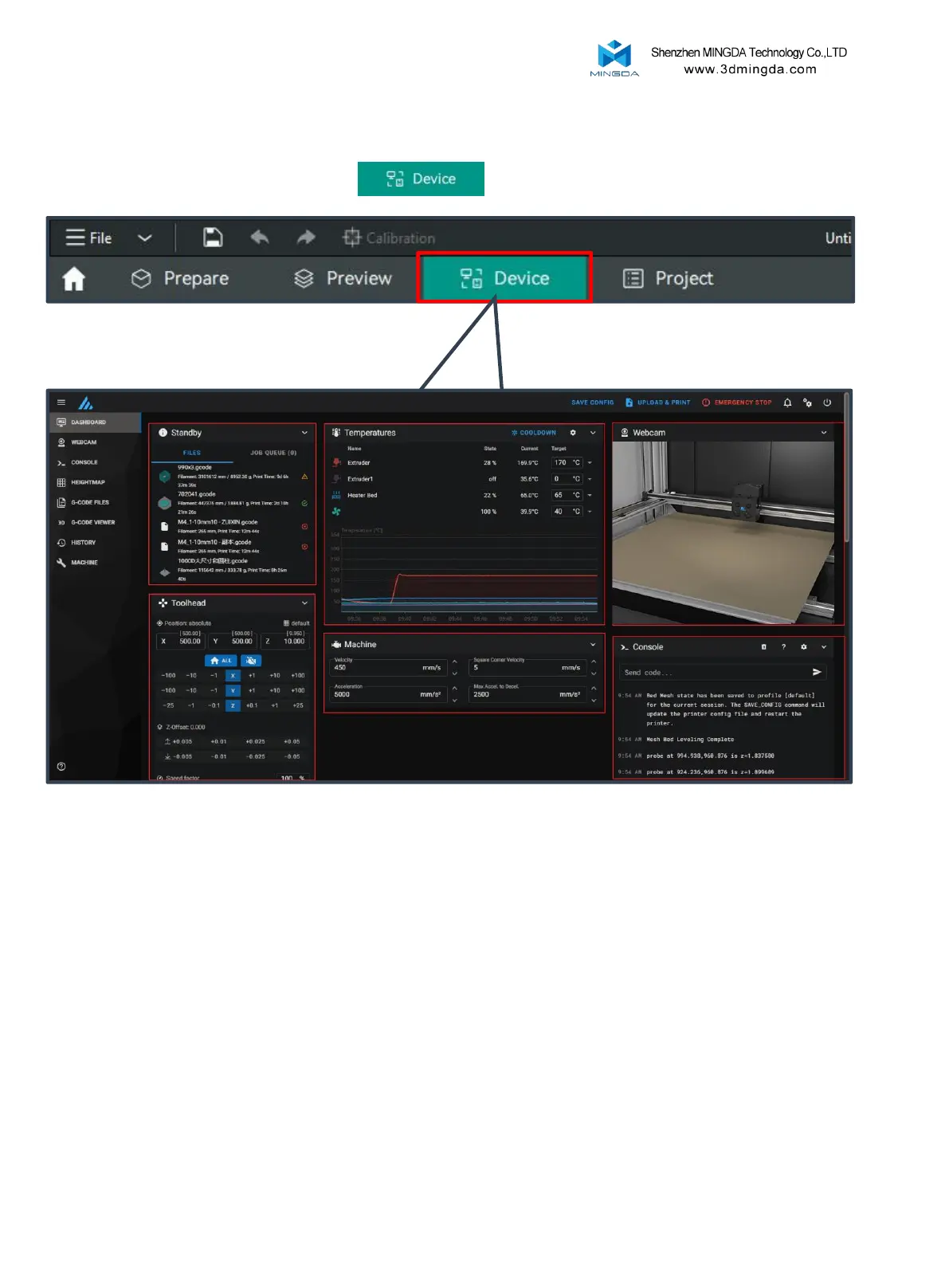
After successful connection, click on "Device"
Device Connection
1.Task List
4.Movement
Control
2.Temperature Control
5.Printer Limits
6.Console
3.Camera
Enter the control interface below the diagram
1. Task List: Drag G-code files to this task list for printing.
2. Temperature Control: Displays machine temperature changes and allows pre-setting
nozzle and bed temperatures.
3. Camera: Monitors the printing status.
4. Movement Control: Controls the movement of each axis and allows compensation
settings after leveling.
5. Printer Limits: Controls the maximum acceleration of the printer, usually doesn't need
to be changed.
6. Console: Sends G-code commands to run the machine and displays error output.
24



 To Next Page