5. Software
MD series 3D printers work with a variety of slicing software, such as Cura, Simplify 3D, Repetier-
Host and so on. Now we will introduce MINGDA-CURA_x.xx.xx in detail, you can learn how to set the
printing parameters, which will help you to become more familiar with the slicing software and print
the first sample successfully.
First, you can find the MINGDA-CURA_x.xx.xx from the SD card, and install it on your computer.
Install CURA
1. Double click MINGDA-Cura_x.xx.xx.exe to install
2. Install the software by default as follows.
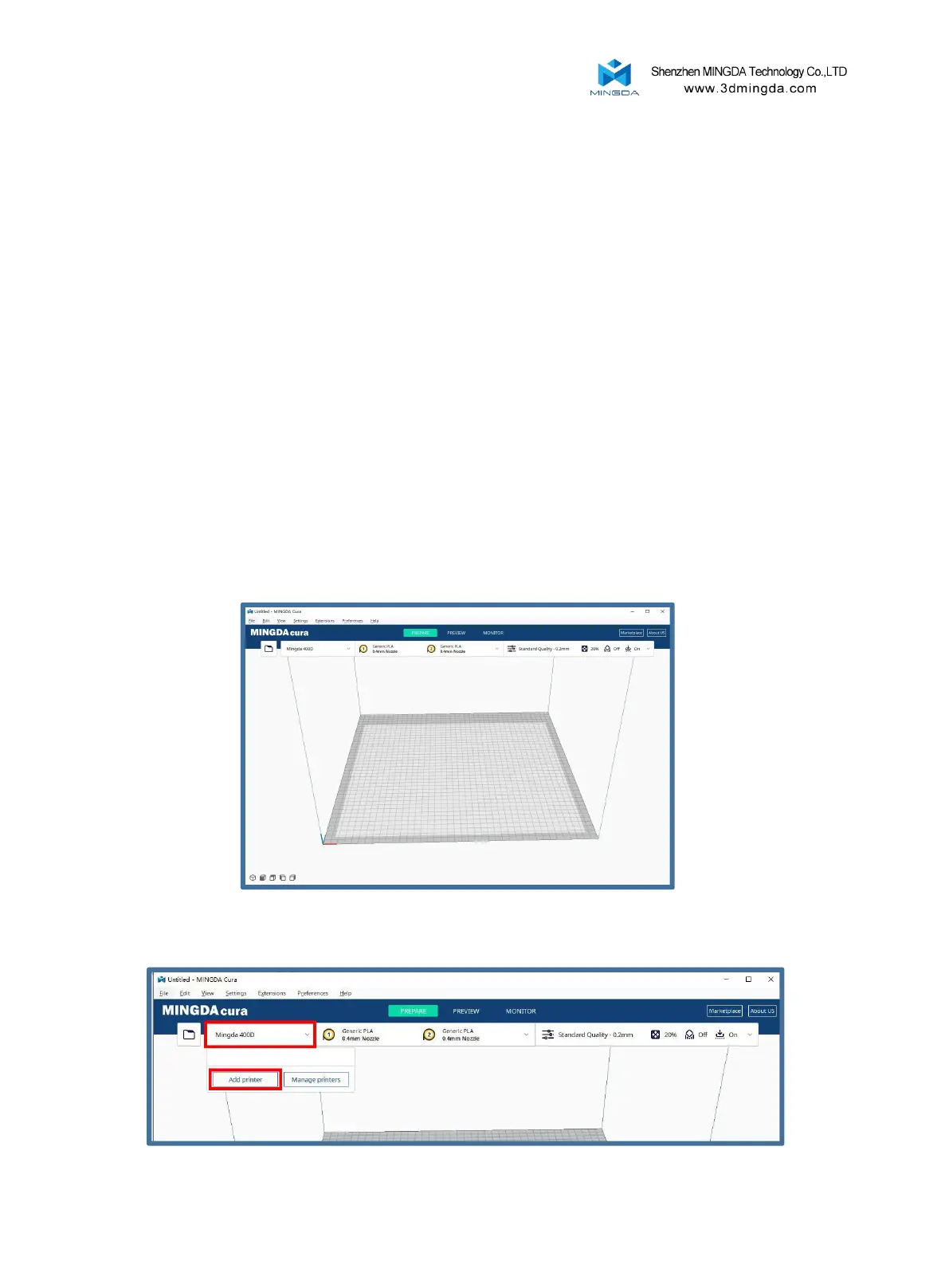
Click Add printer
Step 1: Add a printer
1. Double click MINGDA-Cura_x.xx.xx.exe to install
2. Install the software by default as follows.
19



 To Next Page