4.Machine calibration
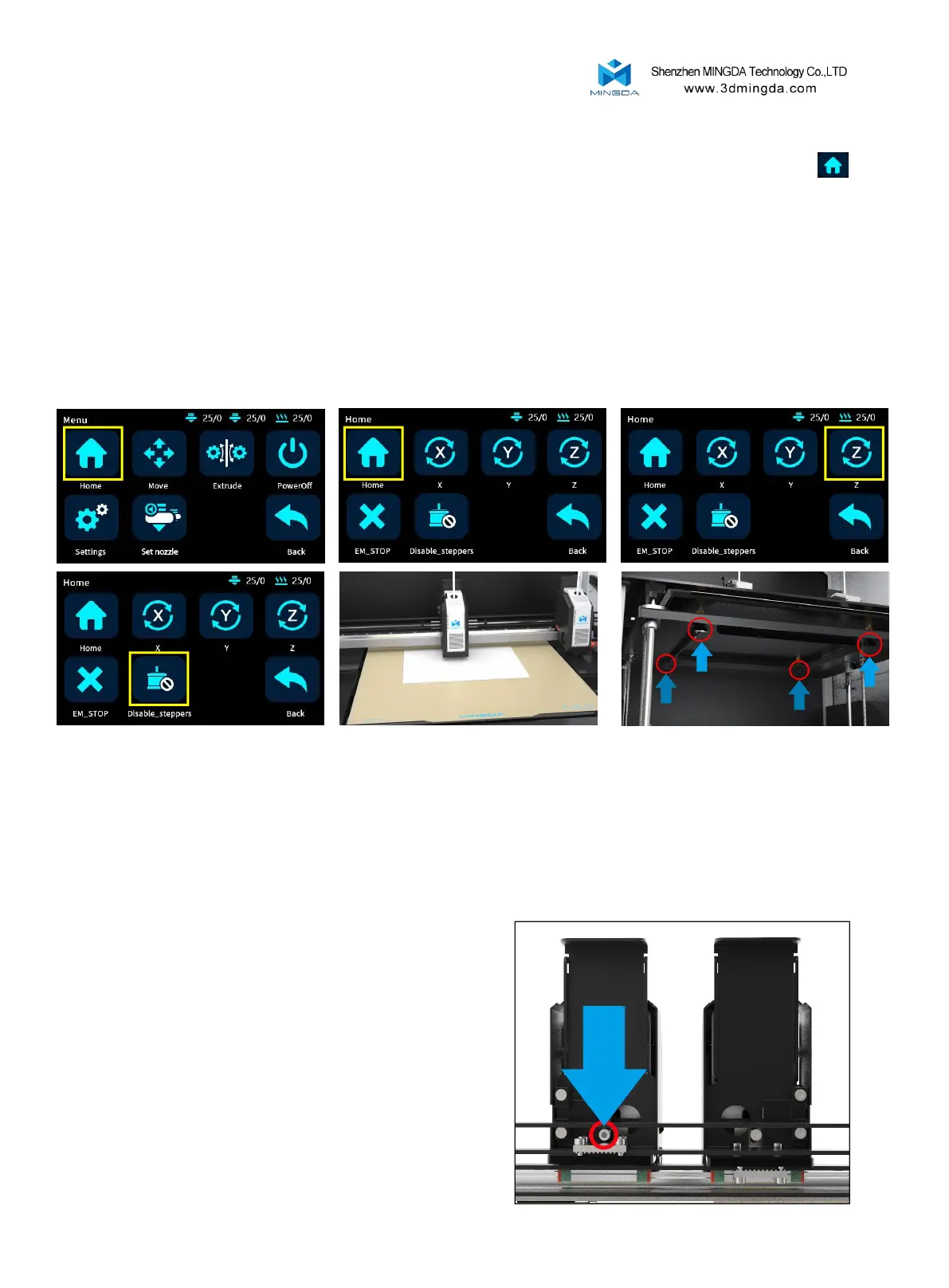
1. Prepare an A4 paper and place it between the left print head and the platform. Click the reset button
to initiate the reset process. Once the reset is complete, click on the Z-axis movement option to raise the platform to
its highest position. Click on the unlock motor button and manually move the print head to make the nozzle
sequentially move to the four corners and the center of the platform. Simultaneously adjust the corresponding four
knobs to ensure that the print head is just pressing against the A4 paper. Gently pull the A4 paper, and if the nozzle
leaves a slight mark on the paper, it means the leveling is satisfactory.
[Note: In general, the device is already pre-adjusted at the factory, so you can skip this step and proceed
directly to automatic leveling.]
2.After adjusting the left print head, you can manually move the right print head to check if the distance
between the right print head and the hotbed is consistent with the left print head. If they are not aligned, you can
manually adjust the distance between the right print head and the platform to match the distance between the left
print head and the hotbed. There is a screw at the back of the right print head that can be loosened to roughly adjust
the height of the right print head. Once adjusted, tighten the screw to secure it in place.
[Note: In general, the device is already pre-
adjusted at the factory, so you can skip this step and
proceed directly to automatic leveling. However, if
there is a significant deviation or if you require precise
calibration for duplication or mirror modes, you can
refer to the instructional video on the SD card or the
official website for adjustment instructions.]
10



 To Next Page