3.Printing support
Printing size: 400 * 400 * 400mm
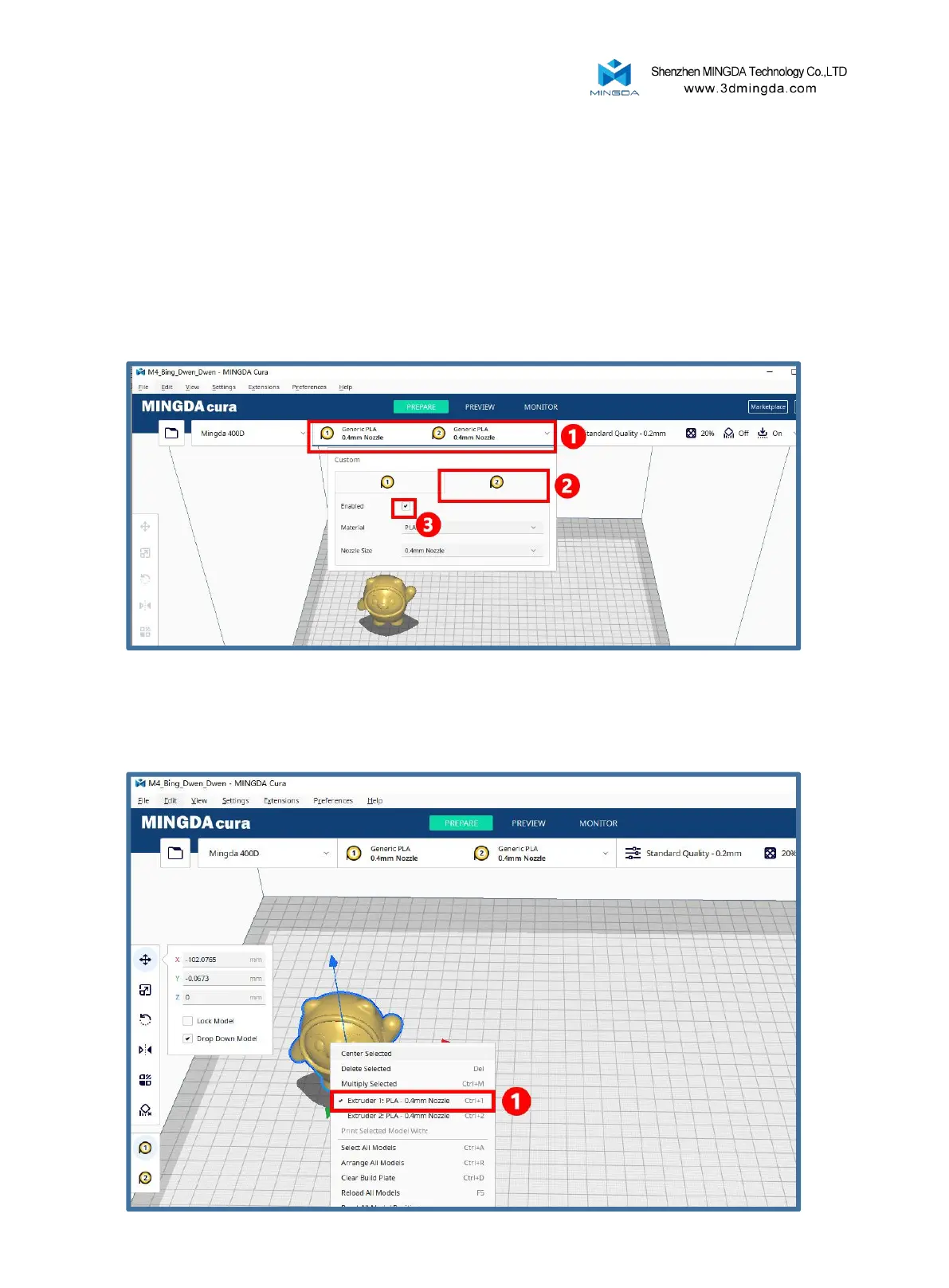
Enable print head 2 first
Support mode printing process: slice, select free mode on the machine, and then print.
Reminder: When performing support printing, Extruder 1 uses the materials required for the
model, while Extruder 2 uses the supporting materials matched with the model materials. If
high-temperature materials are used, we need to put them into a drying box for printing to
prevent moisture from affecting the printing quality.
Left click to select the model, and right click to select Print Head 1 or Print Head 2 to print the main
body of the model.
Select print head 1 here
25



 To Next Page