Tips for printing support and dual color models
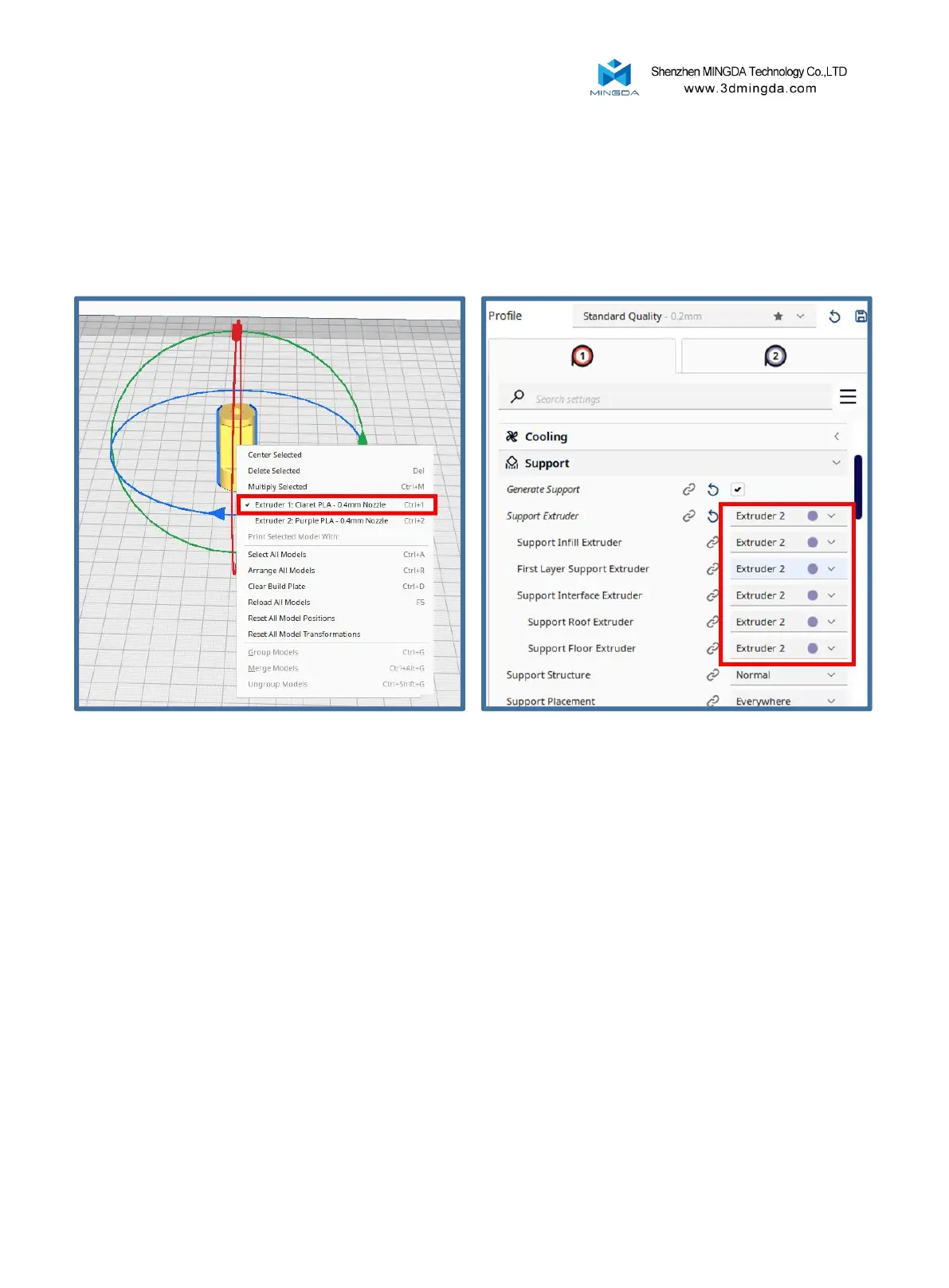
1. Import the model to be printed, right-click on the model, select Extruder 1 to print the
model, start the support, and select Extruder 2 to print the support.
2. Adjust the "standby temperature" in the "Material" interface.
Standby temperature: The unprinted nozzle will drop to the set temperature during the
printing process
For example, suppose the left nozzle is in an idle state when printing, but due to the high
temperature, the filaments melt into a liquid state and drip onto the model due to gravity,
causing the printing of the model to fail. To avoid this issue, the idle nozzle temperature can be
reduced to a state where filaments do not drip. But relatively speaking, it will increase the
printing time.
31



 To Next Page