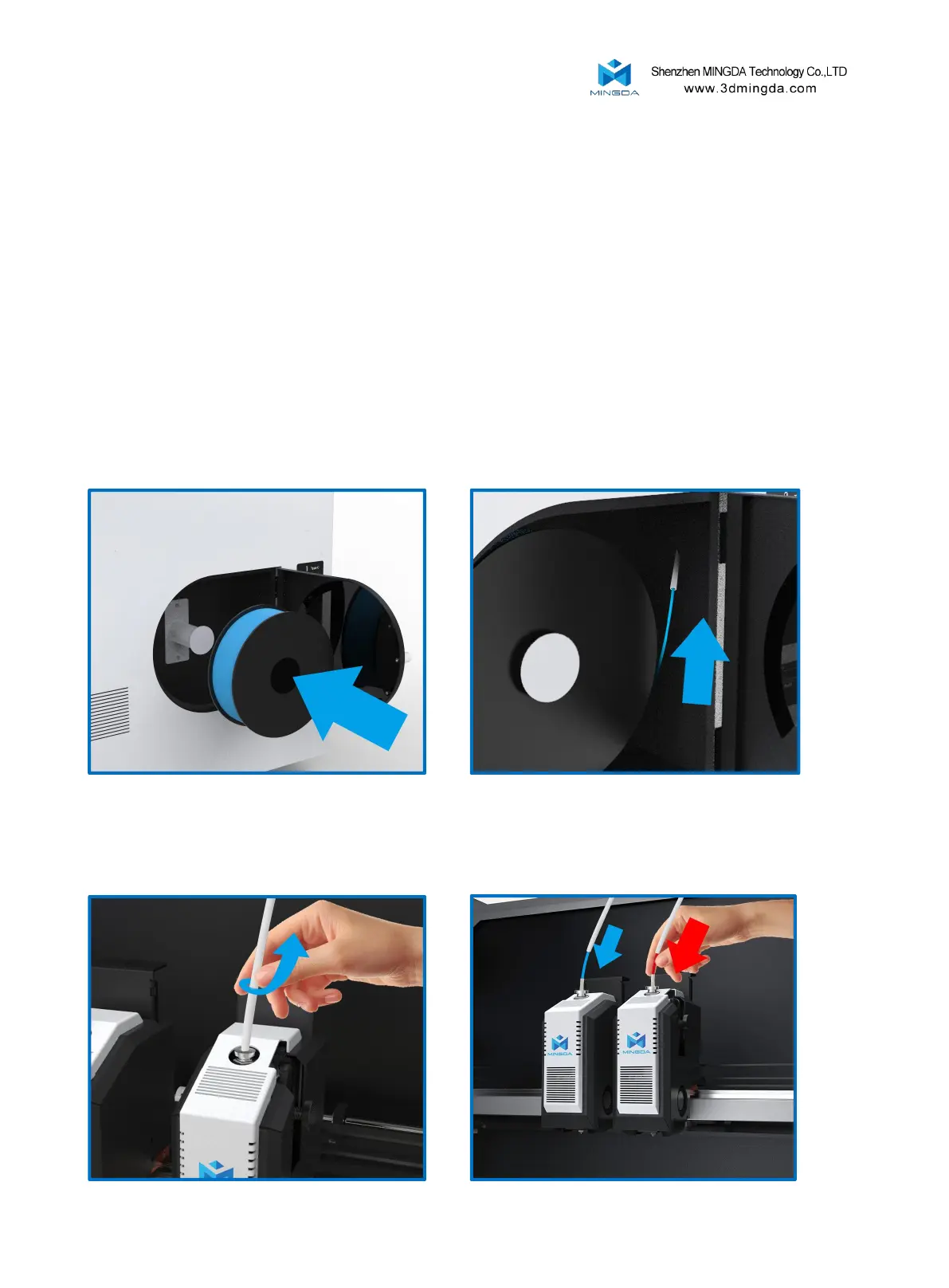
Install the filament (Take PLA filament as an example )
1. Hang two volumes of PLA Filament on the scraping pole in the left and right Filament box, and
insert the Filament from the inlet port until the Filament are exposed to the printed head along the
guide pipe.
2. Press the gas joint, pull out the guide tube, pull the handle of the inlet port, insert the Filament
into the squeeze machine into the material mouth.
12
5.Calibrate the Z-axis offset for the left and right print heads. Click the Z-axis calibration button, and the left and
right print heads will automatically move to the right front switch to touch the calibration limit switch one by one.
Once completed, the machine will automatically save the data.
[Note: If during the calibration process the print head does not align with the switch and causes a collision,
please immediately click the emergency stop button to shut down the machine. For specific instructions, please refer
to the instructional video on the SD card or the official website.]



 To Next Page