PRESET 128
1
2
128
SWING 8
Swing
Preset
2
1
C
W
D
ire cti
o
n
C
C
W D
ire c
ti
on
2nd Preset
1st Preset
Function
Set Preset
Run Preset
Delete Preset
Function
Set Preset
Run Swing
Delete Swing
OPERATON
Max 255 positions can be stored as Preset position.The Preset number can be assigned
from 1 to 255, but 95 is reserved for starting OSD menu.
Camera characteristics(Le.White Balance, Auto Exposure)can be set up independently
for each preset. Label should be blank and”Camera Adjust”should be set to”GLOBAL”as
default. All characteristics can be set up in OSD menu
<Set Preset>[1~255]
<Go Preset>[1~255]
To delete Preset, use OSD menu.
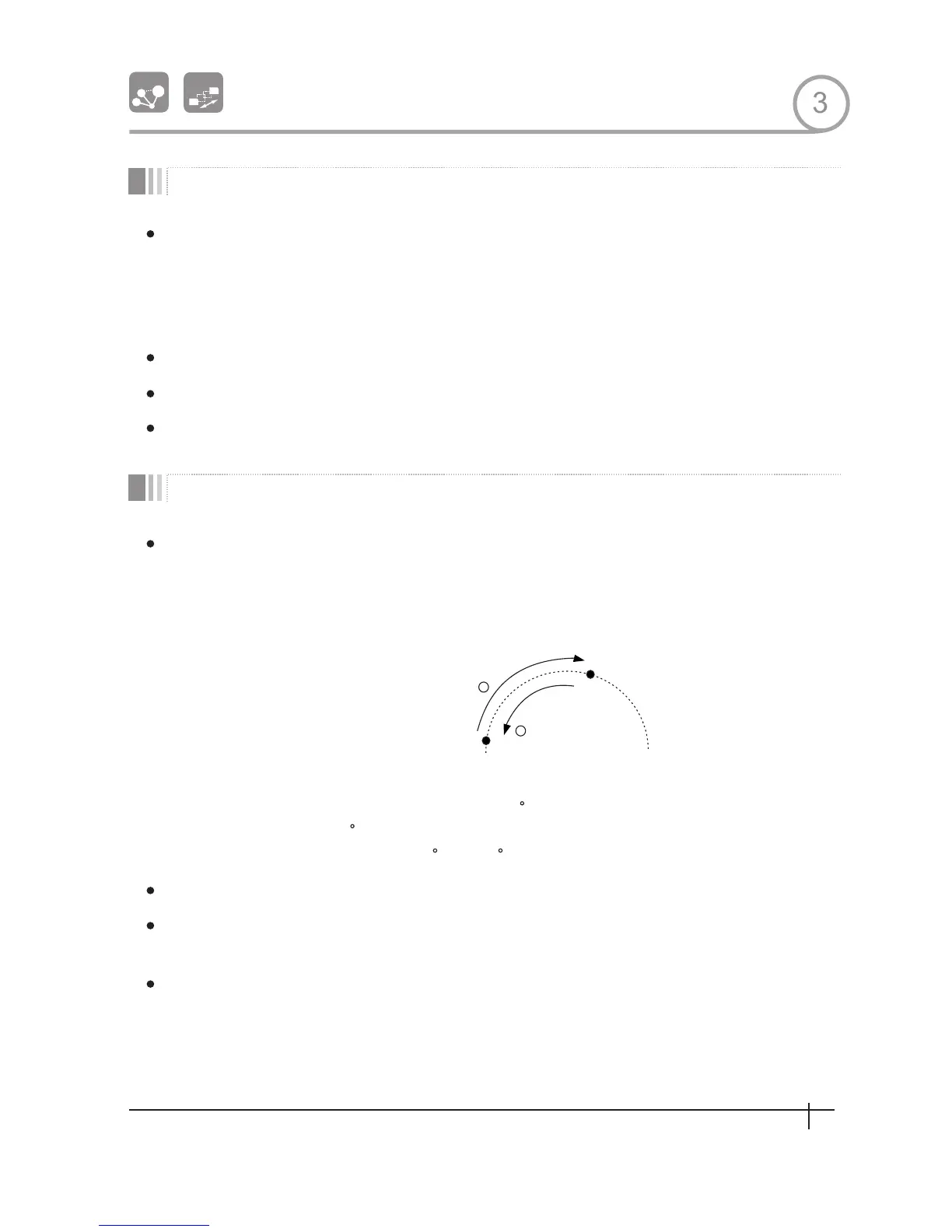
By using Swing function, you can make camera to move between 2 Preset positions
repeatedly. When swing function runs, camera moves from the preset assigned as the 1st
point to the preset assigned as the 2nd point ln CW(Clockwise)direction. Then camera
moves from the preset assigned as the 2nd point to the preset assigned as the 1st point in
CCW(Counterclockwise)direction.
point, camera turns on its axis by 360 in CW(Clockwise)direction and then it turns on its
axisby 360 inCCW(Counterclockwise) direction.
Speed can be set up from 1 /sec to 180 /sec.
To set Swing,use OSD menu
Method 1) <Run Pattern>[Swing NO .+lO]
Method 2) <Go Preset>[Swing NO.+140]
To delete Swing,use OSD menu.
ex) Run Swing 3:
<Run Pattern>[13]
<Go Preset>[143]
ex) Run Swing 3:
In case that the preset assigned as the 1st point is same as the preset assigned as the 2nd
3
13
Spee d Dom e Camera Instruction Manual


 To Next Page