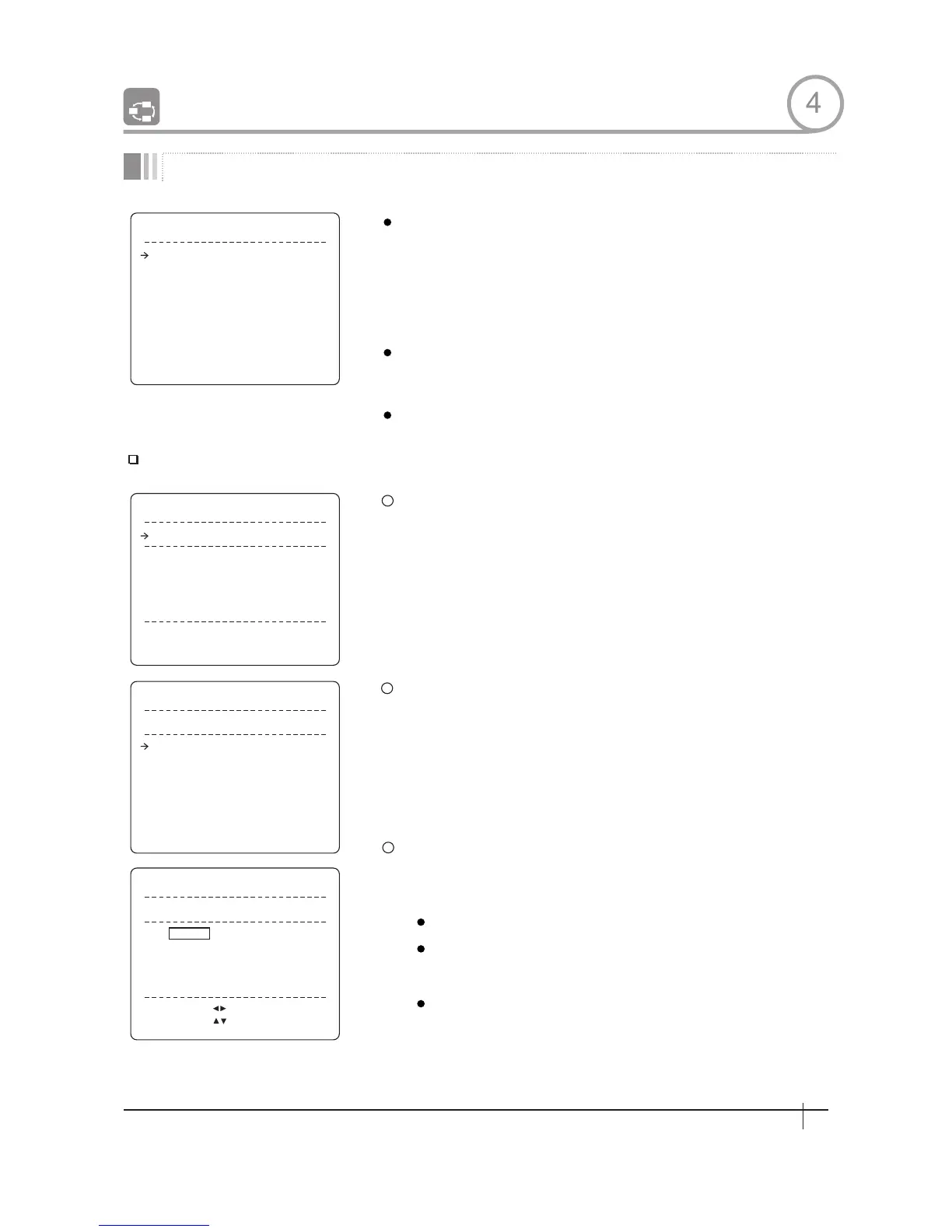
G R O U P S E T U P
GROUP NO .
CLEAR GROUP
<EDIT GROUP>
1
UNDEFINED
CANCEL
B A C K
E X I T
E D I T G R O U P 1
NO ACTION ### DWELL OPT
S A V E
C A N C E L
[NEAR:ED I T ]
1 N ON E
2 N ON E
3 N ON E
4 N ON E
5 N ON E
E D I T G R O U P 1
1 N ON E
2 N ON E
3 N ON E
4 N ON E
5 N ON E
NO ACTION ### DWELL OPT
S A V E
C A N C E L
[ F A R : E D I T : E N D ]
[ N EA R: E D I T A C T ]
E D I T G R O U P 1
NO ACTION ### DWELL OPT
1 N ON E
2 N ON E
3 N ON E
4 N ON E
5 N ON E
S A V E
C A N C E L
[ :MOVE CURSOR]
[ : CHANGE VAL. ]
1
2
3
Croup Number
Clear Group
Edit Group
Action ###
DWELL
OPT
Edit Group
Group Setup
GROUP 8
1
2
3
HOW TO USE OSD MENU
[1~8]
Selects Group number to edit.
If a selected Group number is not defined,
"UNDEFINED" will be displayed under selected
Group number.
[CANCEL/OK]
Deletes data in current Group
Starts editing Group.
Press Near key in "NO" list to start Group setup.
Note that MAX.20 Functions are allowed in a Group. Move cursor
up/down and press Near key to set up.
Set up Action, Dwell time and Option. Note that selected item is
displayed in reverse. Move cursor Left/Right to select items and
move cursor Up/Down to change each value.
[NONE/PRESET/SWING/PATTERN]
[0 second~4 minutes]
Sets Dwell Time between functions
Option. It should be preset speed when
preset is set in Action It should be the
number of repeat when Pattern or Swing is
selected ln Action
4
29
Spee d Dom e Camera Instruction Manual


 To Next Page