General Rules of Key Operation for Menu
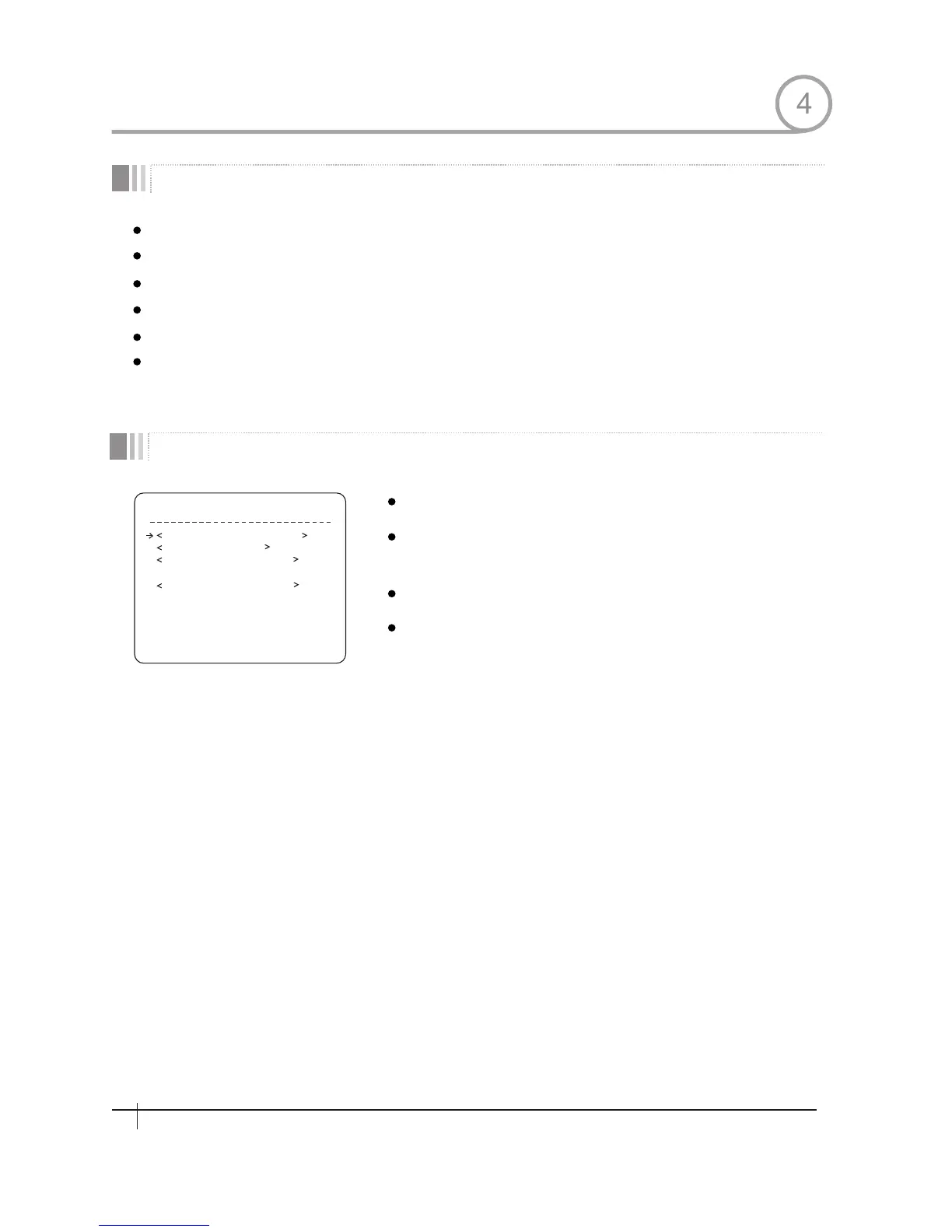
HOW TO USE OSD MENU
Main Menu
SP E ED D O ME C AM E R A
SYSTEM INFORMATION
D I S P L A Y S E T U P
DO ME CA ME RA SETUP
S Y S T E M I N I T I A L I Z E
E X I T
The menu items surrounded with ( ) always has its sub menu.
For aIl menu level, to go into sub menu, press NEAR key.
To go to up-one-level menu, press FAR key.
T0 mave from items to item in the menu,use joystick in the Up/Down or Left/Right.
To change a value of an item, use Up/Down of the joystick in the controller.
Press NEAR key to save values and Press FAR key to cancel Values.
System Information Displays system information and configuration.
Display Setup
Enable/Disable of OSD display on Main
Screen.
Dome Camera Setup Configure various functions of thls camera.
System Initialize
Imtlalizes system configuration and sets all
data to factory default configuration
4
18
Spee d Dom e Camera Instruction Manual


 To Next Page