INSTALLATION
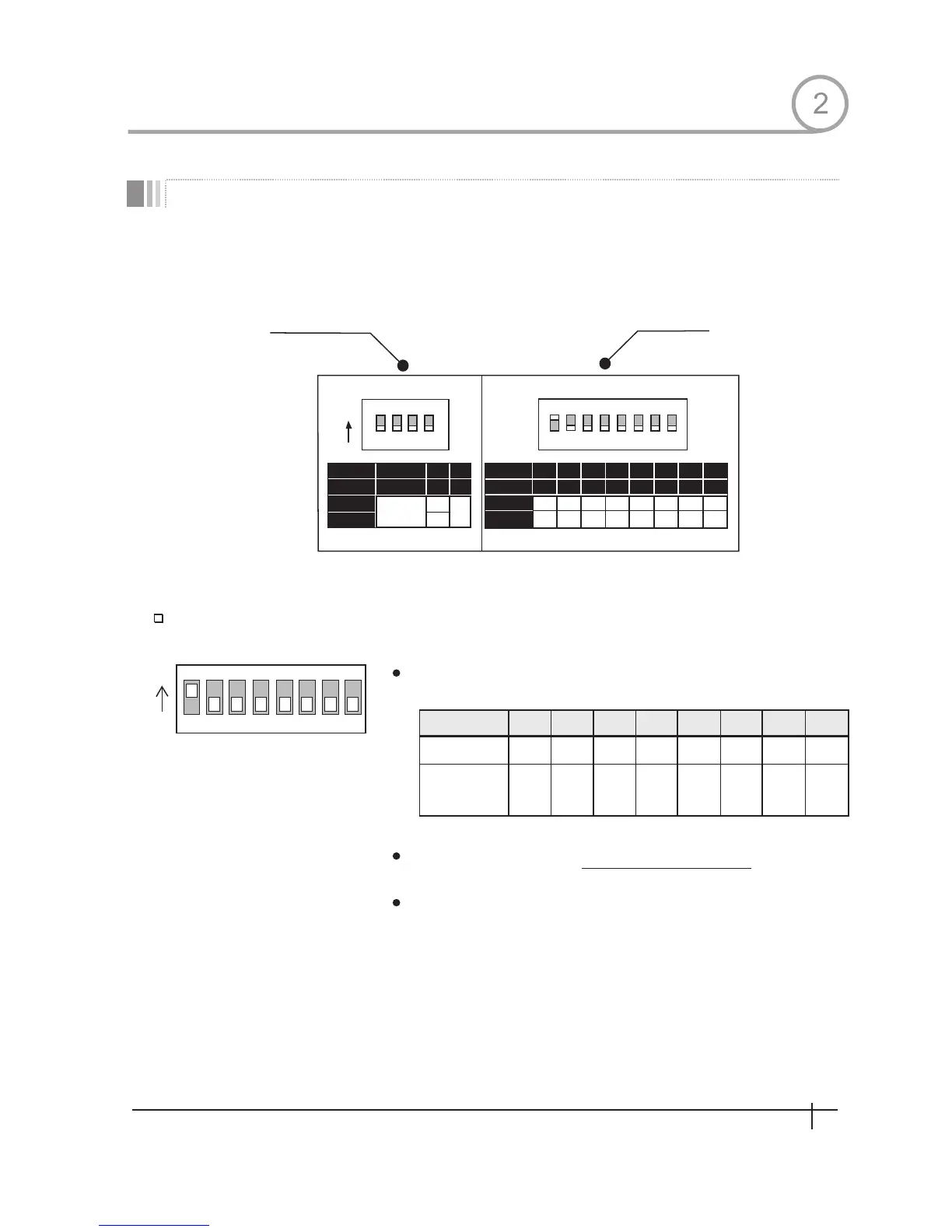
DIP Sw itch Setup
Camera ID Setup
8
128
0ff
0ff
7
64
0ff
0ff
6
32
0ff
0ff
5
16
0ff
0ff
5
8
0ff
0ff
3
4
0ff
0ff
2
2
0ff
0ff
1
1
0ff
0ff
Pin
ID Value
e x) ID=5
ex ID=10
Before you install the calera,you should set the DIP switcjes to comfigure the camera ID,communication
protocol.
ID number of camera is set using binary number.The example is
shown bellow.
The range of ID is 1~255. Factory
default of Camera ID is 1.
Do not use 0 as camera ID.
If you want to control a cartain camera,you must match the camera
ID with Cam ID se tting of DVR or Controller.
1 2 3 4 5 6 7 8
ON
ON
1 2 3 4 5 6 7 8
PIN
FUNC.
ON
OFF
A0 A1 A2 A3 A4 A5 A6 A7
1
0
2 4
128
64
32
16
8
0 0 0 0 0 0
ADDRESS (ID)
Communication
Protocol
Camera ID
2
7
Spee d Dom e Camera Instruction Manual
0
1 2 3 4 5 6 7 8
OPTIONS
ON
1 2 3 4
PIN
FUNC.
ON
OFF
PROTOCOL
N/P
Refer to
the Manual
P A L
NTSC
1 2 3 4
UPGR ADE


 To Next Page