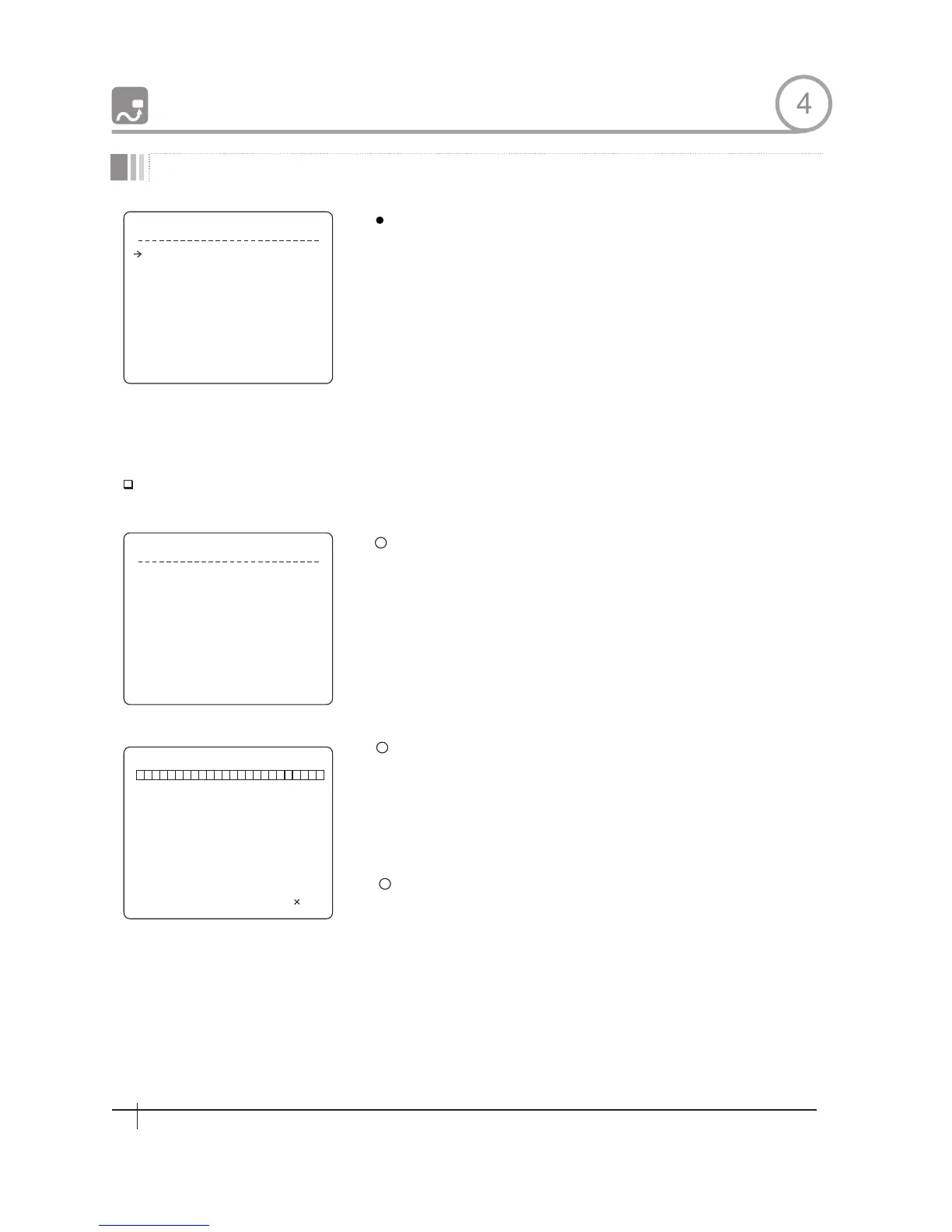
P A T T E R N S E T U P
P A T T E R B N O .
C L R P A T T E R N
<EDIT PATTERN>
1
UNDEFINED
CANCEL
B A C K
E X I T
E D I T P A T T E R N 1
MO V E T O S T A R T P O S I TI O N
[NEA R:STAR T /FAR:C ANCEL]
E D I T P A T T E R N 1
[ N E A R : S AV E / F A R : D E L ET E ]
0 / 0 / 1 / N
Pattern Number
Clear Pattern
Edit Patternk
1
2
3
Edit Pattern
PAITERN 4
HOW TO USE OSD MENU
[1~4]
Selects Pattern number to edit.
If a selected pattern number is not defined,
"UNDEFINED" will be displayed under
selected pattern nuraber.
[CANCEL/OK]
Deletes data in current pattern
Starts editing pattern.
By using Joystick, move to start position with appropriate zoom. To
start pattern recording, press NFAR key. To exit this menu, press
FAR key.
Move camera with joystick of controller or run preset function to
memorize the path(mostly curve path)ln a selected pattern. The
total memory size and the rest memory size is displayed m the
form of bar. Maximum 1200 communication commands can be
stored in a pattern
To save data and exit, press NEAR key .To cancel recording and
delete record data, press FAR key.
4
Pattern Setup
28
Spee d Dom e Camera Instruction Manual


 To Next Page