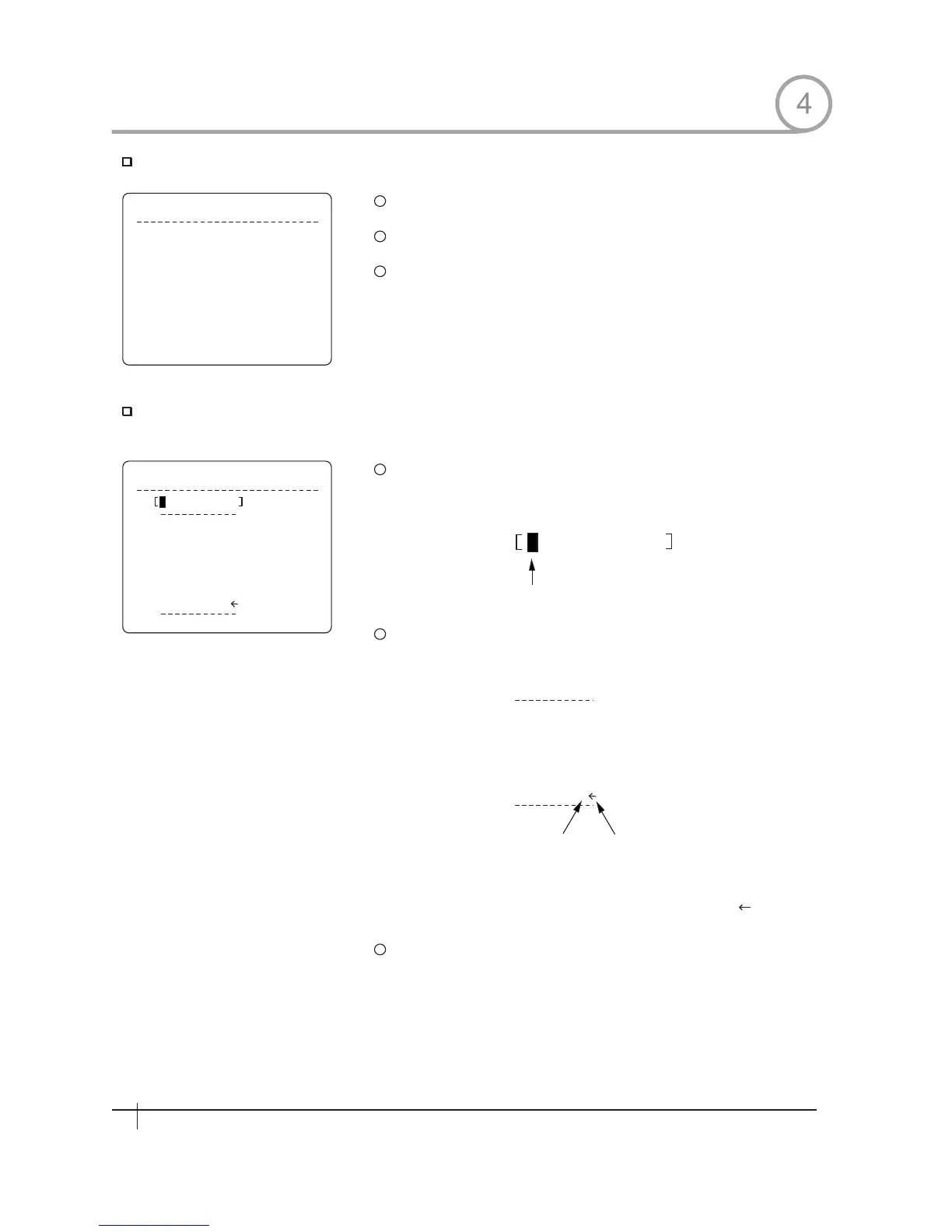
Edit Preset Scene
E D I T S C E N E - P R E S E T 1
MO V E T O T A R G ET P O S IT I ON
[N E A R : S A VE / F A R : C A N CE L ]
Edit Preset Label
E D I T L A B E L - P R E S E T 1
1 2 3 4 5 6 7 8 9 0
A B C D E F G H I J
KLM NOPQR ST
U V W X Y Z a b c d
e f g h i j k l m n
o q r s t u v w x
y z < > - / : .
O K
CAN CEL
1
2
3
1
2
Current Cursor Position
1 2 3 4 5 6 7 8 9 0
A B C D E F G H I J
KLMNO PQRST
U V W X Y Z a b c d
e f g h i j k l m n
o q r s t u v w x
y z < > - / : .
3
HOW TO USE OSD MENU
Using Joystick, move camera to desired position.
By pressing key,save current PTZ data.NEAR
Press key to cancel.FAR
Edits label to show 0n monitor when camera arrives at presets.In
Edit Label menu,a reverse rectangular is cursor As soon as
finishing selecting alphabet,cllrsor moves to the next digit
Using Left/Right/Up/Down of joystick,move to an appropriate
character from the Character set. To choose that character, press
the NEAR key.
Space Char.Back Space Char
If you want to use blank,choose Space character (" ").If you want to
delete a character before, use back space character (" ").
If you complete the Label editing, move cursor to "OK" and press
NEAR key to save completed label. To abort cuxrent change, move
cursor to "Cancel" and press NEAR key.
4
26
Spee d Dom e Camera Instruction Manual
26
Spee d Dom e Camera Instruction Manual


 To Next Page