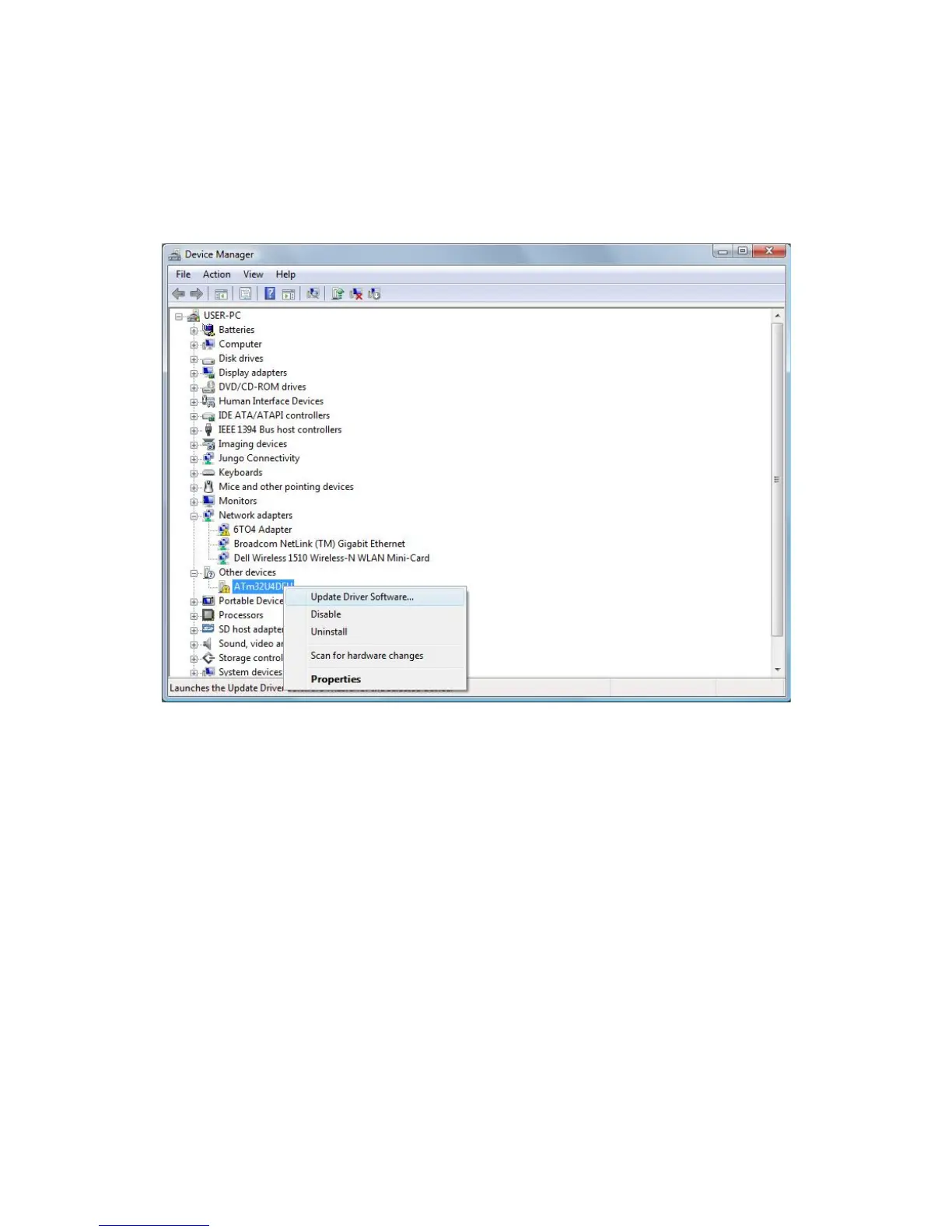
After you have connected MIOPS Smart to your computer, open the “Control
Panel” in Windows operating systems. Click “System” and choose “Device
Manager”. You will see an unknown device under other devices section with
exclamation point on it. Right click on this device and select Update Driver
Software.
Figure 5 Device Manager
At this point you will be prompted if you want your computer search for the
driver or you will be browsing for them. Choose “Browse my computer for
driver software” and point the “driver” folder.



 To Next Page