INSTALLATION & SETUP
Mirage 2000/4000/6000 User’s Manual
2-9
THE VERTICAL POSITION of the projector in relation to the screen also depends on the
size of the screen and the lens type. Correct vertical position helps ensure that the
image will be rectangular in shape rather than keystoned (having non-parallel sides)
and that image focus and brightness both remain optimized.
In addition, vertical position of the image can be offset—that is, moved up or done—
either by turning the top knob on the front of the projector (the one nearest to the IR
sensor) in non-motorized projectors, or through software in motorized projectors.
Offsets range up to 130%, depending on the specific lens, whether it is motorized or
not, what amount of zoom is in effect and whether or not you are also offsetting
horizontally.
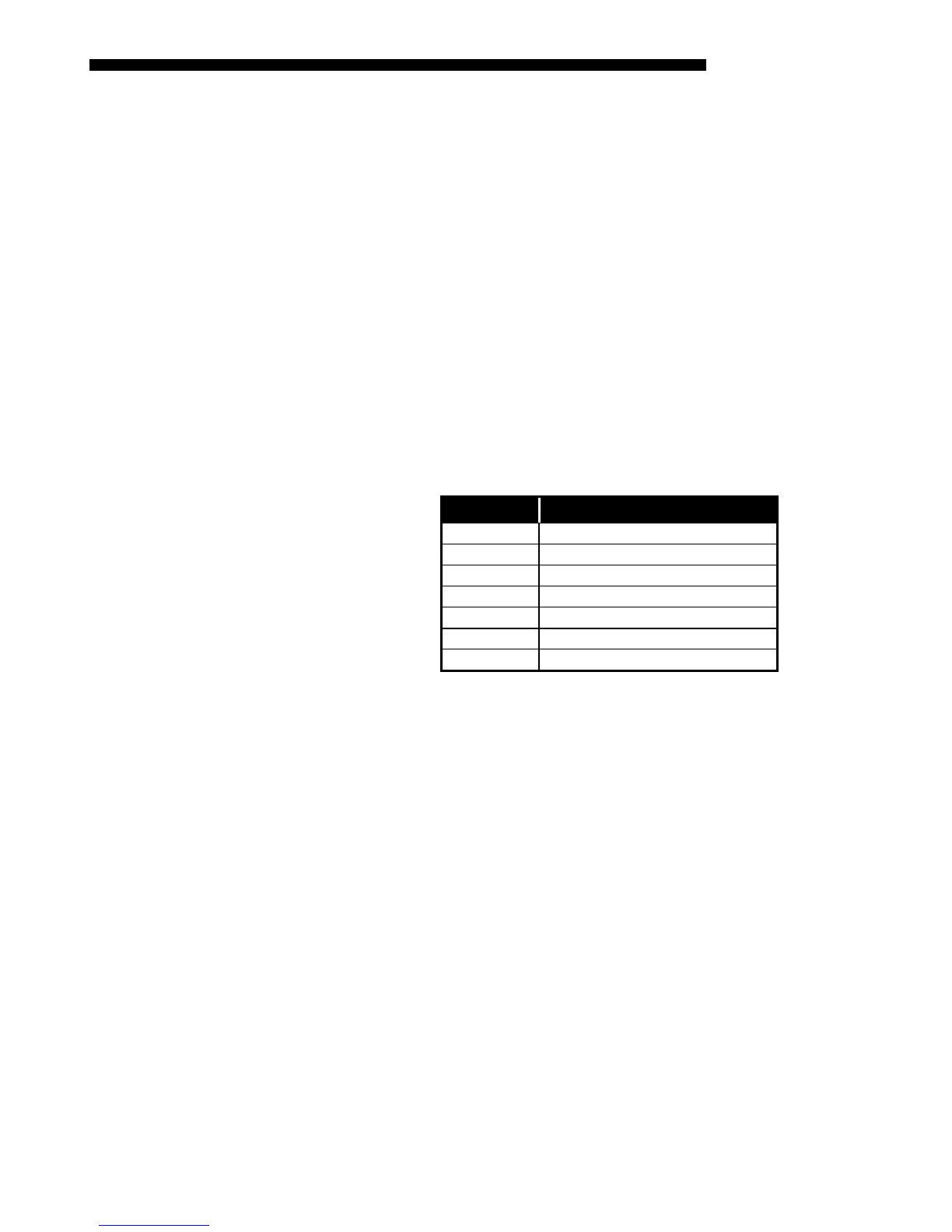
See Table 2.1 for the maximum percentage of the image that can be displayed above
or below the center of each type of motorized lens. These image offsets are also
illustrated in Figure 2.9.
NOTE: Shown are approximate motorized offset ranges—manual offsets standard in
Mirage 2000/4000/6000 may differ.
Table 2.1. Maximum % of Image Offset from Lens Center
Lens Type Max. Recommended Image Offset
✻ 0.8:1
×91% Ø100%
1.2:1
×104% Ø100%
1.5 - 2.2:1
×128% Ø100%
2.2 - 4:1
×128% Ø100%
✻ 2.5 – 4:1
×123% Ø100%
4-7:1
×130% Ø100%
✻ 4-7:1
×114% Ø100%
✻ NOTE: VistaGRAPHX lens. Threaded lens adapter required.
The 0.8:1 lens is not recommended for use in SXGA models.
Motorized ZOOM feature is not available for VistaGRAPHX lenses.
Vertical & Horizontal
'
Position



 To Next Page