Appendix F
Optional Input Modules
Mirage 2000/4000/6000 User’s Manual
F-1
There are many optional input modules and accessories currently available for this projector. Contact your dealer for a
complete and up-to-date listing.
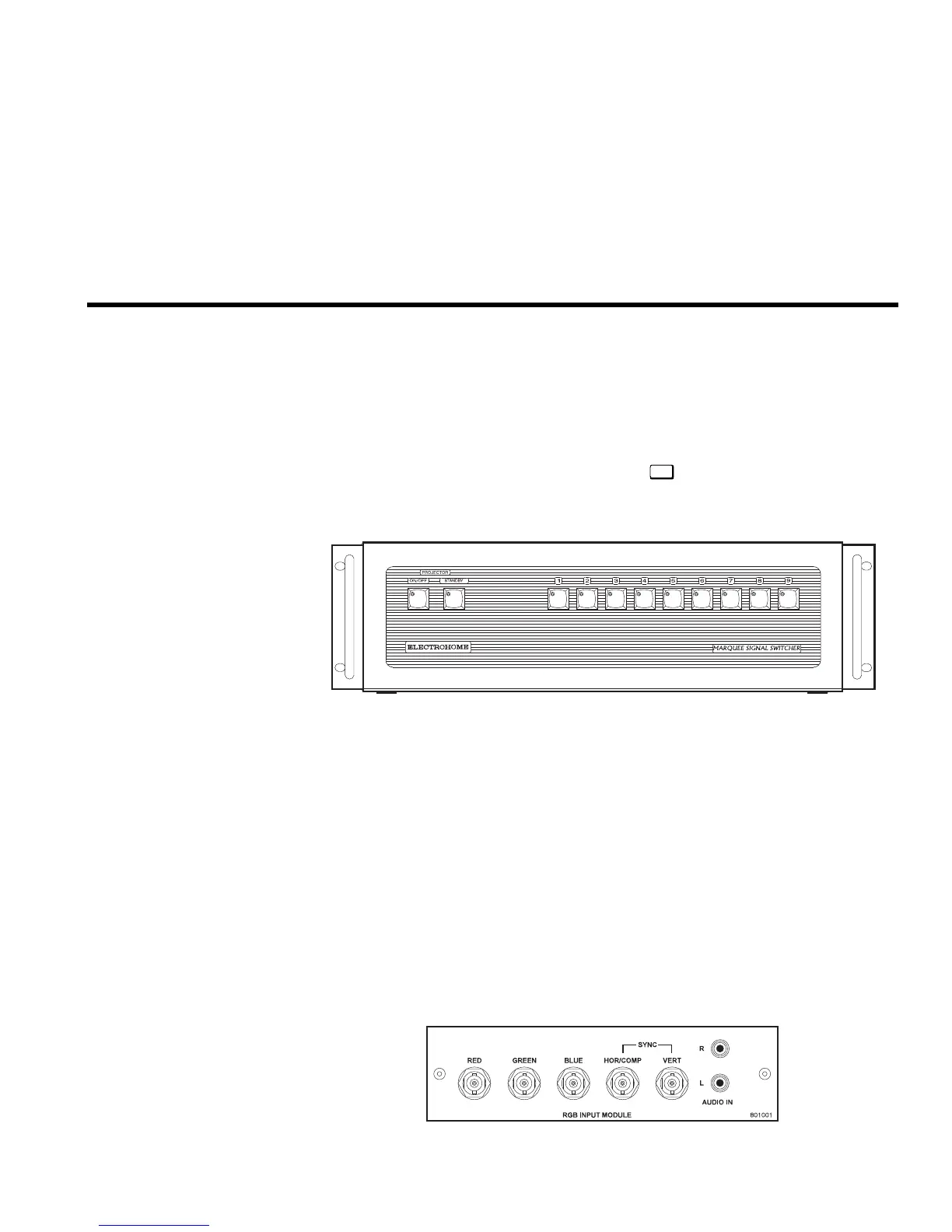
The Marquee Signal Switcher is a rack-mountable signal selector which can greatly
increase the number of analog sources (inputs) available to the projector. Connected
to
INPUT 1
, a single switcher provides up to 9 more sources to the projector.
Additional Marquee Signal Switchers can be connected to the first, with their input
locations (switcher#,slot#) selectable through the
Input
key on the keypad. Switcher
inputs can also be selected at the switcher by pressing the appropriate front panel
push-button, or through serial communications. See Section 2.
Marquee Signal Switcher Features
◊ simple connection and push-button control
◊ easy to see, illuminated indicators
◊ 9 slots for analog interface modules
◊ RS-232 serial interface
◊ input for a wired remote keypad
◊ universal power input
◊ up to 9 switchers can be daisy-chained together with a projector
The RGB500 Input Module may be installed in this projector, a Marquee Signal
Switcher, or a Marquee Case/Power Supply. The module receives analog RGB input
signals from computers or other RGB source devices.
'
Signal Switcher
38-801050-xx
RGB500 Input Module
'
38-804606-xx



 To Next Page