INSTALLATION & SETUP
Mirage 2000/4000/6000 User’s Manual
2-27
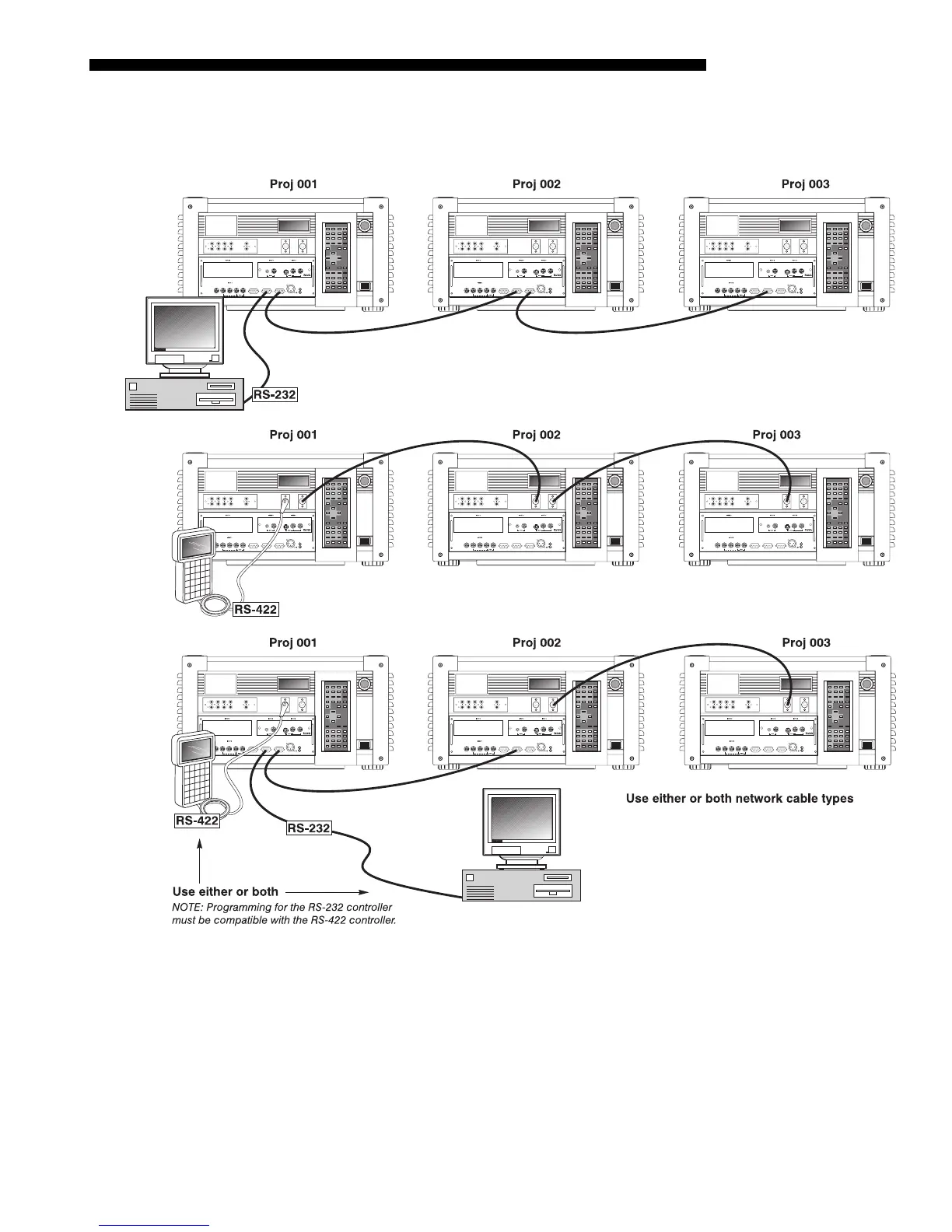
For either type of network, continue connecting projectors in this manner until
you’ve reached the last projector in the chain, so that only the last projector has an
empty
RS-232 OUT
(or
RS-422 PORT
, if applicable). See examples below.
Figure 2.27. Assorted Networks
Note that communication parameters such as baud rate must be set to match the
particular controlling device before connecting as a network—refer to the
documentation that came with your controlling device in order to determine the
proper baud rate. See 3.7, Configuring System Parameters if you need help changing the
projector baud rate from its default of 19200.
NOTES: 1) To avoid damage, connect only properly wired serial communication
cables. See Appendix D for details. 2) It is recommended that each RS-232
communication cable be no more than 25 feet in length. Use high quality cables.



 To Next Page