OPERATION
Mirage 2000/4000/6000 User’s Manual
3-49
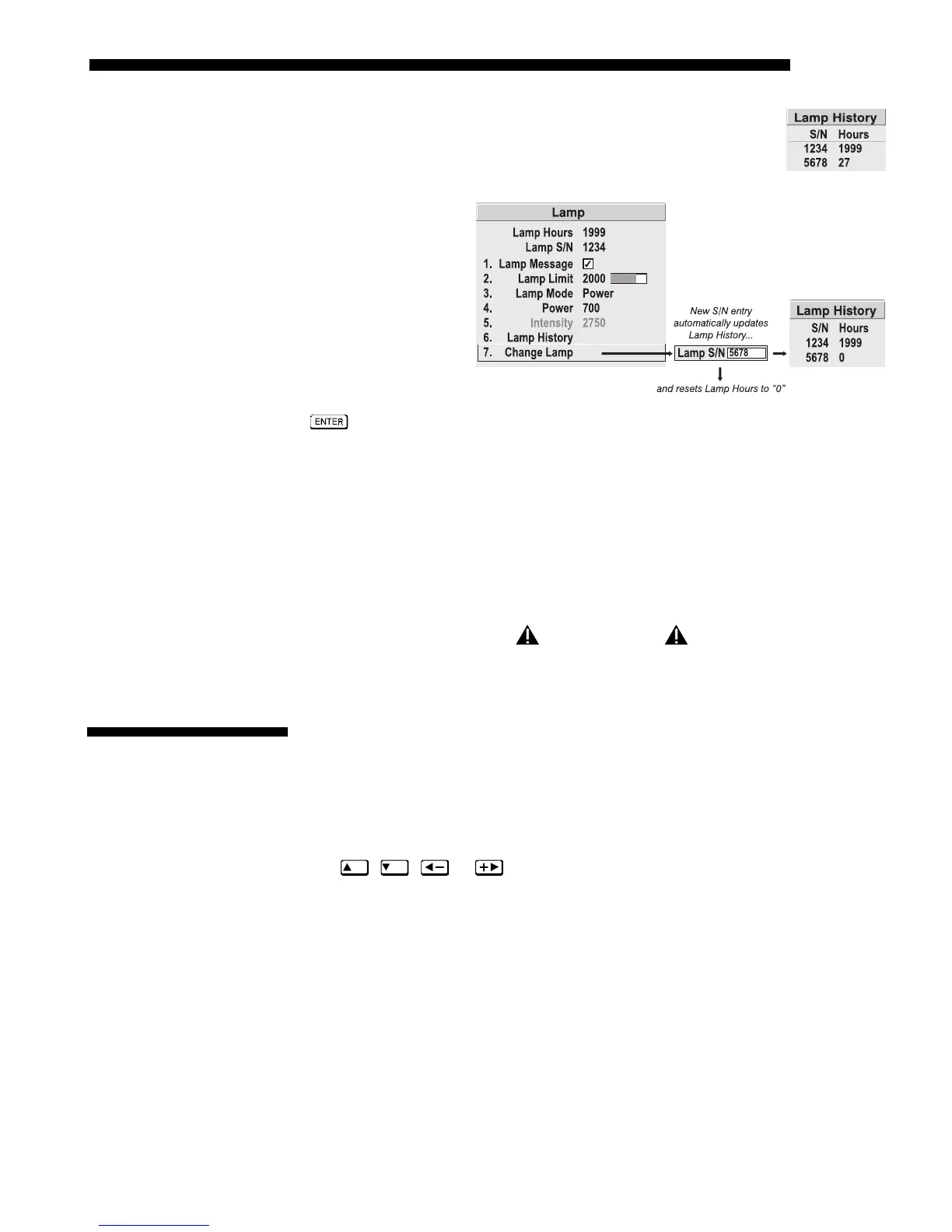
LAMP HISTORY - This read-only option lists the most lamps most
recently installed and recorded in the projector. Lamp History
automatically updates whenever you record a new lamp serial
number—the new lamp is added to the bottom of the list.
Use
CHANGE LAMP
to record the serial
number for a newly
installed lamp.
In the Lamp S/N
window, use the
number text entry
keys to record the
new lamp serial
number, and press
again to accept
the change. See
Using Slidebars and Other Controls if you need help entering the number. Once
entered, the new lamp serial number will be added to the Lamp History menu and the
Lamp Hours timer will reset to “0”. Lamp Mode and Lamp Limit remain as they were
for the previous lamp, and can be changed at any time.
NOTE: Enter a serial number only if you have just installed a new lamp. This will
help ensure that lamp timer is not reset on an old lamp and that the number of hours
logged on the lamp will be accurate.
IMPORTANT
Always DO record the serial number of a NEW lamp.
This read-only menu lists a variety of details about the standard and optional
components currently in use on the projector. Refer to the Status menu for versions of
hardware (left side) and software (right side) installed, the number of lamp hours
logged in total and for a specific period (such as a rental period), and for your
projector model name and serial number. In addition, the Status menu identifies the
current channel, switcher, slot and frequencies.
Use
ON
,
OFF
, or
to see additional Status information.
Figure 3.29. Recording the New Lamp Serial Number
3.9 Projector
Status



 To Next Page