MAINTENANCE
4-4
Mirage 22000/4000/6000User’s Manual
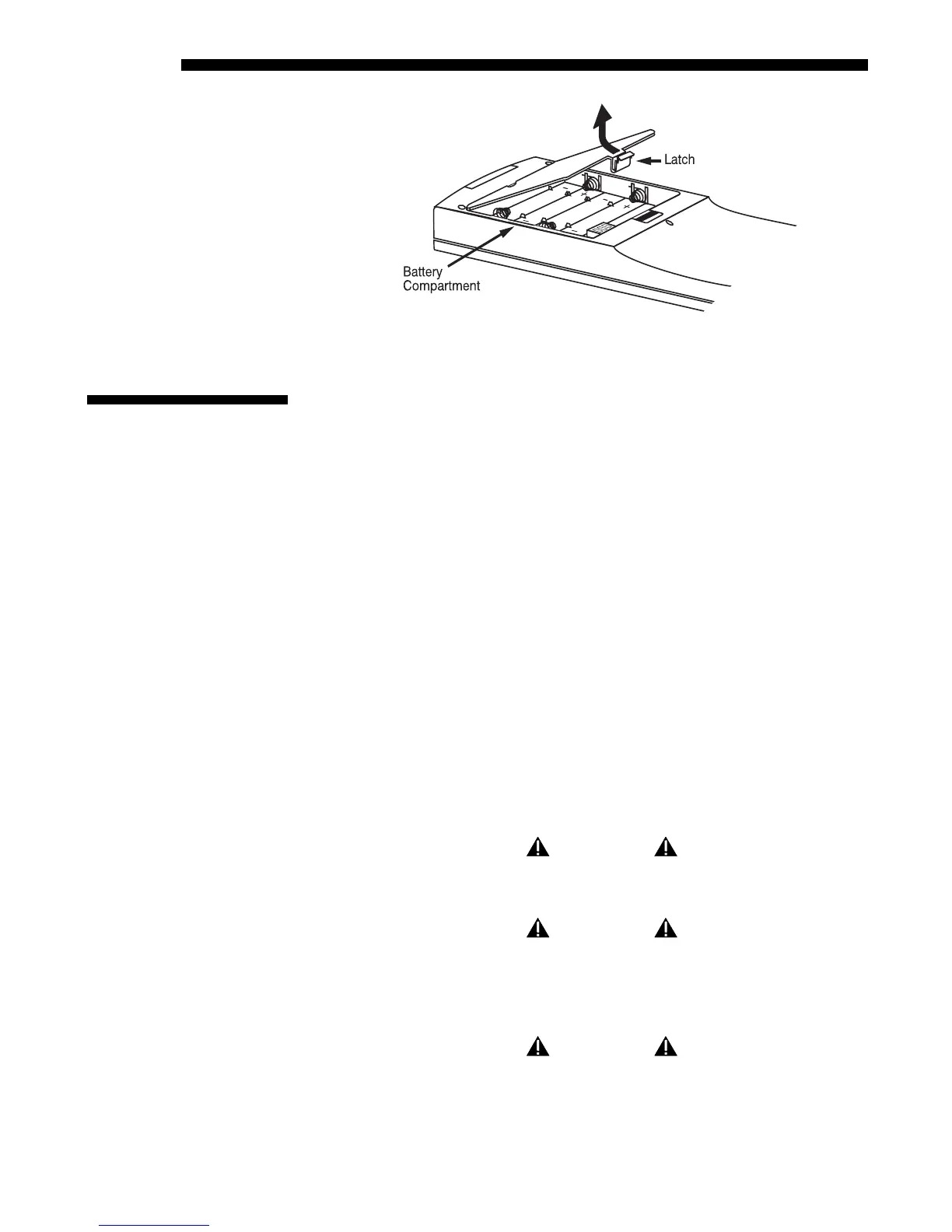
Figure 4.1. Replacing Keypad Batteries
NOTE: For this procedure you will need a “Roadster / Vista / Mirage 4000/6000
Lamp and Filter Replacement Kit” or a “DLV1280-DX / Mirage 2000 Lamp and
Filter Replacement Kit”. Both are manufactured by Christie Digital Systems.
The high brightness of your projector is provided by a Xenon lamp (500W in Mirage
2000, 700W in Mirage 4000, and 1200W in Mirage 6000) permanently mounted
inside its own protective housing. For maximum brightness, this lamp assembly
should be replaced after 1000 hours of use.
How Old is The Lamp?
The number of hours logged on the current lamp appears both in the Lamp submenu
(accessed through the Main menu or other locations) and the Status menu. In the
Status menu, do not confuse “Lamp Hours” with “Lamp Counter”, which indicates
the number of hours logged during the current rental period only and is normally
used just for rented projectors.
NOTE: As the lamp nears its limit (as set in Lamp Limit), a message can appear on
screen to warn that the lamp needs to be replaced. To make sure that this warning
appears, enter a checkmark in the Lamp Message checkbox located in the Lamp
submenu.
You will need a long (10”) Phillips screwdriver for this procedure.
WARNING
Lamp replacement is to be done by
a qualified service technician only.
WARNING
Never attempt to remove the lamp when it is hot. The
lamp is under great pressure when hot and may explode,
causing personal injury and/or property damage. Allow
to cool completely and handle by the housing only.
WARNING
Make sure to use the correct wattage lamp supplied by Christie.
4.4 Replacing the
Lamp and Filter
Lamp Replacement
'
Procedure



 To Next Page