INSTALLATION & SETUP
Mirage 2000/4000/6000 User’s Manual
2-11
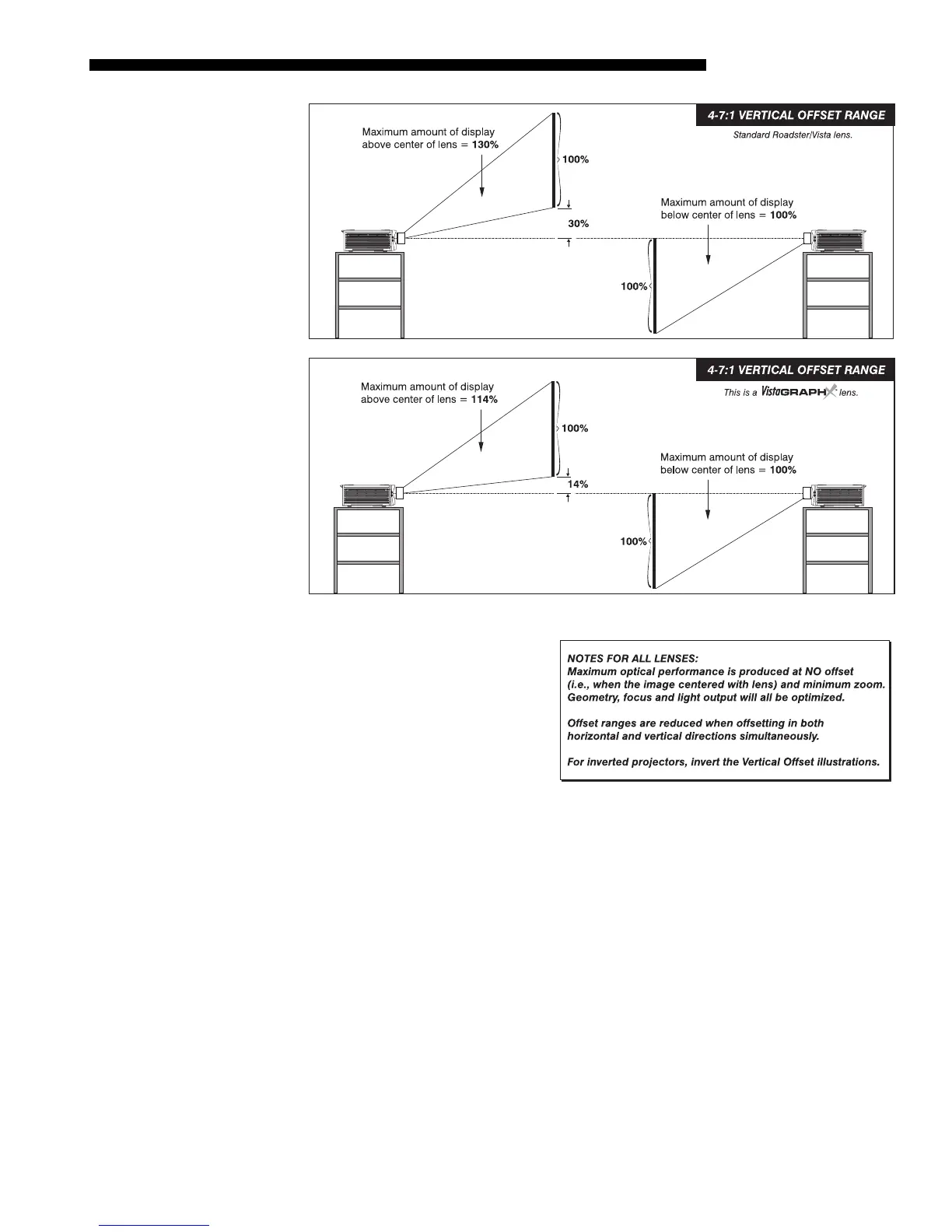
Figure 2.9. Maximum Vertical Offsets, Continued (
ALL LENSES
)
NOTES: 1) If you cannot raise or
lower the image enough using
mechanical vertical offsets, try
adjusting V-Position in the Size
and Position menu (see 3.6,
Adjusting the Image). 2) If the
image becomes keystoned or
exhibits uneven brightness, the
projector may simply be too high
or low in relation to the screen. 3) Recommended offset ranges can be exceeded,
however this may affect image quality. 4) Simultaneous horizontal and vertical offset
limits the adjustment range of each.
THE HORIZONTAL POSITION of the image can be offset—that is, shifted left or right
of lens center—either by turning the bottom knob on the front of the projector (the
knob farthest from the IR sensor) in non-motorized projectors or through software in
motorized projectors. The maximum horizontal offset for lenses that can be installed
in this projector is shown in Figure 2.10. This value expresses the maximum
percentage of the image that can be projected to one side of the lens center (roughly
77%, depending on the lens).



 To Next Page