INSTALLATION & SETUP
Mirage 2000/4000/6000 User’s Manual
2-23
reverse to do this. Likewise, an odd value is approached from a lower value.
This protocol helps ensure ILS
TM
accuracy. In general:
◊ If decreasing to an odd value, movement will reverse its approach.
◊ If increasing to an even value, movement will reverse its approach.
• To make small adjustments for ILS
TM
recall, always maintain the current odd or
even status for the new value—this will prevent the lens from reversing at a
point very near to the requested setting and settling in the area of extra travel
known as the “backlash” zone, an area which is not recognized by the ILS
TM
.
For accurate tweaking of an odd setting, press
. If even, press .
FOR EXAMPLE:
If the current setting is 1001 and you enter 1002, the lens must
move slightly beyond the requested setting before quickly reversing back
down to 1002. Although 1002 will appear in the menu, the physical location of
the lens will not be accurately recalled by the ILS
TM
.
Instead, if you need to slightly increase a current odd setting (such as 1001),
either press
as often as necessary or go to a nearby odd setting (1003,
1005, etc.) rather than switching to an even setting (1002, 1004, etc.). This
technique will prevent the lens from reversing and settling in the backlash
zone.
• Try to release the
or key before reaching a desired lens setting, then
continue as necessary with small incremental adjustments in the same
direction. If you “overshoot” slightly, do not reverse and “tweak” into place
unless you have overshot beyond the backlash zone (which can vary from 10
to 600 increments, depending on the function). Otherwise, the ILS
TM
function
will not recognize the final “tweaked” value when you return to this channel,
and lens performance will appear inaccurate. In general, use small
“incremental” fine-tuning only if the direction of lens movement has not
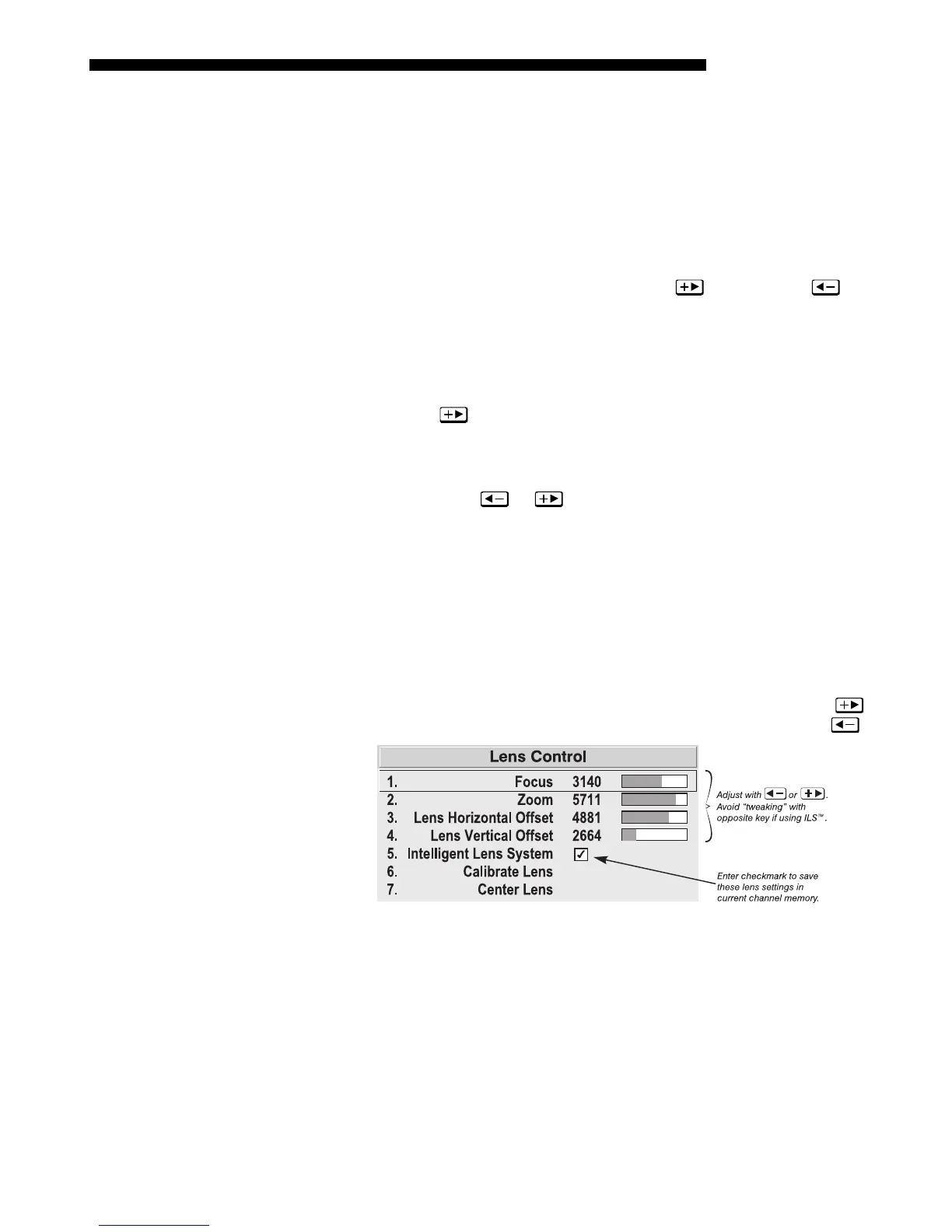
changed during an adjustment. See Figure 2.22.
Alternatively, simply enter a new position to reverse direction. For example, if
the current setting is 2000, enter 2001 to start moving up—then press
. If
current setting is 2001, enter 2000 to start moving down—then press
.
Figure 2.22. Lens Settings and the ILS
TM
• When adjusting lens offsets, slidebar values will not reach extremes of 0 or
9999. This is normal and does not mean that corresponding lens mount
movements failed to reach their physical extremes.



 To Next Page