INSTALLATION & SETUP
Mirage 2000/4000/6000 User’s Manual
2-29
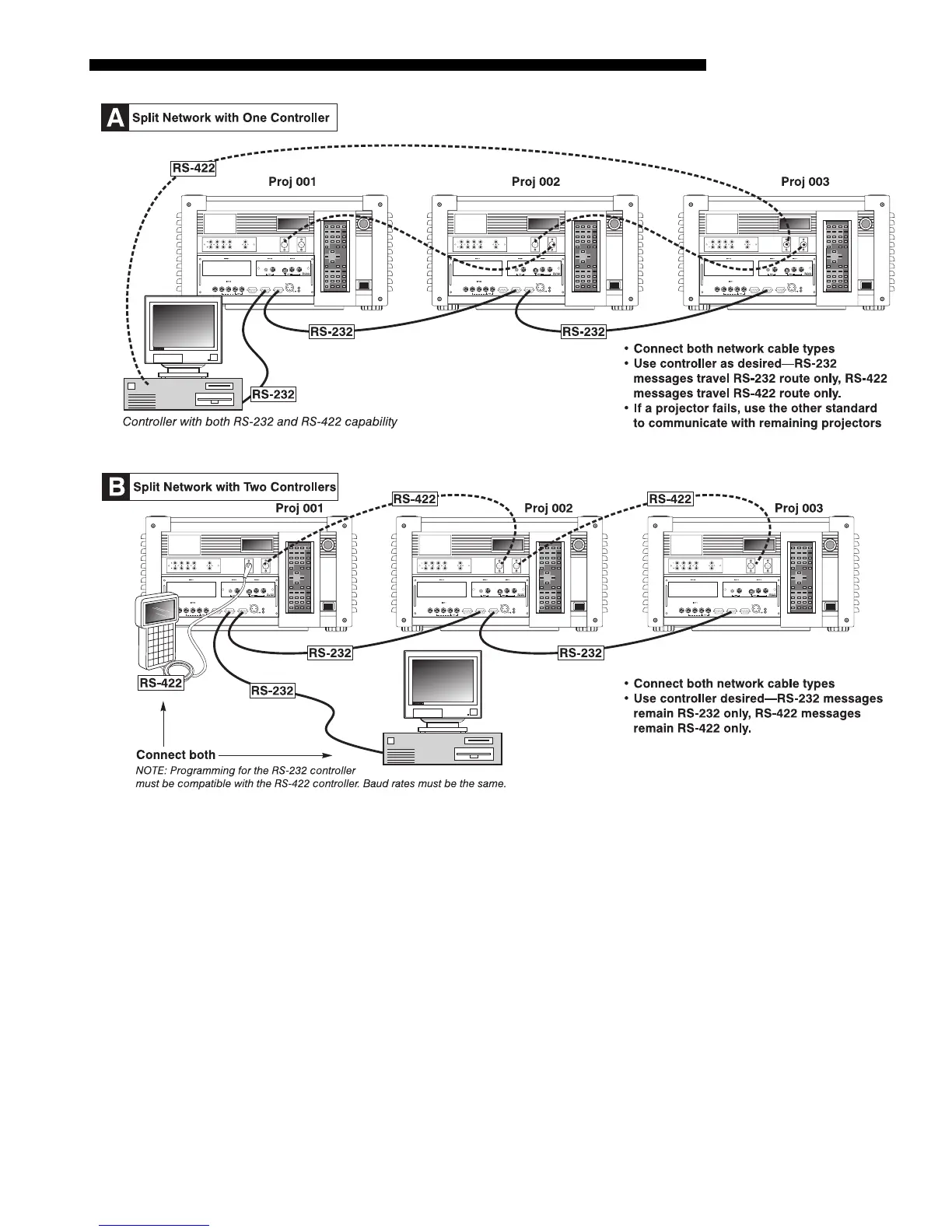
Figure 2.29. Two Types of Split Networks
Each projector can be assigned a unique 3-digit projector number (for example, 001).
These numbers are necessary when you are working with multiple linked projectors,
enabling you to direct commands to a certain projector rather than always
broadcasting to the entire network. For complete information on how to assign
projector numbers, see 3.7, Configuring System Parameters.
NOTE: To loop a single incoming video source through to another projector or
display device on a network, see Video Loop Through in 2.4, Source Connections.
Pro
ector Numbers
'



 To Next Page