OPERATION
3-2
Mirage 22000/4000/6000User’s Manual
FOCUS — Accessed manually via 2 “tabs” on the lens (or via the keypad if a
motorized lens mount is installed), focus adjusts the sharpness and clarity of the
image at the current throw distance.
LENS OFFSET —
Accessed manually using the 2 front knobs (or via the keypad if a
motorized lens is present), vertical and horizontal offsets shift the lens and move the
image up or down and left or right. See Section 2, Installation and Setup for the
offset ranges for any given lens. These are also listed on page 5-1.
SHUTTER (optional) — Closing the shutter blocks the lens internally and turns the
image to off. The shutter is controlled via a dedicated key on the keypad.
LAMP SIDE PANEL —
For accessing the interior lamp door and replacing the lamp
module. NOTE: Lamp replacement requires a qualified service technician.
FILTER SIDE PANEL —
Louvered grille for air intake. Remove to replace air filter.
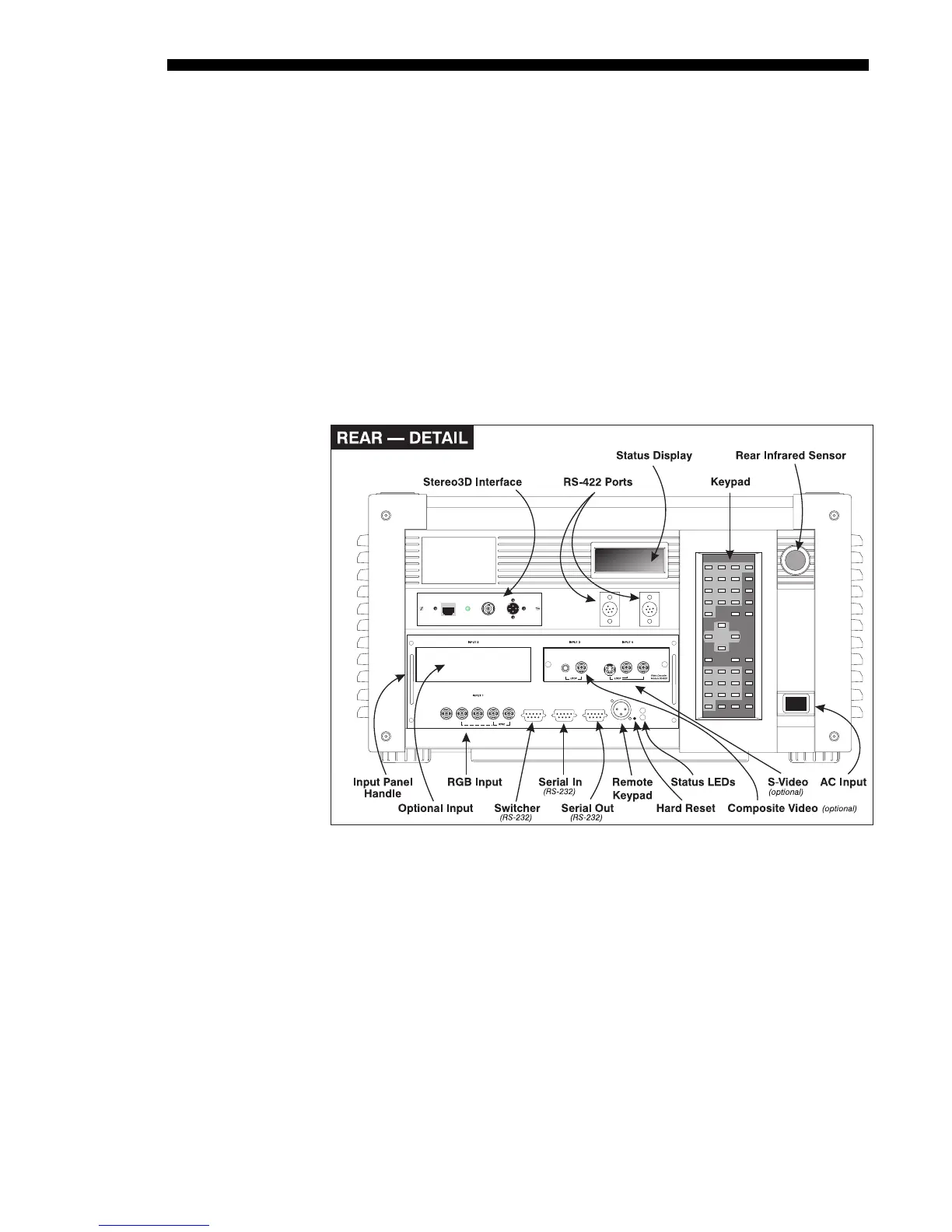
COMPOSITE/S-VIDEO INPUT (optional) —- Accepts a composite video and S-Video
signal from devices such as VCRs. Requires optional video decoder module.
RGB INPUT —- Accepts RGB and sync signals from devices such as computers, as
well as composite video, S-Video or YPbPr component signals.
STEREO 3D INTERFACE —- Use for inverting left/right frames in 3D images.
RS-232 SERIAL INTERFACE (WITH LOOP THROUGH) —
Allows one or more projectors
to be remotely controlled by a computer or controller, and provides a
communications connection for Christie’s Marquee Signal Switchers.
RS-422 SERIAL INTERFACE (WITH LOOP THROUGH) — Allows one or more projectors
to be remotely controlled by an RS-422 compatible computer or controller (such as
the Two-Way Controller accessory). RS-422 communications can travel greater



 To Next Page