OPERATION
3-12
Mirage 22000/4000/6000User’s Manual
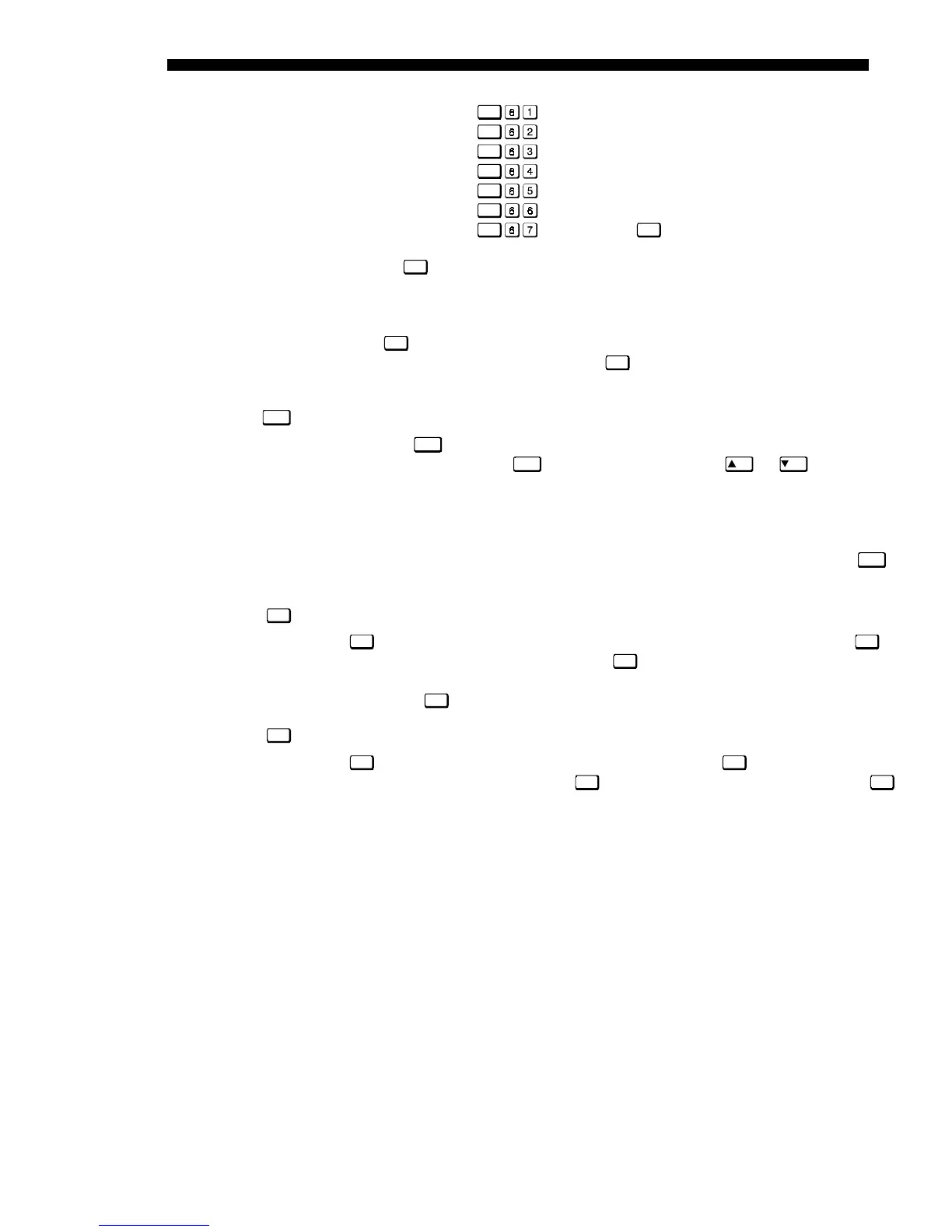
Func
= Red
Func
= Green
Func
= Blue
Func
= Red and Green
Func
= Green and Blue
Func
= Red and Blue
Func
= All colors (
Exit
does the same thing)
NOTE: Once
Func
is pressed in presentation level, the projector will not respond to
non-numeric entry until 2 digits have been entered or until 5 seconds of inactivity
have elapsed.
Use of the
Func
key within the menu system is noted with the appropriate topic
elsewhere in Section 3. For example, press
Func
in the Channel Setup menu to enable
deletion or copying of a channel.
OSD (On-screen display)
Press and hold
OSD*
for approximately 1 second to toggle menus on or off (i.e.,
visible or invisible). Or press
OSD*
followed immediately by
ON
or
OFF
to
guarantee the correct toggle direction (useful if you are unsure of the present status).
Note that invisible menus are fully functional.
NOTES: 1) With OSD on, you can still mute menus, error messages, slidebars, etc.
with the appropriate setting in the Menu Preferences menu. 2) The status of the
OSD*
key is displayed in the LCD window on the rear panel of the projector.
Help
Press
Help
for detailed information about any current menu and highlight. Press
Help
again to exit. From presentation level, press
Help
to access the General Help menu
consisting of Using Help, Setup, Keys, Source (Input) Selection, Stat/Pwr LEDs and
Using 3D. Press
Exit
to leave General Help and return to presentation level.
Test
Press
Tes t
to display one of the available test patterns. Press
Tes t
again to display the
next available pattern in the sequence.
Tes t
will exit after the last pattern, or press
Exit
at any time to remove the current test pattern from the screen and return to
presentation level.
NOTE: For a complete list of available patterns, see the Communications submenu
description later in Section 3.
Keypad operating settings (protocols)
The remote keypad and the optional wired keypad both store keypad operating
settings (called protocols) in memory. In some advanced applications, such as when
you want to use two separate keypads to control two projectors independently, you
may want to override the original protocol set at manufacture (which is "A or B") for
one of the keypads. See section 2.10, Keypad Protocols and Conversion for complete
instructions.
OSD*
Help
Tes t



 To Next Page