82
8575
8575
N/B Maintenance
N/B Maintenance
2.2.4 HDD Module
Disassembly
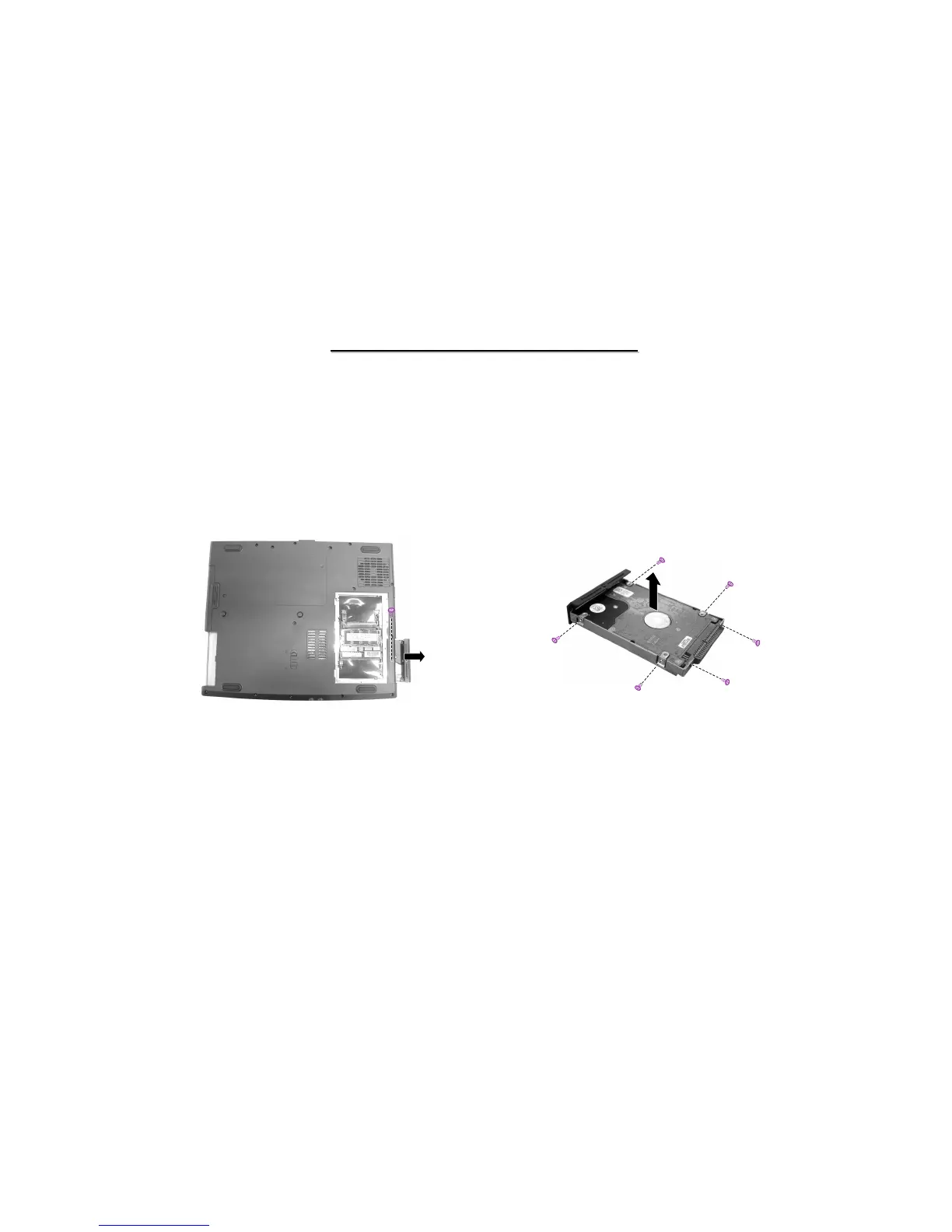
Figure 2-10 Remove HDD module
1. Carefully put the notebook upside down.
2. Remove one screw and slide the HDD module out of the compartment. (Figure 2-10)
3. Remove six screws to separate the hard disk drive from the metal shield. (Figure 2-11)
Figure 2-11 Disassemble the hard disk
Reassembly
1. To install the hard disk drive, place it in the bracket and secure with six screws.
2. Slide the HDD module into the compartment and secure with one screw.



 To Next Page