91
8575
8575
N/B Maintenance
N/B Maintenance
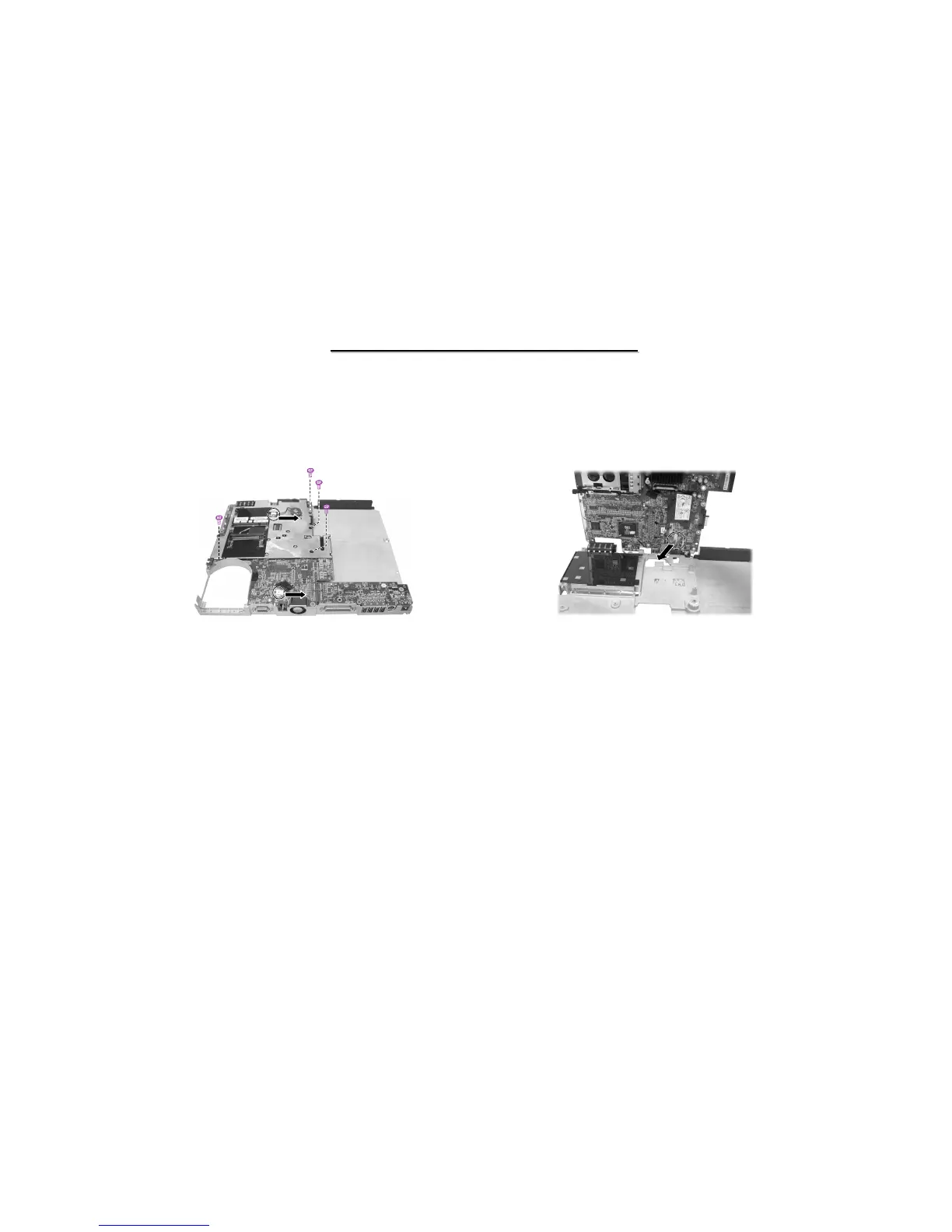
Figure 2-24 Remove the screws and
disconnect the cable
Figure 2-25 Remove the system board
6. Carefully put the notebook upside down.
7. Remove four screws fastening the system board and disconnect the cables. (Figure 2-24)
8. Lift up the system board and disconnect cable. Now you can remove the system board. (Figure 2-25)
Reassembly
1. Reconnect the cable to system board.
2. Replace four screws fasten the system board.
3. Reconnect one cable of system board fan and one cable of little battery to system board.
4. Replace four screws fasten the base unit.
5. Reconnect the touch pad cord.
6. Replace the base unit cover and secure with nine screws
7. Carefully put the notebook upside down. Then replace the bottom frame and secure with fourteen screws.
8. Replace the battery pack, LED panel, keyboard, CPU, HDD module, CD/DVD-ROM drive and LCD assembly.



 To Next Page