Line Keys and Programmable Keys
CREATING A SPEED DIAL USING A PROGRAMMABLE KEY IN THE MITEL
WEB UI
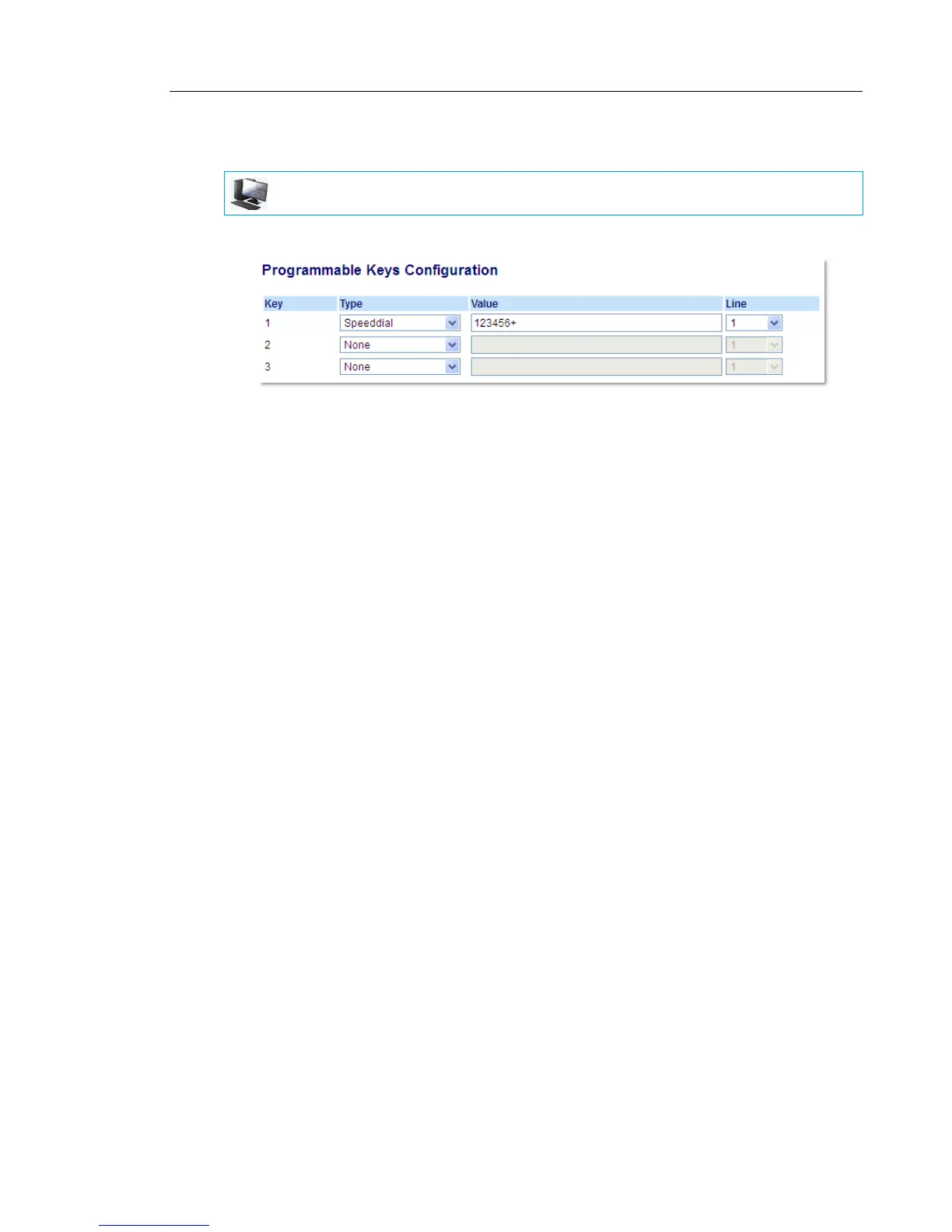
1. Click on Operation > Programmable Keys.
2. Select from Key 1 through Key 3.
3. In the Type field, select Speeddial to apply to the key.
4. In the Value field, enter the phone number, extension, or speed dial prefix to apply to this
hard key. If you enter a speed dial prefix, you must enter the + character at the end of the
prefix number (for example, 123456+).
5. In the Line field, select a line for which to apply the speed dial to. Valid values are 1 and 2.
6. Click Save Settings.
MITEL WEB UI



 To Next Page